
What we looked at
-
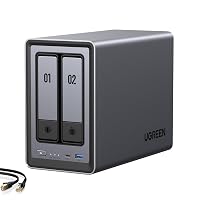 Highest rated
UGREEN NAS DXP2800 2-Bay for Advanced Home Users, Remote Workers &…
9.0/10
See price
Highest rated
UGREEN NAS DXP2800 2-Bay for Advanced Home Users, Remote Workers &…
9.0/10
See price
-
 Lowest price
Yxk Zero1 2-Bay Desktop NAS for Home & Personal Storage(Diskless)
8.8/10
See price
Lowest price
Yxk Zero1 2-Bay Desktop NAS for Home & Personal Storage(Diskless)
8.8/10
See price
-
 UGREEN NAS DXP6800 Ultra 6-Bay for Teams, Small Businesses File Server
9.0/10
See price
UGREEN NAS DXP6800 Ultra 6-Bay for Teams, Small Businesses File Server
9.0/10
See price
-
 Reviewed here
WD 2TB My Cloud Personal Network Attached Storage - NAS -…
7.6/10
See price
Reviewed here
WD 2TB My Cloud Personal Network Attached Storage - NAS -…
7.6/10
See price
As Amazon Associates, we earn from qualifying purchases. This means we may receive a small commission at no extra cost to you if you click through and make a purchase.
Modern households generate massive amounts of digital memories, spanning thousands of high-resolution smartphone snapshots, home 4K video clips, school projects, and sensitive personal documents scattered across multiple phones and computers. For busy parents attempting to keep these files organized and protected, monthly commercial cloud storage subscriptions quickly accumulate into costly ongoing liabilities, while traditional multi-bay network systems often demand intimidating technical know-how. The WD My Cloud Home addresses this exact dilemma by delivering an all-in-one personal network-attached storage hub designed to live directly beside your internet router, providing 2000 GB of private centralized space that eliminates recurring subscription fees.
In this comprehensive wd my cloud home review, our verdict centers on day-to-day simplicity and practical household utility: this external network drive is an exceptionally accessible, plug-and-run centralized repository for families who want dependable automated archiving without the headache of managing server hardware. While advanced power users might miss virtualization capabilities or multi-drive redundancy, households seeking hassle-free peace of mind will find it to be a quiet, capable, and user-friendly digital repository for all their shared memories.


Quick Verdict

The WD My Cloud Home stands out as a practical, set-and-forget private storage unit engineered specifically for everyday household backup and media sharing needs. It effectively removes recurring storage fees while keeping all your family media consolidated securely under your own roof.
- Generous 2000 GB capacity provides ample room for family photos, 4K home videos, and multi-computer system archives.
- Streamlined automated backups support both Windows PC and Mac desktop computers across your home network.
- Dedicated mobile app ecosystem enables effortless wireless photo and video uploads from smartphones and tablets.
- Wired Ethernet connectivity delivers direct router integration for seamless DLNA and UPnP home media streaming.
WD My Cloud Home Features Explained
Centralized Whole-Home Storage
Managing files across multiple family members usually results in duplicate folders, fragmented external hard drives, and lost memories scattered across different hardware. The WD My Cloud Home resolves this chaos by consolidating all your digital assets into a single private network-attached drive. Whether storing irreplaceable childhood photo albums, vast digital music libraries, or vital tax forms, everything resides on a dedicated 2000 GB 2.5-inch drive inside your living room or home office. Families assessing wd personal cloud storage ease of use will appreciate how seamlessly it merges into everyday network life without requiring specialized command-line administration or IT expertise.
Because the unit operates directly within your local network via a wired Ethernet connection to your internet router, every compatible desktop, laptop, smartphone, and tablet in the house can interface with the same shared pool of storage. Utilizing the device as a dedicated hub for wd my cloud for family photo backup allows parents and children alike to drop files into shared directories or maintain private folders, ensuring complete control over household media without relying on unpredictable third-party servers.
Automated Multi-Platform Computer Backups
Safeguarding family computers against sudden operating system crashes or hardware failures is essential, yet manual backups are notoriously easy to put off and forget. The platform offers dedicated sync software designed to keep folders continuously synchronized and up-to-date across all client computers on the network. When setting up wd my cloud home mac pc backup routines, users on Windows 10, Windows 8, and Windows 7, alongside Mac OS X platforms including El Capitan, Yosemite, Mavericks, and Mountain Lion, can effortlessly automate full-system or selective folder archives.
This cross-platform compatibility ensures that households running mixed operating systems do not need separate external storage drives for different laptops. For readers exploring alternative options like a western digital server hard drive my cloud nas setup, having out-of-the-box support for both PC and Mac operating systems remains a primary advantage of this compact personal cloud unit, keeping your files organized without endless manual drag-and-drop chores.
Direct Mobile Phone and Tablet Ingestion
Smartphone internal storage limits present a constant headache for modern parents recording high-resolution 4K video clips and high-megapixel photos during sports events, recitals, and vacations. With dedicated mobile applications available for iOS through iTunes and Android via Google Play, configuring my cloud home phone backup takes only a few taps. Family members can set their mobile devices to upload newly captured photos and videos directly to the home drive, instantly freeing up valuable internal flash memory on mobile hardware.
This automatic ingestion ensures that even if a smartphone is dropped, water-damaged, or misplaced outside the home, your irreplaceable memories remain securely archived on the home network drive. The mobile interface allows family members to browse past photo libraries smoothly from their handsets without consuming precious local storage space on their phones.
Remote Access and Private Content Sharing
A personal cloud is only as useful as its availability when you leave home. Western Digital provides free mobile and desktop apps alongside web browser portals to facilitate wd my cloud remote access wherever an internet connection is available. Whether traveling on vacation or working from an office, you can securely stream family videos, retrieve forgotten spreadsheets, or upload fresh vacation pictures directly back to your physical hardware in the living room.
Additionally, the sync and sharing software creates a centralized, controlled environment where family members and close friends can easily share photos and albums. Unlike public social media platforms where aggressive image compression lowers visual quality and privacy settings are opaque, sharing through this personal cloud preserves native file fidelity while keeping your personal media strictly within your trusted inner circle.
Local Performance and DLNA Media Streaming
Network responsiveness is critical when handling expansive digital collections, and evaluation of wd my cloud home performance reveals capable data throughput for everyday household tasks. Featuring a 5400 rpm internal mechanism paired with a 5000 megabits per second data transfer rate interface, a read speed rating of 625 megabytes per second, and a media speed of 500 MB/s, the hardware efficiently moves files across local network connections. While the listing notes specific uses for gaming, its primary household role is rapid file caching and seamless media serving.
Equipped with built-in DLNA and UPnP media server protocols, the drive streams stored music, movies, and family videos directly to compatible living room devices. When paired with a connected living room device such as a roku streaming stick 4k+ or a DLNA-capable smart television, the system acts as an always-on entertainment server that streams high-definition home movies smoothly without stuttering or buffering delays.
Specs
| Attribute | Detail |
|---|---|
| Digital Storage Capacity | 2000 GB |
| Hard Disk Form Factor | 2.5 inches |
| Hard Disk Rotational Speed | 5400 rpm |
| Data Transfer Rate | 5000 megabits_per_second |
| Read Speed | 625 megabytes_per_second |
| Media Speed | 500 MB/s |
| Cache Memory Installed Size | 2 |
| Hardware Connectivity | Ethernet, USB |
| Supported Platforms | Mac, PC, Desktop, Smartphone, Tablet |
| Enclosure & Color | Plastic Enclosure, White |
WD My Cloud Home Pros and Cons
What we like
- Generous 2000 GB centralized storage capacity
- Eliminates recurring monthly cloud storage fees
- Automated backup support for Windows and Mac
- Mobile photo backup via iOS and Android apps
- DLNA and UPnP media streaming support
What we’d change
- Single-drive enclosure without built-in drive redundancy
- 5400 rpm hard drive rotational speed
- Listing specifies older desktop operating system versions
Check WD My Cloud Home on Amazon
Best Use Cases
- Automating wireless photo and video camera roll offloading from iOS and Android smartphones for the entire household.
- Establishing hands-off scheduled desktop backups for mixed households operating both Windows PC and Mac computers.
- Streaming stored family home videos, music libraries, and media directly to DLNA and UPnP smart televisions.
- Consolidating scattered documents and personal archives onto a single 2000 GB drive to avoid recurring cloud subscription fees.
- Accessing critical personal documents and family photo archives securely from remote web browsers while traveling.
Before You Buy
Before purchasing, it is critical to review your home network infrastructure and computer software versions against the wd my cloud 2tb specs. The listing specifies operating system compatibility with Windows 10, Windows 8, and Windows 7, as well as legacy Mac OS X systems including El Capitan, Yosemite, Mavericks, and Mountain Lion. If your household relies on newer operating system revisions or specialized Linux distributions, verify manufacturer client software support beforehand. Smooth my cloud home setup also requires a home internet router equipped with an available Ethernet port and active broadband service, alongside DLNA or UPnP compliant hardware if you intend to stream media directly to displays.
Prospective buyers should also examine hardware physical expectations and packaging inclusions. The unit features a compact white plastic desktop enclosure containing a single 2.5-inch 5400 rpm internal drive with a USB port and Ethernet interface. Note that the listing does not specify whether an Ethernet patch cable or supplemental power adapter comes bundled inside the box, nor does it detail cache unit measurements beyond the numeric value of 2. Furthermore, because this is a single-drive enclosure rather than a multi-drive mirrored RAID array, households storing critical one-of-a-kind archives should maintain a secondary offsite or detached backup copy of their most valuable files.
How It Compares With Similar Picks
| Product | Best For | Key Difference |
|---|---|---|
| WD My Cloud Home | Non-technical families seeking plug-and-play storage | Pre-installed 2000 GB drive with single-drive simplicity and zero monthly fees |
| Home Media & Data Center | Advanced home power users, creators, and home labs | Diskless 2-bay NAS with Intel N100, 8GB DDR5, 2.5GbE, M.2 slots, Docker, VM, and Plex support |
| Docker Support | Tech enthusiasts wanting containerization and 4K output | Diskless 2-bay desktop unit with 4GB RAM, 2.5GbE, 4K HDMI, and dedicated Docker support |
| Intel 120U 10-Core CPU | Small businesses, teams, and high-throughput file servers | Diskless 6-bay powerhouse featuring Intel 120U 10-core CPU, 10GbE, Thunderbolt 4, and 8K HDMI |
While the WD My Cloud Home excels at uncomplicated family media storage right out of the box, advanced users requiring virtualization, customized container software, or dual-bay disk mirroring should consider enthusiast-grade alternatives. If you want to run complex containerized services, media transcoders, or manage multi-drive expansion, a flexible modular chassis like the Home Media & Data Center or a dual-bay unit like the ugreen nasync dh2300 2-bay will provide far greater processing power and expansion potential, whereas users who simply require turnkey container management might opt for the Docker Support platform or look toward the enterprise-grade multi-drive performance found on the Intel 120U 10-Core CPU server.

Bottom Line
When asking is wd my cloud home worth it, the answer depends squarely on your technical comfort level and household storage requirements. For everyday families, students, and home offices that simply want to eradicate monthly cloud rental subscriptions, this compact white desktop drive delivers exceptional value. It reliably centralizes thousands of family photographs, coordinates computer backups, and facilitates remote document retrieval through straightforward desktop and mobile software.
By providing a private 2000 GB repository connected directly to your home router, the unit delivers dependable convenience without forcing parents to become system administrators. Provided your storage needs fit comfortably within a single-drive 2TB capacity limit and your priority is ease of use over complex server configurations, the WD My Cloud Home remains an approachable, practical investment for safeguarding your family’s digital world.
FAQ
Does the WD My Cloud Home require a monthly subscription?
No, the hardware operates entirely without monthly service fees. Once you connect the device to your home router, you gain access to 2000 GB of personal network storage and remote accessibility features using Western Digital’s free desktop and mobile software applications.
Can multiple family members back up their phones to the drive?
Yes, multiple household members can install the free mobile applications on their iOS or Android smartphones and tablets. Each device can be configured to upload photos and videos directly over your home Wi-Fi network, keeping everyone’s personal memories backed up in one centralized location.
How does the drive connect to your home network?
The unit connects directly to an available Ethernet port on your home Wi-Fi router. Once plugged in and powered on, it communicates across your local area network, allowing wireless laptops, desktop computers, mobile devices, and DLNA-enabled televisions to interface with its shared directories.
What computer operating systems are supported for desktop backups?
According to the product specifications, the drive supports Windows 10, Windows 8, and Windows 7, along with Mac OS X systems including El Capitan, Yosemite, Mavericks, and Mountain Lion. Dedicated sync software is provided via executable download for Windows and disk image download for Mac.
Can I stream video files stored on the drive to my TV?
Yes, the hardware includes built-in UPnP and DLNA media streaming capabilities. As long as your smart television or media streaming box is connected to the same home network and supports DLNA or UPnP protocols, you can stream compatible stored video and audio files directly to your screen.


