
What we looked at
-
 Lowest price
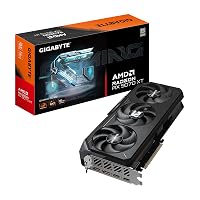
GIGABYTE Radeon RX 9070 XT Gaming OC 16G Graphics Card, PCIe…
9.2/10
See price
Lowest price
GIGABYTE Radeon RX 9070 XT Gaming OC 16G Graphics Card, PCIe…
9.2/10
See price
-
 Highest rated
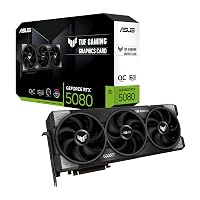
ASUS TUF Gaming GeForce RTX™ 5080 16GB GDDR7 OC Edition Graphics…
9.4/10
See price
Highest rated
ASUS TUF Gaming GeForce RTX™ 5080 16GB GDDR7 OC Edition Graphics…
9.4/10
See price
-
 ASUS SFF-Ready Prime NVIDIA GeForce RTX™ 5070 OC Edition Graphics Card…
9.4/10
See price
ASUS SFF-Ready Prime NVIDIA GeForce RTX™ 5070 OC Edition Graphics Card…
9.4/10
See price
-
 Reviewed here
MSI GeForce RTX 5060 Ti 16G Ventus 2X OC White -…
8.0/10
See price
Reviewed here
MSI GeForce RTX 5060 Ti 16G Ventus 2X OC White -…
8.0/10
See price
As Amazon Associates, we earn from qualifying purchases. This means we may receive a small commission at no extra cost to you if you click through and make a purchase.
A desktop computer in a shared household faces unpredictable demands, shifting daily between high-resolution homework assignments, video rendering, and modern gaming. Equipping a shared setup with hardware that remains relevant across multiple hardware cycles without unexpected software crashes or memory bottlenecks is a primary concern for value-conscious households. The MSI RTX 5060 Ti 16GB Ventus 2X is engineered specifically to tackle these long-term stability needs by providing a generous frame buffer, efficient power usage, and a compact dual-fan footprint. While older upgrades like a previous-generation 4060 ti 16gb served general computing setups reliably, modern graphic standards and expanding local computing tasks demand greater bandwidth and enhanced feature support.
Our editorial evaluation reveals this hardware component as a steady, sensible candidate for busy desktop systems requiring multi-year utility. Outfitted with high-speed memory and advanced rendering features, it avoids the oversized bulk and extreme thermal output often found in enthusiast components. For families aiming to refresh an aging desktop tower without replacing the entire computer chassis, this model strikes a balanced middle ground between daily dependability and modern graphical capability.


Quick Verdict

The MSI RTX 5060 Ti 16GB Ventus 2X delivers an effective blend of high memory capacity and practical sizing for household desktop towers. Its modernized memory standard and dual-fan construction focus on dependable stability, making it an ideal candidate for long-term ownership where ease of maintenance and broad case compatibility matter most.
- Spacious 16GB video memory buffer provides durability against rising graphical and software requirements.
- Sleek dual-fan Ventus design fits effortlessly into most standard mid-tower and compact cases.
- Next-generation architecture provides full support for ray tracing and AI frame rendering technologies.
- Modest power supply requirements ensure simple integration into existing home power setups.
MSI RTX 5060 Ti 16GB Ventus 2X Features Explained
NVIDIA Blackwell Architecture and Efficiency
At the center of this graphics card is the NVIDIA Blackwell architecture, engineered to process demanding visual simulations while maintaining balanced energy efficiency. This architectural design focuses on complete ray tracing realism, accurately simulating physical light, reflections, and complex environmental shadows without causing catastrophic drops in frame consistency. For a family PC shared between varied creative projects and modern entertainment, this architecture provides a dependable baseline that keeps desktop operations smooth.
Operational efficiency is particularly valuable in a busy household environment where a personal computer might remain active for long hours each day. The Blackwell foundation processes computational tasks efficiently, ensuring that routine visual rendering and graphics-intensive games do not produce excessive internal thermal load or demand extreme electrical draw from the household circuit.
High-Capacity GDDR7 Graphics Memory
Equipped with an rtx 5060 ti 16gb gddr7 memory configuration operating on a 128-bit bus at 28Gbps, this component brings modern memory speeds to everyday desktop computers. The 16GB capacity is a significant asset for longevity, allowing users to load high-resolution texture packs, execute complex photo compositions, and handle multiple desktop monitors without stuttering or memory exhaustion. Modern applications continuously expand their memory footprints, making an ample memory reserve essential for longevity.
With a memory clock speed of 2407 MHz, data transfers smoothly between the system and the graphics processor. This steady throughput prevents the visual hitching and sudden performance slowdowns often seen on hardware with limited video memory buffers, providing sustained stability whether children are playing sandbox games or parents are compiling high-definition home videos.
Ventus Dual-Fan Thermal Architecture
The msi rtx 5060 ti ventus 2x oc model utilizes a dual-fan cooling structure built to deliver reliable heat dissipation within constrained internal computer cases. MSI crafts the Ventus series as a solid, no-nonsense hardware foundation that emphasizes continuous airflow over excessive cosmetic extras. By employing optimized cooling contours and paired cooling fans, the thermal module channels air directly across the heatsink fins to maintain stable operational temperatures during peak workloads.
A major benefit of this thermal approach is achieving msi rtx 5060 ti 16gb quiet cooling throughout routine computing tasks. When operating during school study sessions, web navigation, or light media playback, the cooling system regulates fan velocity to maintain a quiet work atmosphere, spinning up purposefully only when high-demand 3D rendering or gaming sessions require active thermal management.
DLSS 4 Neural Rendering Performance
Graphical upscaling has transformed modern digital visuals, and the rtx 5060 ti dlss 4 performance capabilities provide a distinct advantage for multi-year system durability. DLSS 4 uses artificial intelligence and neural rendering technologies to reconstruct native-quality visuals from lower initial render resolutions. This process significantly increases display framerates, sharpens image details, and reduces latency, enabling fluid interactivity across demanding titles without overworking internal silicon.
For household members running games across diverse genres, this neural processing ensures playable frame rates even as newer gaming titles grow substantially more demanding. By allowing the graphics card to rely on intelligent frame reconstruction rather than raw brute-force computing, DLSS 4 extends the operational lifespan of the entire computer system.
Modern Display Connectivity
Display connectivity is handled through updated output interfaces, featuring both DisplayPort 2.1b and HDMI 2.1b connections. These output options allow the card to drive modern multi-monitor desks and high-refresh-rate household displays up to a maximum display resolution of 3840 x 2160. Families utilizing multiple screens for simultaneous research, media streaming, and gaming can easily connect their existing displays without requiring specialized signal adapters.
The high bandwidth provided by the DisplayPort 2.1b and HDMI 2.1b standards ensures clean visual signal transmission, eliminating display flickering and maximizing color depth on compatible 4K panels. This modern connectivity guarantees that future monitor upgrades in the home will connect seamlessly to the graphics card without compatibility friction.
Specs
Below are the detailed msi 5060ti 16gb specs extracted directly from the manufacturer listing to help plan your desktop installation.
| Hardware Attribute | Specification Detail |
|---|---|
| Graphics Processor | NVIDIA GeForce RTX 5060 Ti |
| GPU Series | NVIDIA RTX 50 Series (Blackwell Architecture) |
| Video Memory | 16 GB GDDR7 (28Gbps / 128-bit) |
| Core Clock / Boost Clock | 2602 MHz boost (up to 2617 MHz listed) |
| Memory Clock Speed | 2407 MHz |
| Interface Bus | PCI Express 5.0 |
| Display Outputs | DisplayPort 2.1b, HDMI 2.1b |
| Maximum Resolution | 3840 x 2160 pixels |
| Card Dimensions | 8.94 inches L x 4.96 inches W |
| Power Supply Recommendation | Minimum 600W |
MSI RTX 5060 Ti 16GB Ventus 2X Pros and Cons
What we like
- Spacious 16GB GDDR7 memory buffer
- Compact 8.94-inch dual-fan form factor
- Modern DisplayPort 2.1b and HDMI 2.1b outputs
- Modest 600W minimum power supply recommendation
- Support for DLSS 4 neural rendering
What we’d change
- Narrower 128-bit memory bus configuration
- Listing does not specify physical slot thickness
- Listing does not specify bundled cables or adapters
Check MSI RTX 5060 Ti 16GB Ventus 2X on Amazon
Best Use Cases
- Serving as a durable msi rtx 5060 ti 16gb for family pc duties where multiple household users switch between schoolwork, photo editing, and weekend gaming sessions.
- Upgrading older desktop systems built into standard mid-tower cases that cannot accommodate oversized triple-fan enthusiast graphics cards.
- Handling high-resolution creative workflows involving 4K video rendering, graphical design software, and entry-level 3D modeling tasks.
- Providing smooth high-refresh visual output on 1080p and 1440p displays by leveraging DLSS 4 neural frame generation.
Before You Buy
Before proceeding with an upgrade, it is vital to evaluate your current computer hardware against the msi 5060 ti 16gb power supply requirements. MSI recommends a power supply with a minimum of 600 watts to ensure safe and stable operation under full system loads. While many standard home desktop towers already feature adequate power units, older budget computers may carry power units below this threshold and might require an updated power box before installation. Ensuring your desktop motherboard features a compatible PCI Express slot and downloading the latest drivers from the official MSI support page will guarantee a seamless setup process.
Chassis interior clearance must also be checked carefully against the physical msi rtx 5060 ti 16gb dimensions. Measuring 8.94 inches in length and 4.96 inches in width, this dual-fan card is significantly more compact than bulky top-tier alternatives, yet buyers should still measure the interior clearance of their computer chassis. The manufacturer listing does not specify exact physical slot thickness or slot count, nor does the listing specify any included accessory cables or power adapters in the packaging. Consulting a comprehensive overview like our nvidia rtx 5060 ti 16gb analysis can provide helpful perspective on how this hardware profile fits into general mid-range PC building plans.
How It Compares With Similar Picks
| Product | Best For | Key Difference |
|---|---|---|
| MSI RTX 5060 Ti 16GB Ventus 2X | Compact family desktops needing long-term memory capacity | Dual-fan 8.94-inch form factor with 16GB GDDR7 memory and 600W minimum power recommendation |
| ASUS SFF-Ready Prime NVIDIA GeForce | Small-chassis systems requiring dual BIOS flexibility | Features RTX 5070 GPU, 12GB GDDR7, 2.5-slot profile, Axial-tech fans, and a 3-year warranty |
| GIGABYTE Radeon RX 9070 XT | Dedicated AMD gaming desktops wanting alternate architecture | Radeon RX 9070 XT GPU utilizing 16GB GDDR6 memory configuration on PCIe 5.0 |
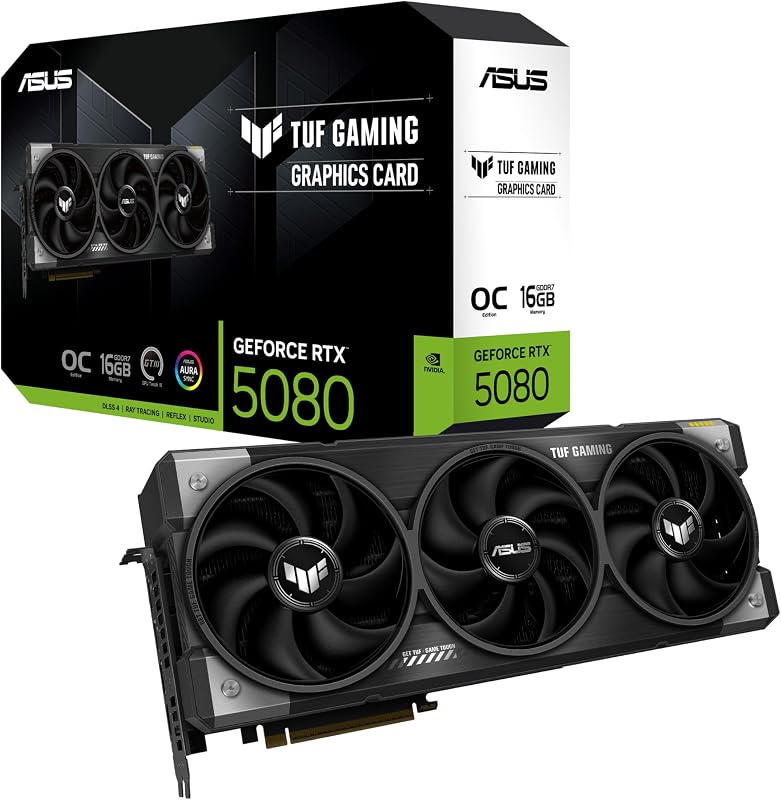
| PCIe 5.0 | Heavyweight enthusiast systems with spacious computer towers | Upper-tier RTX 5080 GPU, large 3.6-slot footprint, military-grade components, and protective PCB coating |
Choosing an alternative model depends heavily on the specific requirements of your computer chassis and performance targets. If your desktop case requires a dedicated small form factor profile with dual BIOS tuning and a manufacturer-backed three-year warranty, the ASUS alternative offers a potent step into higher-tier rendering despite carrying slightly less memory at 12GB. On the other hand, builders who prefer an AMD ecosystem will appreciate the high-capacity GDDR6 memory layout found on the GIGABYTE Radeon option. For expansive tower chassis that can accommodate oversized components, a heavy-duty cooling solution like the msi rtx 4070 ti super ventus 3x or the military-grade 3.6-slot PCIe 5.0 alternative provides maximum cooling capacity at the expense of requiring significantly more physical space.
Bottom Line
When asking the core question, is msi 5060ti 16gb worth it for a shared household setup, the answer centers on longevity and dependable everyday operation. The inclusion of 16GB of rapid GDDR7 memory ensures that the card will not quickly succumb to memory limitations as modern games and productivity tools expand their demands. Coupled with power-efficient Blackwell architecture and DLSS 4 neural upscaling, it gives family computers the visual headroom required to remain capable for years ahead.
While the 128-bit memory bus remains a modest bandwidth channel and the listing does not specify bundled accessories, the overall construction of the card emphasizes practical value over unnecessary luxury. Its compact 8.94-inch footprint fits comfortably into standard desktop cases, making the MSI RTX 5060 Ti 16GB Ventus 2X a reliable, multi-year upgrade that balances household utility, energy efficiency, and modern gaming readiness.
FAQ
What power supply is required to run this graphics card?
MSI recommends using a power supply with a minimum capacity of 600 watts. Ensuring your desktop computer meets or exceeds this recommendation helps prevent system instability, random restarts, or component strain during intense processing sessions.
Will this card fit inside a compact or mid-tower desktop case?
With physical dimensions measuring 8.94 inches in length and 4.96 inches in width, this dual-fan model is substantially more compact than three-fan graphics cards. However, because the listing does not specify the exact slot thickness, you should always measure the vertical clearance and expansion slots inside your chassis before purchasing.
What display connections are available on this model?
The graphics card comes equipped with DisplayPort 2.1b and HDMI 2.1b video output ports. These modern connections support resolutions up to 3840 x 2160, facilitating multi-monitor workstations and modern high-definition display setups.
How does the 16GB GDDR7 memory benefit a family desktop?
The 16GB GDDR7 memory buffer gives the computer enough capacity to handle demanding modern games, creative software like photo and video editors, and multi-window multitasking without stuttering or exhausting video memory.
What accessories come included inside the product package?
The manufacturer listing does not specify included accessories, auxiliary power adapters, or support brackets in the box. You should ensure that your current PC power supply possesses the appropriate power connectors prior to installation.


