
What we looked at
-
 Reviewed here
Western Digital 1TB WD Blue SA510 SATA Internal Solid State Drive…
4.5
See price
Reviewed here
Western Digital 1TB WD Blue SA510 SATA Internal Solid State Drive…
4.5
See price
-
 TEAMGROUP T-Force Vulcan Z 1TB SLC Cache 3D NAND TLC 2.5…
4.6
See price
TEAMGROUP T-Force Vulcan Z 1TB SLC Cache 3D NAND TLC 2.5…
4.6
See price
-
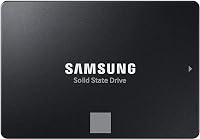 Samsung SSD 870 EVO SATA III 2.5” 2TB, Read Speeds Up…
4.3
See price
Samsung SSD 870 EVO SATA III 2.5” 2TB, Read Speeds Up…
4.3
See price
-
 Highest rated
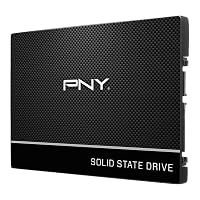
PNY CS900 250GB 2.5" SATA III Internal SSD
4.7
See price
Highest rated
PNY CS900 250GB 2.5" SATA III Internal SSD
4.7
See price
As Amazon Associates, we earn from qualifying purchases. This means we may receive a small commission at no extra cost to you if you click through and make a purchase.
Many family households rely on a shared desktop computer that gradually becomes sluggish after years of handling homework assignments, remote office duties, household accounting, and digital photo storage. In most older systems, the primary performance bottleneck is an aging mechanical hard drive spinning at legacy speeds rather than an obsolete processor or inadequate system memory. Upgrading to the WD Blue SA510 SSD offers a practical and cost-effective remedy, transforming an unresponsive computer into a snappy machine capable of handling daily multitasking with ease.
In this detailed wd blue sa510 review, we examine whether this 2.5-inch solid state drive delivers the long-term reliability, steady transfer rates, and straightforward installation required for a stress-free household tech refresh. Rather than investing in a completely new desktop tower, replacing or augmenting your primary drive with this SATA unit provides an immediate boost in boot times and file responsiveness while safeguarding critical family documents.


Quick Verdict

The WD Blue SA510 solid state drive is an ideal storage upgrade for households looking to extend the useful life of an aging laptop or desktop computer without technical frustration. It maximizes the established SATA III interface to deliver snappy daily responsiveness, generous capacity, and peace of mind through bundled data protection tools.
- Provides sequential read rates reaching up to 560 MB/s to eliminate operating system boot lag
- Generous 1TB storage pool accommodates family archives, homework files, and shared software suites
- Bundled with Acronis True Image for Western Digital backup software to simplify drive cloning and safety
- Standard 2.5-inch 7mm profile ensures wide compatibility across desktop towers and older laptops
WD Blue SA510 SSD Features Explained
SATA III Transfer Speeds for Everyday Tasks
The core advantage of installing this drive lies in the dramatic jump in sequential responsiveness over traditional spinning platters. With a wd blue sata ssd speed rated for read transfers up to 560 megabytes per second and a media speed listed at 520, the unit pushes the practical boundaries of the Serial ATA 6 gigabits per second interface. Daily family computing activities such as launching web browsers, loading office documents, and booting Windows or Linux happen in seconds rather than minutes.
Because solid state technology eliminates moving mechanical arms and magnetic platters, access times are nearly instantaneous. This responsive feel prevents the system freezes that frequently plague older home computers during background updates or file indexing. While it cannot match modern PCIe drives like the western digital wd blue sn580, it represents the absolute pinnacle of speed available for older motherboards limited strictly to legacy SATA ports.
Backup and Cyber Protection Software
One of the most daunting hurdles for families undergoing a hardware upgrade is the fear of losing personal memories, schoolwork, and tax records. The drive addresses this concern directly by including access to wd blue sata ssd backup software in the form of Acronis True Image for Western Digital. This utility allows users to clone their existing operating system, installed software, and personal data directly onto the new solid state drive without reinstalling everything from scratch.
Beyond drive migration, Acronis True Image delivers ongoing cyber protection and regular system backup scheduling. Having a dependable cloning utility simplifies the transition from a failing hard drive to solid state storage, making the maintenance process manageable even for non-technical parents. Furthermore, the listing identifies an included Data Recovery Service feature, providing an additional safeguard for irreplaceable family archives.
1TB Storage Capacity for Household Files
Modern family computing demands substantial local storage for high-resolution vacation photographs, video projects, tax documents, and expanding software applications. The wd blue sa510 1tb capacity provides 1000 GB of digital storage space, which is typically more than sufficient to replace standard primary hard drives found in desktop computers from recent generations. This eliminates the persistent low-storage warnings that frequently disrupt family productivity.
With an installed cache memory size listed at 1, the drive manages file queues and continuous write operations smoothly. Whether the household is archiving years of smartphone backups or downloading large educational platforms, the storage footprint provides comfortable breathing room. It ensures the computer remains functional and clutter-free for years without forcing families to pay ongoing subscriptions for supplemental cloud storage tiers.
Form Factor and Cross-Device Versatility
The physical footprint of the drive adheres to the widely adopted 2.5-inch 7mm standard, making it versatile across diverse hardware ecosystems. It fits neatly into standard laptop drive bays, all-in-one desktop computers, and traditional desktop towers. The product listing also notes compatibility with the Sony PlayStation 5 console, as well as broader personal, content creation, and business computing environments.
This universal form factor means that if a family eventually decides to retire the desktop computer entirely, the drive can easily be repurposed. It can be moved into a secondary office PC, fitted into an external USB enclosure to act as a rugged portable backup drive, or transferred to an older laptop to keep another machine in service. This adaptability ensures that the storage hardware continues delivering practical utility long into the future.
Specs
| Specification Attribute | Product Detail |
|---|---|
| Brand | Sandisk / Western Digital |
| Digital Storage Capacity | 1000 GB (1 TB) |
| Hardware Interface | SATA III 6 Gb/s (Serial ATA) |
| Sequential Read Speed | Up to 560 MB/s |
| Media Speed | 520 |
| Form Factor | 2.5-inch / 7mm (listing also lists 3.5 inches) |
| Cache Memory Installed Size | 1 |
| Hardware Connectivity | Solid State Drive |
| Compatible Hardware Platforms | PC, Laptop, Sony PlayStation 5 |
| Included Software & Services | Acronis True Image for Western Digital, Data Recovery Service |
| Color | Blue |
WD Blue SA510 SSD Pros and Cons
What we like
- Sequential read speeds reaching up to 560 MB/s
- Bundled Acronis True Image software for easy cloning
- Spacious 1TB capacity for family documents and photos
- Universal 2.5-inch 7mm form factor fits older PCs
- Includes dedicated Data Recovery Service support
What we’d change
- SATA speeds restricted compared to modern NVMe drives
- Mounting brackets and SATA data cables not specified
- Listing notes multiple form factors that may cause confusion
Check WD Blue SA510 SSD on Amazon
Best Use Cases
- Upgrading a sluggish family desktop to run modern operating systems with immediate boot times.
- Replacing an aging mechanical hard drive in an older household laptop to improve daily battery life and shock resistance.
- Serving as a dedicated secondary storage drive for home office records, tax archives, and high-resolution photo libraries.
- Expanding storage for a Sony PlayStation 5 console or general entertainment machine requiring SATA connectivity.
Before You Buy
Before proceeding with a wd blue sata ssd for desktop upgrade, you must verify the internal connections inside your existing computer chassis. Because this drive utilizes a standard SATA III interface, your computer motherboard requires an open SATA data port, and your power supply must have a free 15-pin SATA power connector. If you are upgrading a full-sized desktop that currently houses an older 3.5-inch mechanical drive, you will likely need a 2.5-inch to 3.5-inch mounting bracket, as the listing does not specify included mounting sleds, screws, or SATA data cables.
It is also worth noting that the product description mentions the drive being available across both 2.5-inch and M.2 form factor slots, so buyers must verify that they are selecting the 2.5-inch 7mm casing if their intended system lacks M.2 slots. For older desktop computers, the physical 2.5-inch format provides universal compatibility. Additionally, while the listing references compatibility with the Sony PlayStation 5, users should note that the PS5 internal expansion bay utilizes an M.2 NVMe slot, meaning this 2.5-inch SATA version is limited to external USB enclosure use for older legacy game storage on that console.
How It Compares With Similar Picks
| Product | Best For | Key Difference |
|---|---|---|
| WD Blue SA510 SSD | Everyday family PC revivals and secure backups | Features up to 560 MB/s reads with included Acronis True Image software and data recovery service |
| TEAMGROUP T-Force Vulcan Z 1TB | Budget-minded general desktop upgrades | Provides 550 MB/s read and 500 MB/s write speeds with 3D NAND TLC technology |
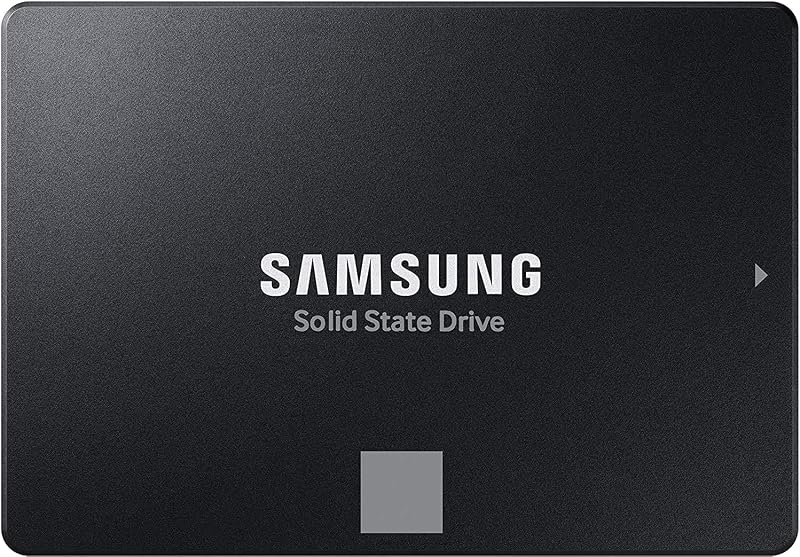
| SATA Internal Solid State Drive | High-capacity workstation storage | Doubles the capacity to 2TB while offering 560 MB/s read speeds for creators and IT pros |
| Up to 535 500MB s | Lightweight operating system drive replacements | Smaller 250GB storage pool with read speeds up to 535 MB/s for entry-level use |
When weighing your options, the choice between these drives largely depends on your storage volume needs and software priorities. If you require maximum storage for heavy digital video libraries or extensive multi-user family archives, stepping up to the 2TB capacity of the SATA Internal Solid State Drive makes more sense. On the other hand, if you are reviving a machine that only handles light web browsing and basic word processing, the 250GB Up to 535 500MB s drive provides an adequate baseline. However, for a balanced household desktop, the WD Blue SA510 SSD hits the sweet spot by combining a 1TB footprint with bundled cloning software that spares you the hassle of manual operating system reinstallation, similar to dependable alternatives like the crucial mx500 ssd sata.
Bottom Line
When asking is wd blue sata ssd worth it for a home computer refresh, the answer is an emphatic yes for anyone tired of prolonged startup times and sluggish application loading. By leveraging the upper speed ceiling of the SATA III bus, this drive revitalizes computers that might otherwise be sent prematurely to an electronics recycler. The inclusion of Acronis True Image for Western Digital removes the technical intimidation of migrating your existing operating system, allowing even casual computer owners to complete the transition seamlessly.
Regarding long-term wd blue sata ssd durability, solid state technology fundamentally outlasts mechanical spinning drives in daily household environments because it contains no delicate moving parts vulnerable to physical shock or vibration. While newer motherboard architectures increasingly favor NVMe models, this 2.5-inch SATA unit remains an exceptionally dependable, durable, and practical hardware upgrade that keeps your family PC running smoothly for years to come, rivaling the everyday consistency seen in options like the samsung 870 evo 500gb sata ssd.
FAQ
How does the wd blue sata ssd speed compare to an older mechanical hard drive?
Traditional mechanical hard drives typically achieve sequential transfer rates between 80 MB/s and 140 MB/s, while the WD Blue SA510 SSD achieves sequential read speeds up to 560 MB/s and media speeds of 520. More importantly, solid state drives access stored data almost instantaneously without physical seek times, drastically improving boot speed and day-to-day responsiveness.
What is required for a wd blue sa510 installation in an older family desktop?
A standard wd blue sa510 installation requires an available SATA data cable, an open SATA port on the motherboard, and a 15-pin SATA power connector from the computer power supply. Because the listing does not specify included cables or mounting hardware, you may need a 2.5-inch to 3.5-inch bracket if your desktop chassis only features full-sized drive bays.
Does the wd blue sata ssd backup software simplify transferring files?
Yes, the included Acronis True Image for Western Digital backup software allows you to clone your current primary drive directly onto the new SSD. This clones your operating system, desktop settings, applications, and family files so you can swap drives without performing a clean installation of Windows.
Is the WD Blue SA510 SSD compatible with laptops as well as desktop PCs?
The drive utilizes a standard 2.5-inch 7mm form factor, which is fully compatible with laptops that feature a 2.5-inch SATA internal bay. It is also compatible with desktop PCs and lists compatibility with the Sony PlayStation 5, though the listing does not specify console installation methods.
What are the primary wd blue sata ssd specs to verify before purchasing?
Before purchasing, verify your system supports a Serial ATA III 6 Gb/s connection and has room for a 2.5-inch drive. Key wd blue sata ssd specs include a 1000 GB capacity, up to 560 MB/s read speed, 520 media speed, and bundled Acronis backup software to facilitate data migration.


