What we looked at
-
 Highest rated
Seagate 2TB Portable Hard Drive | USB 3.0 (STGX2000400)
4.6
See price
Highest rated
Seagate 2TB Portable Hard Drive | USB 3.0 (STGX2000400)
4.6
See price
-
Seagate Portable 4TB External Hard Drive HDD – USB 3.0, 1-Year…
4.6
See price
-
 1TB Dual Drive External SSD, Up to 500/s Read 450MB/s Write,USB…
4.4
See price
1TB Dual Drive External SSD, Up to 500/s Read 450MB/s Write,USB…
4.4
See price
-
 Reviewed here
Toshiba Canvio Basics 2TB Portable External Hard Drive USB 3.0, Black…
4.6
See price
Reviewed here
Toshiba Canvio Basics 2TB Portable External Hard Drive USB 3.0, Black…
4.6
See price
As Amazon Associates, we earn from qualifying purchases. This means we may receive a small commission at no extra cost to you if you click through and make a purchase.
Everyday household computing inevitably runs into digital storage limits. Between expanding libraries of high-resolution digital pictures, saved video clips from family celebrations, archived tax records, and school projects, family laptops and desktops quickly become cluttered. When personal computers run out of local space, performance slows and the risk of losing irreplaceable memories increases. Many households simply need a straightforward, dependable way to move files off their primary machines without committing to ongoing cloud subscription fees or navigating complicated network systems. The Toshiba Canvio Basics 2TB is engineered precisely to address this issue by providing a dedicated, high-capacity repository for offline file archiving.
Our research into the specifications and intended design of this drive shows that it delivers exactly what its name promises: simple, distraction-free external storage. By omitting proprietary software installers, account registrations, and unnecessary background utilities, the unit prioritizes pure plug-and-play utility. While users demanding lightning-fast file transfers or native out-of-the-box cross-platform support might look toward modern solid-state alternatives like the lexar 2tb professional go usb 3.2 gen 2 portable ssd, this mechanical drive serves as an approachable, highly practical solution for everyday family backups.


Quick Verdict
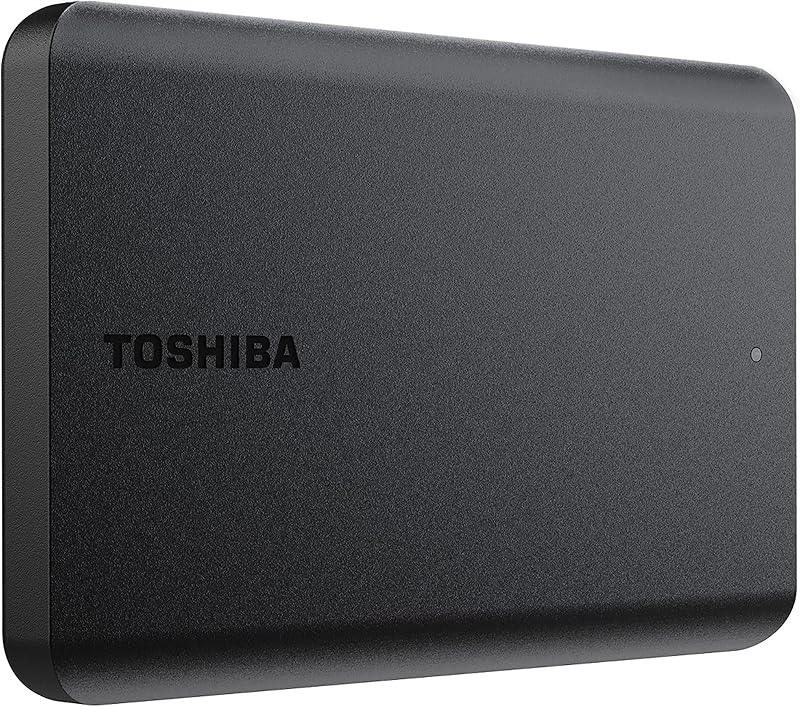
The Toshiba Canvio Basics 2TB portable external hard drive focuses strictly on essential storage functions, giving families a dependable, bus-powered device to safe-keep photos, home videos, and essential documents. It strips away technical setup hurdles, allowing anyone who can drag and drop a folder to establish an offline backup routine immediately.
- Effortless plug-and-play installation with no driver or software configuration on Windows.
- Generous 2TB digital storage capacity housed within a compact 2.5-inch form factor.
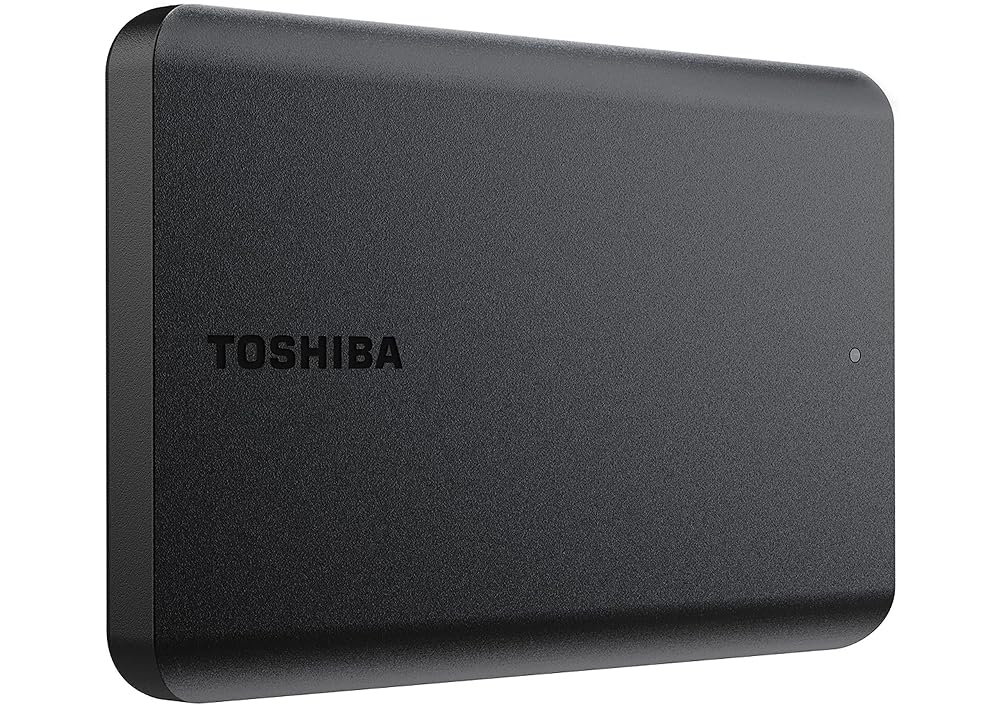
- Durable polycarbonate exterior with a matte finish designed to resist everyday smudges and fingerprints.
- Bus-powered operation over USB 3.0, eliminating the need for bulky external wall adapters.
Toshiba Canvio Basics 2TB Features Explained
Sleek Profile and Smudge-Resistant Polycarbonate Shell
When selecting portable hardware for a busy household, physical resilience and practical everyday handling matter. The Toshiba Canvio 2TB durability is reinforced by a polycarbonate enclosure built to handle being moved between desks, tucked into school backpacks, or stored safely in a home office drawer. Polycarbonate is widely recognized for its lightweight rigidity, providing adequate structural integrity against routine handling without adding bulk to the portable 2.5-inch form factor.
Toshiba finished this casing with a matte, smudge-resistant coating in classic black. Glossy external drives frequently attract fingerprint oils, dust, and micro-scratches within hours of leaving the package. The matte treatment on the Toshiba Canvio Basics 2TB ensures that the exterior maintains a tidy appearance even when handled by multiple family members sharing the drive for schoolwork or photo transfers.
Plug-and-Play Simplicity for Quick File Backups
The defining strength of the Toshiba Canvio Basics 2TB portable hard drive is its absence of complex installation software. Many external storage devices arrive preloaded with trial programs, proprietary backup suites, or automated sync utilities that prompt users for account setups and system permissions. For non-technical users, these pop-up utilities can create confusion or conflict with existing operating system preferences.
This model adopts a pure plug-and-play approach. As soon as you plug the drive into an available USB port, the host operating system mounts the volume as a standard mass storage device. Using the Toshiba Canvio 2TB backup drive is as intuitive as dragging files from your internal drive and dropping them into a folder on the external disk. This predictable behavior simplifies file management and removes barriers for family members who want reliable offline storage without having to learn unfamiliar software.
Storage Capacity for Family Archives
Managing years of personal media requires significant capacity. Using the Toshiba Canvio 2TB for family photos provides substantial breathing room for thousands of raw camera files, high-resolution smartphone snapshots, and home video recordings. The listing clarifies that one terabyte represents one trillion bytes according to standard decimal calculations, meaning actual formatted capacity will show slightly less inside your operating system, but the space remains expansive for general domestic needs.
Consolidating your media onto a singular 2TB volume creates an organized, central digital photo album. By moving heavy media libraries off internal laptop drives, computers run faster, boot times improve, and you reduce the risk of catastrophic data loss should a primary household computer suffer a spill, system corruption, or hardware failure.
Universal Connectivity and Bus-Powered Efficiency
Convenience relies heavily on cable management and physical connectivity. The Toshiba Canvio 2TB transfer speed benefits from a modern USB 3.0 interface capable of reaching bus signaling rates up to 5 gigabits per second. This high-bandwidth interface ensures that transferring multi-gigabyte video clips or large folders of archived pictures does not result in tedious bottlenecks.
The drive is also backwards compatible with legacy USB 2.0 ports, allowing it to interface smoothly with older desktop PCs and laptops found throughout many homes. Because the unit is bus-powered, it draws all necessary operating current directly through the USB cable. You do not need to hunt for an open wall outlet or carry a separate AC adapter, keeping your desk clutter-free and making portable storage truly mobile.
Cross-Platform Flexibility and Setup Requirements
Understanding file systems is essential when operating in a multi-platform home. The drive comes pre-formatted in NTFS for Windows PC systems, offering instantaneous read and write capability right out of the box on machines running Windows. If you plan to complete a Toshiba Canvio 2TB Mac setup, manual intervention is necessary because macOS cannot write natively to NTFS volumes without reformatting.
Reformatting the drive using Apple Disk Utility to an exFAT or APFS file system allows smooth operation on macOS. Households that regularly switch between operating systems without wanting to reformat might consider specialized models such as the toshiba canvio flex 2tb, which is configured specifically for cross-platform workflows. However, for households dedicated to Windows or willing to take two minutes to format the disk for Mac, the Canvio Basics remains exceptionally easy to configure.
Specs
| Attribute | Detail |
|---|---|
| Brand | Toshiba |
| Model Number | HDTB520XK3AA |
| Digital Storage Capacity | 2 TB |
| Hard Disk Form Factor | 2.5 inches (Portable) |
| Rotational Speed | 5400 RPM |
| Hardware Interface | USB 3.0 (USB 2.0 compatible) |
| Data Transfer Rate | 5 gigabits per second |
| Enclosure Material | Polycarbonate (Matte, smudge-resistant black) |
| Default File System | NTFS (Windows PC) |
| Power Source | USB Bus-Powered (No external AC power cord needed) |
Toshiba Canvio Basics 2TB Pros and Cons
What we like
- Plug-and-play operation with no software setup required
- Matte smudge-resistant polycarbonate casing resists fingerprint marks
- Bus-powered via USB without needing an AC power cord
- Generous 2TB digital storage in a portable 2.5-inch drive
- USB 3.0 interface with backwards compatibility for USB 2.0
What we’d change
- Requires manual reformatting before use on Mac computers
- Mechanical 5400 RPM drive speeds slower than solid-state drives
- No bundled automated backup or data encryption software included
Check Toshiba Canvio Basics 2TB on Amazon
Best Use Cases
- Consolidating and preserving long-term digital photo libraries, digitized family home videos, and personal creative archives in one secure physical location.
- Creating regular manual secondary backups of essential household financial records, legal documents, tax files, and medical histories.
- Freeing up congested internal storage on family laptops and desktop computers to restore everyday operating speed and system responsiveness.
- Transporting academic projects, classroom lecture recordings, and multimedia presentations safely between home, school, and university workspaces.
Before You Buy
Before purchasing the Toshiba Canvio Basics 2TB, take note of your primary operating system. The drive arrives formatted in NTFS, which means Windows laptops and desktops can read and write to it immediately without any preparation. However, Mac users must reformat the hard drive using macOS Disk Utility before they can save or edit files on it. For users who prefer automated backup schedules or integrated password encryption out of the box, exploring step-up versions such as the toshiba canvio advance 2tb portable external hard drive may be worthwhile, as the Basics line focuses strictly on bare storage without companion software.
When evaluating the Toshiba Canvio 2TB specs, it is equally important to set realistic expectations regarding mechanical drive performance versus solid-state technology. The internal 2.5-inch hard disk operates at a rotational speed of 5400 RPM with a 5 gigabits per second USB 3.0 interface. While the manufacturer specifications list an anomalous read speed metric of 1 byte per second in the technical data table, typical real-world mechanical drives deliver practical read and write transfers suited for everyday archiving rather than extreme continuous burst speeds. Additionally, the listing does not specify external physical dimensions, precise unit weight, or warranty duration, so buyers seeking explicit manufacturer warranty coverage should verify current manufacturer terms directly.
How It Compares With Similar Picks
| Product | Best For | Key Difference |
|---|---|---|
| Toshiba Canvio Basics 2TB | Budget-conscious families wanting basic drag-and-drop storage | Streamlined NTFS external hard drive with no bundled software |
| Everyday HDD storage. Plug-and-play backup. | Users wanting multi-platform utility and creative software trials | Includes macOS and Windows support, an Adobe CC trial, and a 1-Year Warranty |
| Seagate Portable 4TB External Hard | Large media libraries and console gaming storage | Double the capacity at 4TB, console support, and 1-Year Rescue Service |
| 1TB Dual Drive External SSD | Users needing fast transfer speeds and multi-port connections | Solid-state speeds up to 500MB/s with dual USB-C and USB-A connectivity |
When deciding between these alternatives, evaluate your household capacity requirements, target platforms, and speed requirements. If your family needs to back up a gaming hub such as a playstation 5 console or store massive video archives that exceed typical household volumes, stepping up to the 4TB capacity tier provides double the storage room. Conversely, if your priority is rapidly transferring massive files across modern mobile devices and laptops, a solid-state thumb drive with USB-C connectivity offers superior throughput over mechanical drives, despite offering half the storage capacity at 1TB. The Toshiba Canvio Basics 2TB remains the ideal middle ground for straightforward computer file backups.
Bottom Line
Deciding whether the Toshiba Canvio 2TB is worth it comes down to what you expect from an external storage device. If you are looking for an uncomplicated, highly dependable hard drive that requires zero software installation, zero driver downloads, and zero ongoing subscription fees, this portable unit delivers excellent practical value. It excels at basic household data protection by providing a generous 2TB capacity in a sturdy, smudge-resistant polycarbonate shell that anyone can operate intuitively.
While power users requiring flash transfer speeds or cross-platform automation will prefer specialized solid-state hardware, the Toshiba Canvio 2TB reliability makes it a dependable workhorse for household archives. By pairing proven mechanical storage engineering with universal USB 3.0 connectivity, the Toshiba Canvio Basics 2TB provides families with an accessible, worry-free way to safeguard their most cherished photos, home videos, and essential documents for years to come.
FAQ
Does the Toshiba Canvio Basics 2TB work on Mac computers out of the box?
The drive is pre-formatted in NTFS for Windows PCs, meaning a Mac can read files from it but cannot write to it without reformatting. Mac users can easily reformat the drive to exFAT or APFS using the built-in Disk Utility application in macOS to enable full read and write functionality.
What rotational speed and interface does this 2TB drive use?
The Toshiba Canvio Basics 2TB operates with a 5400 RPM internal hard disk mechanism. It connects through a USB 3.0 interface offering a maximum data transfer rate of up to 5 gigabits per second, and it remains fully backwards compatible with older USB 2.0 ports.
Does the Toshiba Canvio Basics 2TB require an external power supply?
No external power cord or wall adapter is required. The drive is fully bus-powered through its USB cable, drawing the electrical current it needs directly from your laptop or desktop computer.
How much actual storage space does this 2TB drive provide?
The drive provides 2 terabytes of digital storage, calculated at 1,000,000,000,000 bytes per terabyte using standard decimal notation. Because operating systems calculate storage using binary numbers, the reported formatted capacity will be slightly less than 2,000 gigabytes.
Can this drive be used to store family photos and home videos?
Yes, archiving personal photos, home videos, school work, and household records is one of the primary use cases for this drive. Its 2TB capacity provides ample space to hold tens of thousands of digital images and hours of video recordings safely off your primary computer.