What we looked at
-
 GMKtec Mini PC, G3 PRO Intel Core i3-10110U (Beats 4300U/N150), 16GB…
4.4
See price
GMKtec Mini PC, G3 PRO Intel Core i3-10110U (Beats 4300U/N150), 16GB…
4.4
See price
-
 BOSGAME E5 Mini PC with Ryzen 5300U Computer
4.3
See price
BOSGAME E5 Mini PC with Ryzen 5300U Computer
4.3
See price
-
 Highest rated
C4 SE Mini PC, Ryzen 5 3500U, 8GB DDR4 RAM 256GB…
4.6
See price
Highest rated
C4 SE Mini PC, Ryzen 5 3500U, 8GB DDR4 RAM 256GB…
4.6
See price
-
 Reviewed here
KAMRUI Pinova P1 Mini PC, Ryzen 4300U, 16GB DDR4 RAM, 256GB…
4.5
See price
Reviewed here
KAMRUI Pinova P1 Mini PC, Ryzen 4300U, 16GB DDR4 RAM, 256GB…
4.5
See price
As Amazon Associates, we earn from qualifying purchases. This means we may receive a small commission at no extra cost to you if you click through and make a purchase.
Finding a family desktop that balances daily performance, a minimal desk footprint, and reliable hardware longevity can be challenging for busy households. Shared home workstations regularly encounter a collision of school research, remote employment spreadsheets, media streaming, and multi-tab web browsing. Many compact machines cut corners with restrictive storage or weak processors that slow down under routine multitasking. The KAMRUI Pinova P1 addresses these family workspace bottlenecks by delivering desktop-grade utility inside an ultra-compact 5.04-inch square chassis engineered for continuous daily dependability.
After researching the hardware specifications, thermal design, and system architecture, our assessment indicates that this small desktop is an outstanding candidate for long-term household use. Anyone exploring a kamrui mini pc family desktop will appreciate that this model avoids the restrictive pitfalls of entry-level microcomputers. With dual expansion bays, ample system memory, and solid multi-core power, it handles current everyday tasks with ease while offering a straightforward path for future upgrades.



Quick Verdict

The KAMRUI Pinova P1 is an efficient, space-saving desktop solution that provides reliable computing power for shared home spaces, student desks, and home offices. It combines capable quad-core performance with rare upgrade flexibility in an enclosure that measures barely two inches tall.
- Driven by the AMD Ryzen 4300U processor with four cores and four threads reaching speeds up to 3.7GHz.
- Features exceptional internal expansion through dual M.2 2280 slots and support for up to 64GB of DDR4 memory.
- Enables productive multi-screen workflows through simultaneous triple 4K display outputs.
- Built for continuous 24/7 reliability with low-noise air cooling and robust external connectivity.
KAMRUI Pinova P1 Features Explained
AMD Ryzen 4300U Processing Architecture
At the center of this mini computer is the AMD Ryzen 4300U processor, featuring four physical cores and four processing threads with a base operating clock of 2.7GHz and a dynamic boost reaching up to 3.7GHz. In typical family households, computers rarely handle just one task at a time; video meetings, browser tabs, homework documents, and photo editors often run concurrently. The kamrui pinova p1 ryzen 4300u processing engine provides the sustained throughput needed to maintain system responsiveness without the irritating system freezes common on low-tier mobile processors.
This chip also manages light video editing and everyday 3D rendering tasks smoothly for hobbyists and students working on creative media projects. Listing data confirms that its clock speeds and multi-threaded calculations outperform low-tier N-series microprocessors, older Core i3-10110U configurations, and Ryzen 5 3500U setups. For shoppers comparing varied family computers like the kamrui e3b mini pc, this quad-core foundation delivers reliable processing speed for years of daily family computing.
Expandable System Memory and Dual M.2 Storage
A frequent problem with miniature desktops is that memory and storage are permanently soldered in place, cutting the product’s useful life short. This model takes a much more durable approach by shipping with 16GB of DDR4 RAM while supporting dual-channel DDR4-3200 speeds after upgrade. Users looking to conduct a kamrui pinova p1 upgrade ram project can install up to 64GB of RAM across two 32GB slots, giving the system extensive headroom as software requirements expand.
Storage flexibility is equally notable for a machine of this size. The computer features kamrui pinova p1 dual m2 slots designed for standard 2280 form factor solid-state drives, including one PCIe 3.0 x4 NVMe slot and a second slot supporting SATA or NVMe PCIe 3.0 x2 drives. While it arrives with a 256GB M.2 SSD, users can perform a kamrui pinova p1 storage upgrade to expand capacity up to 4TB, providing massive local room for family photo libraries, video backups, and shared school archives without cluttering the desk with external hard drives.
Triple 4K Display Output and Radeon Visuals
Handling multi-window workflows, online research papers, and communication apps on a cramped single display often slows down household productivity. This mini desktop incorporates an AMD Radeon integrated GPU clocked at 1.4GHz, using shared memory architecture to render sharp visuals and accelerate media decoding. The manufacturer data indicates that this graphics unit delivers three to four times better graphical output than baseline UHD integrated graphics, ensuring smooth high-definition video playback across all connected screens.
Screen real estate reaches professional levels via the kamrui pinova p1 triple display output capabilities. Outfitted with an HDMI 2.0 port, a DisplayPort 1.4 connection, and a versatile USB-C interface supporting DisplayPort Alt Mode, the PC drives three independent 4K monitors simultaneously. This setup lets remote workers keep spreadsheets, communication channels, and video calls open at once, or lets families link the desktop simultaneously to an office display and an external television or projector.
Extensive I/O Ports and Round-the-Clock Reliability
Peripheral connectivity is a standout benefit of this chassis, which eliminates the frustrating mess of USB hubs and adapters. The exterior provides six USB 3.2 ports, an additional USB-C data and video port, a Gigabit Ethernet interface, and a 3.5mm headphone and microphone jack. For wireless connections, dual-band Wi-Fi 5 provides reliable transfer speeds up to 1750Mbps. Those reviewing alternative units such as the kamrui pinova p2 mini pc will appreciate that this model retains six dedicated USB ports to accommodate mice, keyboards, webcams, and flash drives without conflict.
Durability remains a core design priority, as the unit passed manufacturer testing for continuous 24/7 operation. A quiet internal air cooling system maintains steady operating temperatures under sustained loads without intrusive fan noise interrupting phone calls or study sessions. Furthermore, integrated hardware functions including Auto Power-On, RTC Wake, and Wake-on-LAN make the PC fully equipped to function as an unattended media server, network backup center, or commercial digital signage hub.
Specs
| Hardware Attribute | Specification Detail |
|---|---|
| Processor | AMD Ryzen 4300U (4 Cores, 4 Threads, 2.7GHz Base, 3.7GHz Boost) |
| Memory | 16GB DDR4 (Expandable up to 64GB DDR4-3200 Dual-Channel) |
| Base Storage | 256GB M.2 Solid State Drive |
| Storage Expansion | Dual M.2 2280 Slots (PCIe 3.0 x4 NVMe + SATA/NVMe PCIe 3.0 x2, up to 4TB) |
| Graphics | Integrated AMD Radeon Graphics (1.4GHz, Shared Memory) |
| Display Output | Triple 4K via HDMI 2.0, DisplayPort 1.4, and USB-C DP Alt Mode |
| Wired Network | Gigabit Ethernet RJ45 Port |
| Wireless Connectivity | Dual-Band Wi-Fi 5 (Up to 1750Mbps) |
| USB Connectivity | 6 x USB 3.2 Ports and 1 x USB-C Port |
| Dimensions and Form Factor | 5.04 x 5.04 x 2.05 inches, Black Mini PC Chassis |
| Operating System | OS Pro |
KAMRUI Pinova P1 Pros and Cons
What we like
- AMD Ryzen 4300U quad-core processor
- Dual M.2 SSD slots supporting 4TB storage
- Memory upgrade support up to 64GB DDR4
- Simultaneous triple 4K monitor support
- Six USB 3.2 ports plus USB-C
- Tested for continuous 24/7 operation
What we’d change
- Modest 256GB base internal storage
- Limited to Wi-Fi 5 wireless speeds
- Listing does not specify included display cables
Check KAMRUI Pinova P1 on Amazon
Best Use Cases
- Shared family workstations requiring compact desk placement, quiet operation, and numerous USB ports for school accessories and printers.
- Dedicated home office setups that utilize triple 4K monitors to handle multitasking across documents, research browsers, and video meetings.
- Always-on household media hubs or local backup servers that benefit from 24/7 continuous operation testing and dual M.2 solid-state storage bays.
- Small student study nooks where dependable quad-core processing handles coursework, online lectures, and lightweight photo or video editing.
Before You Buy
Before ordering this desktop, consider your family’s display setup and wireless networking environment. The system includes Wi-Fi 5 connectivity offering speeds up to 1750Mbps, which handles 4K streaming and high-bandwidth video conferencing smoothly, though it does not connect at native Wi-Fi 6 wireless standards. Power is supplied through a North American Type A two-pin plug, and the compact 5.04 x 5.04 x 2.05-inch black chassis fits neatly on any desk or shelf, provided you leave adequate space around the air vents for the internal cooling fan to circulate air effectively.
You should also assess your initial storage requirements compared to the pre-installed drive. The computer comes with a 256GB solid-state drive containing the preloaded OS Pro operating system, which is plenty of space for essential applications and office documents, but will fill up quickly if you store extensive photo collections or 4K video files. Planning for a dual-drive configuration or a larger replacement drive is advisable if you intend to store large media libraries locally. Additionally, while the listing confirms broad compatibility with monitors, televisions, and projectors, the listing does not specify whether video cables such as HDMI or DisplayPort are included in the packaging, so be sure to have the necessary monitor cables available.
How It Compares With Similar Picks
| Product | Best For | Key Difference |
|---|---|---|
| KAMRUI Pinova P1 | Expandable family and home office workstations | Dual M.2 SSD slots expandable to 4TB with 6 USB 3.2 ports and triple 4K output |
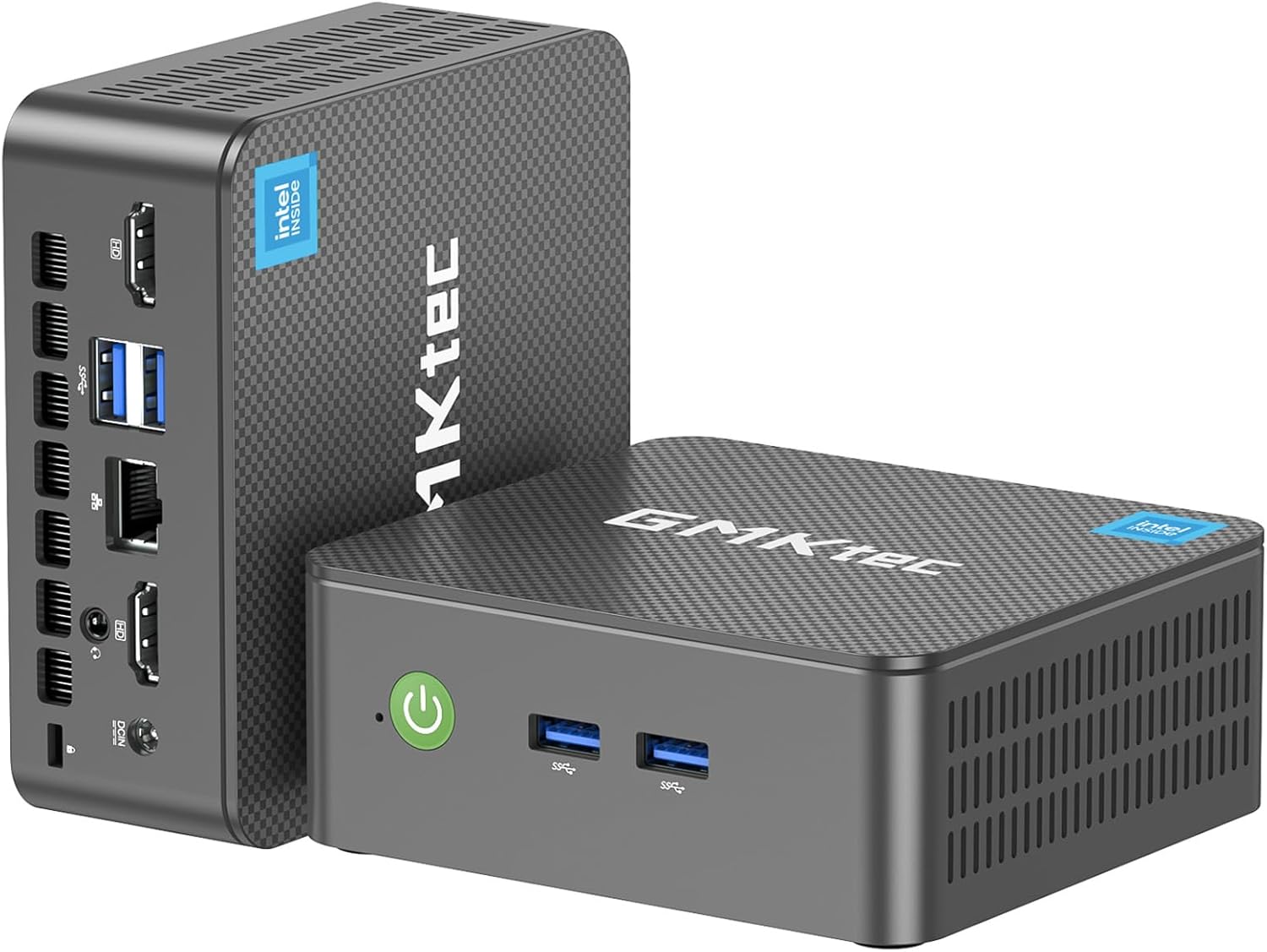
| GMKtec Mini PC | Fast wired and wireless networking | Features Intel Core i3-10110U, Wi-Fi 6, 2.5GbE LAN, and 512GB storage |
| 16GB RAM 512GB SSD | Out-of-the-box storage and dual network routing | Powered by Ryzen 5300U with a 512GB SSD and dual LAN ports |
| C4 SE Mini PC | Light multi-screen study setups | Equipped with Ryzen 5 3500U, 8GB RAM, 256GB SSD, and dual Gigabit Ethernet |
Choosing between these alternatives depends on your networking requirements and whether you want larger internal storage from day one. If your workspace relies on faster wired networking or a modern wireless standard, the GMKtec Mini PC provides 2.5GbE, Wi-Fi 6, and a larger 512GB storage drive right out of the box with an Intel Core i3 processor. Shoppers who need greater immediate storage alongside dual network ports will appreciate the 16GB RAM 512GB SSD model featuring the Ryzen 5300U. Meanwhile, those seeking a basic entry-level triple display machine with dual network connectivity can look at the C4 SE Mini PC, though its 8GB of memory offers less headroom than the 16GB installed on the Pinova P1.

Bottom Line
The KAMRUI Pinova P1 presents a well-rounded computing solution designed to serve the diverse needs of a modern household without consuming precious desk real estate. Its AMD Ryzen 4300U processor delivers dependable quad-core processing that easily outpaces entry-level chips, ensuring daily multitasking, web browsing, and schoolwork proceed without annoying stutter or latency.
When considering whether the kamrui pinova p1 for home office and family computing makes sense, the combination of dual M.2 solid-state drive bays, 64GB memory upgrade capacity, six USB 3.2 ports, and triple 4K monitor support makes it an exceptionally versatile choice. Backed by durability testing for continuous 24/7 operation, it represents a dependable, future-proof desktop investment that can adapt as your family’s digital requirements expand.
FAQ
Can you upgrade the RAM and storage on this computer?
Yes. The system comes equipped with 16GB of DDR4 memory and can be expanded up to 64GB (using two 32GB modules) supporting dual-channel DDR4-3200 speeds. Storage is equally expandable through its dual M.2 2280 slots—one PCIe 3.0 x4 NVMe slot and one SATA/NVMe PCIe 3.0 x2 slot—supporting up to 4TB of total solid-state storage.
Can the desktop run three independent 4K monitors simultaneously?
Yes. The computer supports simultaneous triple 4K video output by utilizing its HDMI 2.0 port, DisplayPort 1.4 interface, and USB-C port with DP Alt Mode, driven by integrated AMD Radeon graphics running at 1.4GHz.
Is this mini PC suitable for quiet study or shared living rooms?
Yes. The desktop features an active low-noise air cooling system designed to dissipate heat quietly even under prolonged workloads, making it unobtrusive in bedrooms, quiet home offices, or living room media setups.
Can this machine operate continuously as a 24/7 home server?
Yes. The manufacturer listing confirms that the device passed strict durability tests for continuous 24/7 running, and it includes practical automated functions like Auto Power-On, RTC Wake, and Wake-on-LAN for round-the-clock media or backup server duties.
What operating system is included with the device?
The product listing specifies that the desktop comes pre-installed with OS Pro on its internal 256GB solid-state drive.
Does this computer require external USB hubs for multiple devices?
No. The chassis is equipped with six USB 3.2 ports along with a USB-C port, providing plenty of physical connectivity for keyboards, mice, flash drives, webcams, and printers without needing separate expansion adapters.