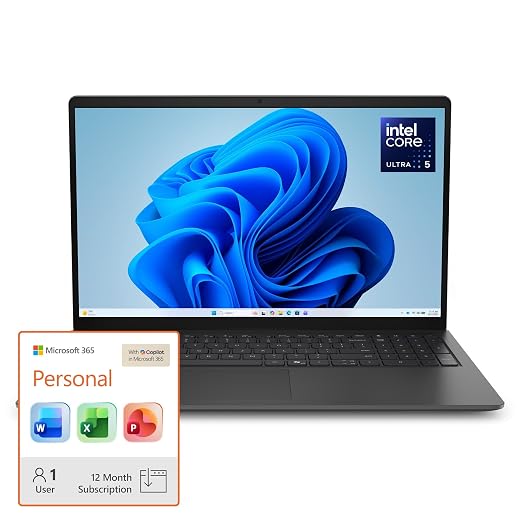
What we looked at
-
 HP 14 Laptop, 2027 Edition, 4GB RAM, 128GB SSD, Intel N150…
5.0/10
See price
-
 Highest rated
15.6 Inch Laptop Computer, N4020, 4GB DDR4 RAM, 128GB eMMC,with Windows…
8.6/10
See price
-
 HP 2026 Essential Laptop, Intel Processor, 128GB Storage, Windows 11
8.6/10
See price
-
 Reviewed here
ASUS Zenbook Duo 2-in-1 AI Laptop, Dual 14" WUXGA OLED Touch…
9.6/10
See price
As Amazon Associates, we earn from qualifying purchases. This means we may receive a small commission at no extra cost to you if you click through and make a purchase.
Families and shared households frequently struggle with digital clutter, balancing school research, home office spreadsheets, remote video calls, and creative hobbies on cramped laptop screens. While a standard clamshell laptop often forces users to toggle endlessly between browser tabs or hook up bulky desktop monitors, the ASUS Zenbook Duo attempts to resolve this daily friction by stacking two full-sized displays inside a single portable chassis. Designed for busy home professionals, parents managing household logistics, and older students handling complex assignments, this machine is aimed squarely at anyone who needs expanded screen real estate without cluttering a kitchen counter or shared study desk.
Our comprehensive Zenbook Pro Duo review finds that this dual-screen convertible offers an exceptional boost for everyday workflow efficiency, though its unique form factor introduces practical trade-offs that families must consider. The combination of twin 14-inch OLED panels, substantial memory, and a modern Intel processor creates a uniquely versatile computing hub, provided you understand the mechanical quirks and maintenance demands of a detachable keyboard setup.


Quick Verdict

The ASUS Zenbook Duo is an ambitious, high-utility convertible that delivers unmatched mobile workspace flexibility for power-hungry home offices and multitasking households, provided users take proper care of the dual glass displays.
- Dual 14-inch WUXGA OLED touchscreens dramatically expand on-screen multitasking without external desktop monitors.
- Flagship Intel Core Ultra 9 285H processor paired with 32GB LPDDR5X RAM easily tackles heavy productivity, background AI tasks, and creative apps.
- Generous accessory bundle includes a 7-in-1 docking station with 1TB of built-in storage alongside the internal 1TB SSD.
- Unique convertible chassis and detachable backlit keyboard require deliberate handling compared to conventional rigid aluminum laptops.
ASUS Zenbook Duo Features Explained
Dual 14-Inch WUXGA OLED Touch Displays
The centerpiece of the ASUS Zenbook Duo is its twin 14-inch WUXGA OLED touchscreen setup, offering a native resolution of 1920 by 1200 pixels on each display. Having two vertically stacked touch surfaces completely alters Zenbook Duo dual-screen productivity, enabling families to keep reference materials, video conferences, or school lesson plans visible on the top screen while typing documents, taking notes, or managing budget spreadsheets on the bottom screen. The anti-glare coating helps mitigate harsh reflections from overhead living room lights or sunny home offices, maintaining visual comfort across diverse household lighting conditions.
Because both screens support responsive touch input, users can quickly scroll through recipe websites, sign electronic school permission slips, or annotate PDFs directly on the lower deck. The convertible form factor allows the system to sit upright like a traditional clamshell with the keyboard covering the lower screen, or open completely flat to share presentations with children or colleagues sitting across the dining table. While dual glass panels require attentive cleaning with the included suede cloth to keep finger smudges at bay, the immense visual canvas eliminates the cramped feeling of standard laptops.
AI-Powered Intel Core Ultra 9 Performance
Under the hood, this configuration is powered by the Zenbook Duo Core Ultra 9 285H processor, a second-generation flagship chip built with integrated Copilot AI acceleration. For household members juggling demanding tasks, this silicon handles everything from drafting multi-page reports and summarizing lengthy meeting transcripts to running background security scans and photo editing tools without stuttering. Working in tandem with 32GB of high-speed LPDDR5X memory, the processor ensures snappy responsiveness even when dozens of browser tabs, streaming audio, and office suites run simultaneously.

Visual output is handled by integrated Intel Arc 140V graphics with shared memory architecture. While not built for intense workstation 3D rendering or dedicated AAA competitive gaming, the integrated Arc engine easily powers media playback, photo retouching, high-definition streaming, and lightweight graphic design. The system runs Windows 11 Pro out of the box, granting household managers and remote professionals enterprise-grade data protection, BitLocker encryption, and seamless integration with corporate networks.
Convertible Chassis and Detachable Backlit Keyboard
The physical versatility of the convertible form factor sets this machine apart from standard clamshell notebooks like the asus zenbook a16. ASUS employs a detachable backlit keyboard that snaps securely over the lower screen to provide a familiar typing experience when you are working on your lap or in tight spaces like an airplane tray table. When more screen area is needed, detaching the keyboard reveals the second OLED panel, turning the machine into a dual-monitor workstation that stands upright using its built-in kickstand support.
Relying on the Zenbook Pro Duo for multitasking allows family members to shift seamlessly between typing extensive documents and referencing secondary material. The backlit keyboard provides illuminated keys for comfortable typing during late-night work sessions or dimly lit study spaces. In terms of physical dimensions, the laptop measures 12.4 inches wide, 8.6 inches deep, and 0.9 inches thick, with a listed chassis weight of 3.9 pounds, making it portable enough for travel while maintaining structural solidity. However, assessing ASUS Zenbook Duo durability requires acknowledging that movable parts and exposed glass require gentler domestic handling than a conventional one-piece aluminum frame.
Modern Connectivity and Included 7-in-1 Docking Station Bundle
Connectivity is essential for busy multi-user workstations, and this setup delivers next-generation standards. The machine integrates ultra-fast Wi-Fi 7 wireless networking, minimizing network latency during critical family video calls, cloud backups, and large file transfers across high-bandwidth home routers. Onboard physical ports include two versatile USB-C ports, one legacy Type-A port for traditional peripherals, a dedicated HDMI video output port, and a standard audio jack for private listening with headphones.
This particular listing stands out by bundling an external 7-in-1 docking station equipped with 1TB of secondary storage, effectively expanding your total storage pool to 2TB when paired with the internal 1TB SSD. This arrangement allows households to separate operating system files and everyday software from large photo libraries, video archives, and tax documents. The package also includes a 32GB MicroSD card with an adapter, a Type-C data cable, a 3-in-1 charging cable, and a suede cleaning cloth, giving you an immediate workstation hub without needing separate accessories like a razer mouse dock pro.
Specs
A close look at the ASUS Zenbook Duo specs reveals a potent combination of high-tier processing power and expansive visual hardware designed for heavy daily multi-tasking.
| Attribute | Detail |
|---|---|
| Processor | Intel Core Ultra 9 285H (with Copilot AI acceleration) |
| Displays | Dual 14.0-inch WUXGA OLED Touch Displays (1920 x 1200) |
| Memory | 32GB LPDDR5X RAM |
| Storage | 2TB Total (1TB SSD + 1TB Docking Station) |
| Graphics | Integrated Intel Arc 140V Graphics (Shared) |
| Operating System | Windows 11 Pro |
| Wireless Technology | Wi-Fi 7 |
| Ports | 2 x USB-C, 1 x Type-A, 1 x HDMI, 1 x Audio jack |
| Dimensions and Weight | 12.4 x 8.6 x 0.9 inches, 3.9 pounds (listing also notes 7 pounds package weight) |
| Included Accessories | 7-in-1 Dock with 1TB Storage, 32GB MicroSD card, Type-C cable, 3-in-1 charging cable, cleaning cloth |
ASUS Zenbook Duo Pros and Cons
What we like
- Dual 14-inch WUXGA OLED touchscreens
- Intel Core Ultra 9 285H processor
- 32GB high-speed LPDDR5X memory
- 2TB total storage with included dock
- Fast Wi-Fi 7 connectivity
What we’d change
- Vendor seal opened for hardware upgrades
- Dual displays increase battery drain
- Dual glass panels require careful handling
Check ASUS Zenbook Duo on Amazon
Best Use Cases
- Managing dual-document productivity where researchers can examine source materials on the top screen while drafting papers on the bottom display.
- Empowering work-from-home parents who need video conferencing windows persistently open above active spreadsheets and team chats.
- Creative photo sorting and content planning using responsive touch input and the included secondary 1TB docking storage.
- Organizing family logistics, tax paperwork, and household schedules across two distinct visual workspaces without a dedicated external monitor.
Before You Buy
Before purchasing this specific bundle, buyers should pay close attention to the upgrade and warranty conditions stated in the product details. The listing notes that the manufacturer seal is opened specifically for component upgrades, meaning SnowBell provides a 1-year warranty on the upgraded RAM and SSD hardware, while the original 1-year manufacturer warranty covers all remaining factory components. For shared family environments with younger children, investing in protective transit gear like a rugged sleeve or a proof gen 2 case is a sensible safeguard to preserve the exterior finish and dual screens against accidental drops.
It is also important to evaluate real-world expectations surrounding Zenbook Duo battery life and power demands. While the listing highlights low-power LPDDR5X memory and an efficient Intel Core Ultra architecture, powering two active 14-inch OLED touchscreens simultaneously will naturally draw more energy than a single standard LCD panel, though the listing does not specify exact runtime hours or milliamp-hour battery capacity. Furthermore, the listing does not specify the exact peak nits brightness, color gamut percentages, or integrated webcam resolution, so users seeking studio-grade color calibration or specialized streaming sensors should keep these unlisted details in mind.
How It Compares With Similar Picks
| Product | Best For | Key Difference |
|---|---|---|
| ASUS Zenbook Duo | Intensive multitasking, dual-screen workflows, and family productivity | Dual 14-inch OLED touchscreens, Intel Core Ultra 9 285H, 32GB RAM, 2TB total storage |
| 2026-2027 edition | Entry-level basic computing and simple school browsing | Single 14-inch screen, Intel N150 processor, 4GB RAM, 128GB SSD, 1TB cloud storage |
| Supports 1TB TF Card Expansion | Budget home office and basic web navigation on a larger display | 15.6-inch FHD LCD, Celeron N4020, 4GB RAM, 128GB eMMC, expandable via TF card |
| Copilot AI | Lightweight everyday tasks and basic document handling | Standard LED display, entry Intel processor, 128GB storage, 1TB cloud storage |
When weighing your options against simpler everyday laptops, your choice comes down to performance needs and workflow scale. If you only require a basic, low-maintenance terminal for checking email, casual web browsing, or basic homework assignments, budget alternatives like the 2026-2027 edition with its Intel N150 processor or the 15.6-inch Supports 1TB TF Card Expansion notebook provide straightforward single-screen utility without the added mechanical complexity. Similarly, the Copilot AI laptop offers cloud-centric simplicity for modest requirements. However, for households that juggle demanding software, complex multi-window workflows, and heavy data management, none of the budget alternatives can match the raw processing throughput or screen area of the Zenbook.

Bottom Line
Deciding if the Zenbook Pro Duo is worth it comes down to how much your household values genuine multitasking freedom. For families and professionals tired of resizing windows and toggling between apps on cramped screens, the ASUS Zenbook Duo transforms everyday productivity by offering two complete 14-inch OLED panels in an ingenious, travel-friendly package. Backed by the Intel Core Ultra 9 285H processor, 32GB of high-speed memory, and a versatile docking bundle, it acts as a true mobile desktop replacement.
While the dual-screen configuration demands mindful care and realistic power management, the tangible productivity gains far outweigh the learning curve for busy households. If you are seeking a future-proof convertible that eliminates the need for bulky external monitors while keeping complex family and work projects organized, the ASUS Zenbook Duo is an exceptional, highly capable investment.
FAQ
How does the dual-screen setup improve daily workflow?
The secondary 14-inch OLED display operates as an integrated second monitor directly below the main screen. This allows users to keep spreadsheets, video calls, or reference documents open on one panel while taking notes, writing emails, or interacting with web forms on the other, eliminating the constant minimizing and resizing required on single-screen machines.
Can the ASUS Zenbook Duo be used like a normal laptop?
Yes. The included backlit keyboard magnetically clips directly over the lower display, transforming the device into a standard clamshell notebook with a 14-inch display, physical keys, and a touchpad. When you need both screens, simply detach the keyboard and use it via Bluetooth or set it aside.
What does the upgraded warranty coverage include?
According to the product listing, the seal on this unit is opened exclusively for hardware upgrades. SnowBell provides a 1-year warranty covering the upgraded RAM and internal SSD storage, while the remaining factory components remain protected under the original 1-year manufacturer warranty.
How does the included docking station expand connectivity?
The provided 7-in-1 docking station adds versatile port options and includes 1TB of secondary storage to complement the laptop’s internal 1TB SSD. Connected via the included Type-C data cable, it serves as a central desk hub for backing up family archives, connecting external accessories, and reading memory cards with the included 32GB MicroSD adapter.
Does the Intel Core Ultra 9 processor support artificial intelligence features?
Yes, the Intel Core Ultra 9 285H processor is equipped with integrated Copilot AI acceleration hardware. This architecture helps automate productivity chores such as drafting documents, creating meeting summaries, and executing real-time background processing tasks within Windows 11 Pro without bogging down the main system cores.