What we looked at


As Amazon Associates, we earn from qualifying purchases. This means we may receive a small commission at no extra cost to you if you click through and make a purchase.
Household living rooms are often the testing ground for smart home entertainment, where underpowered streaming sticks frequently run into thermal throttling, sluggish menu responsiveness, and connection dropouts. In a busy home where different family members swap between cartoons, live sports, and movie streaming services, waiting on an unresponsive interface quickly becomes an exercise in frustration. The Roku Ultra provides a purpose-built solution to these common living room bottlenecks, engineered as a durable tabletop media hub that prioritizes processing horsepower, stable wireless networking, and seamless day-to-day usability across all age groups.
Designed as Roku’s premium set-top streaming device, the unit combines responsive internal hardware with practical conveniences like a rechargeable remote control, hands-free voice search, and an integrated remote finder. For households seeking a dependable, set-and-forget media player that handles high-bandwidth 4K HDR playback without introducing complicated menus, this flagship streamer offers a well-rounded and family-friendly platform for years of dependable entertainment.

Quick Verdict

The Roku Ultra stands out as an exceptionally capable and accessible streaming player, delivering rapid app responsiveness and top-tier audiovisual standard support in an easy-to-manage package for the whole house.
- Engineered to run thirty percent faster than other Roku devices for immediate menu navigation and instant app loading.
- Complete audiovisual format support including 4K resolution, HDR10+, Dolby Vision, and immersive Dolby Atmos pass-through.
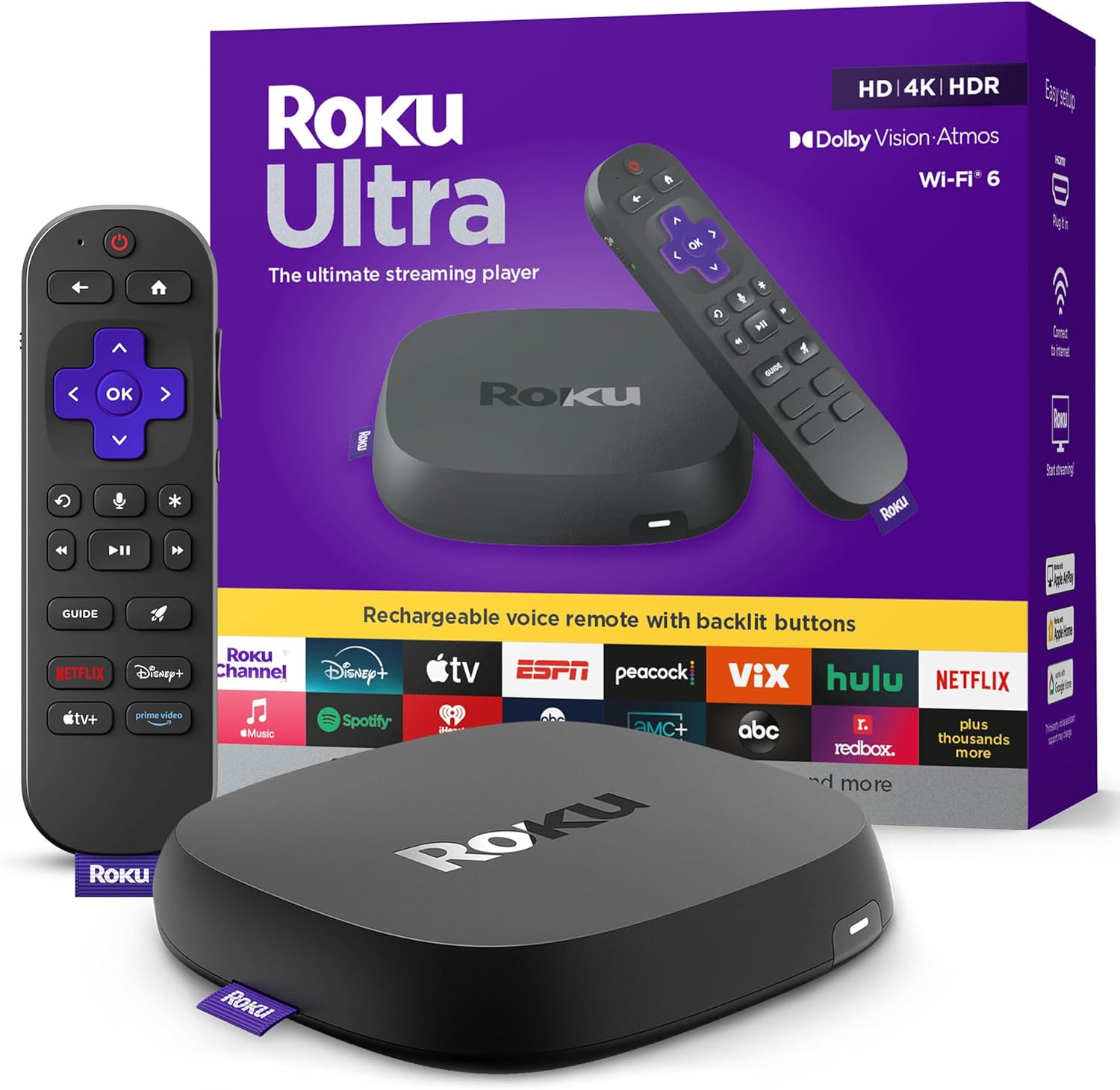
- Rechargeable Roku Voice Remote Pro featuring motion-activated backlit buttons, hands-free voice controls, and an audible lost remote locator.
- Equipped with modern Wi-Fi 6 connectivity to maintain smooth streaming across busy home networks.
Roku Ultra Features Explained
Ultra-Speedy Interface and Responsive Navigation
At the core of the Roku Ultra experience is an updated processing architecture that makes the device 30 percent faster than any other Roku player. In daily family environments where remotes are constantly handed off and applications are launched repeatedly, this extra computational speed eliminates the lag often observed on entry-level streaming sticks. Menus slide seamlessly, poster art populates without delay, and streaming apps launch virtually in a snap rather than making viewers wait through spinning loading screens.
This snappiness translates directly into a more dependable experience for less tech-savvy family members. Children can find their favorite animated series and parents can switch over to live broadcast channels without having to navigate frozen screens or slow inputs. By delivering lightning-fast operating system performance, the player maintains an effortless feel even when jumping between demanding, content-heavy media apps.
Cinematic 4K, HDR10+, and Dolby Vision Integration
Home theaters and primary living room displays benefit significantly from the comprehensive audiovisual capabilities built into the Roku Ultra. Delivering maximum video output at 3840 pixels (2160p 4K), the player takes full advantage of modern ultra-high-definition television panels. It includes comprehensive high dynamic range support across both HDR10+ and Dolby Vision standards, allowing compatible screens to dynamically optimize color accuracy, highlight brightness, and black level contrast scene by scene.
Audio performance is equally well-considered, with integrated decoding and pass-through for Dolby Atmos audio. When hooked up to an external soundbar or multi-channel audio receiver, the unit sends spatial audio signals directly to your speakers, creating an enveloping, three-dimensional soundscape for action movies, concerts, and live sports. The result is a cinema-quality home viewing experience that operates reliably without requiring deep calibration menus or complicated configuration steps.
Roku Voice Remote Pro with Backlit Buttons
The included controller is the second edition of the Roku Voice Remote Pro, designed specifically to tackle the common frustrations of family media control. Foremost among its design upgrades are motion-sensing backlit buttons. As soon as you lift the remote in a darkened room, the key labels illuminate automatically, making it easy to hit pause or adjust volume during evening movie sessions without accidentally closing your application or fumbling around for a lamp.
Power management is also simplified through an integrated rechargeable battery, charged via an included USB-C cable. Eliminating the recurring chore of searching for disposable AA or AAA batteries keeps the remote operational at all times. Built with an ergonomic grip, programmable shortcut keys, and dedicated voice control switches, the controller provides tactile, intuitive command over your television without unnecessary complexity.
Hands-Free Voice Commands and Lost Remote Finder
Family living rooms are notorious for remote controls slipping between sofa cushions or wandering off to different rooms. The Roku Ultra directly solves this dilemma by integrating an audible lost remote finder. Users can either press the physical locator button on the streaming player base or simply vocalize a call across the room to prompt the remote to emit a clear audio chime, making retrieval fast and eliminating living room scavenger hunts.
For times when your hands are full in the kitchen or covered in snack food, the hands-free voice capabilities allow you to bypass physical buttons entirely. By saying “Hey Roku” from across the couch, you can instruct the device to launch streaming channels, search for specific actors, pause playback, or adjust master volume. This voice feature also integrates smoothly with Apple HomeKit, Amazon Alexa, and Google Assistant environments, giving the device broad smart-home utility.
Wi-Fi 6 Networking and Bluetooth Audio Flexibility
Reliable streaming hinges on wireless signal integrity, especially in modern households where numerous laptops, phones, and tablets compete for the same router bandwidth. The Roku Ultra incorporates Wi-Fi 6 (AX, MIMO) technology, delivering superior throughput, lower latency, and improved wireless efficiency across home networks with compatible routers. This modern wireless stack prevents buffering interruptions when streaming uncompressed 4K HDR video files or high-bitrate live television streams.
For quiet evenings or private listening, the unit also features integrated Bluetooth headphone connectivity. Family members can pair their favorite wireless headphones directly to the player to enjoy full-volume movies, gaming, or late-night shows without disturbing sleeping children or housemates. This feature works alongside the platform’s mobile screen mirroring options to make the unit an exceptionally flexible entertainment junction.
Specs
| Attribute | Detail |
|---|---|
| Brand & Model | Roku Ultra (HS-6W4W-P1OW) |
| Maximum Resolution | 4K UHD (3840 x 2160p) |
| High Dynamic Range (HDR) | Dolby Vision, HDR10+, HDR |
| Audio Support | Dolby Atmos, Bluetooth Headset Connectivity |
| Wireless Connectivity | Wi-Fi 6 (AX, MIMO) |
| Remote Controller | Rechargeable Roku Voice Remote Pro (2nd Edition) |
| Remote Features | Backlit Buttons, Hands-Free Voice, Lost Remote Finder |
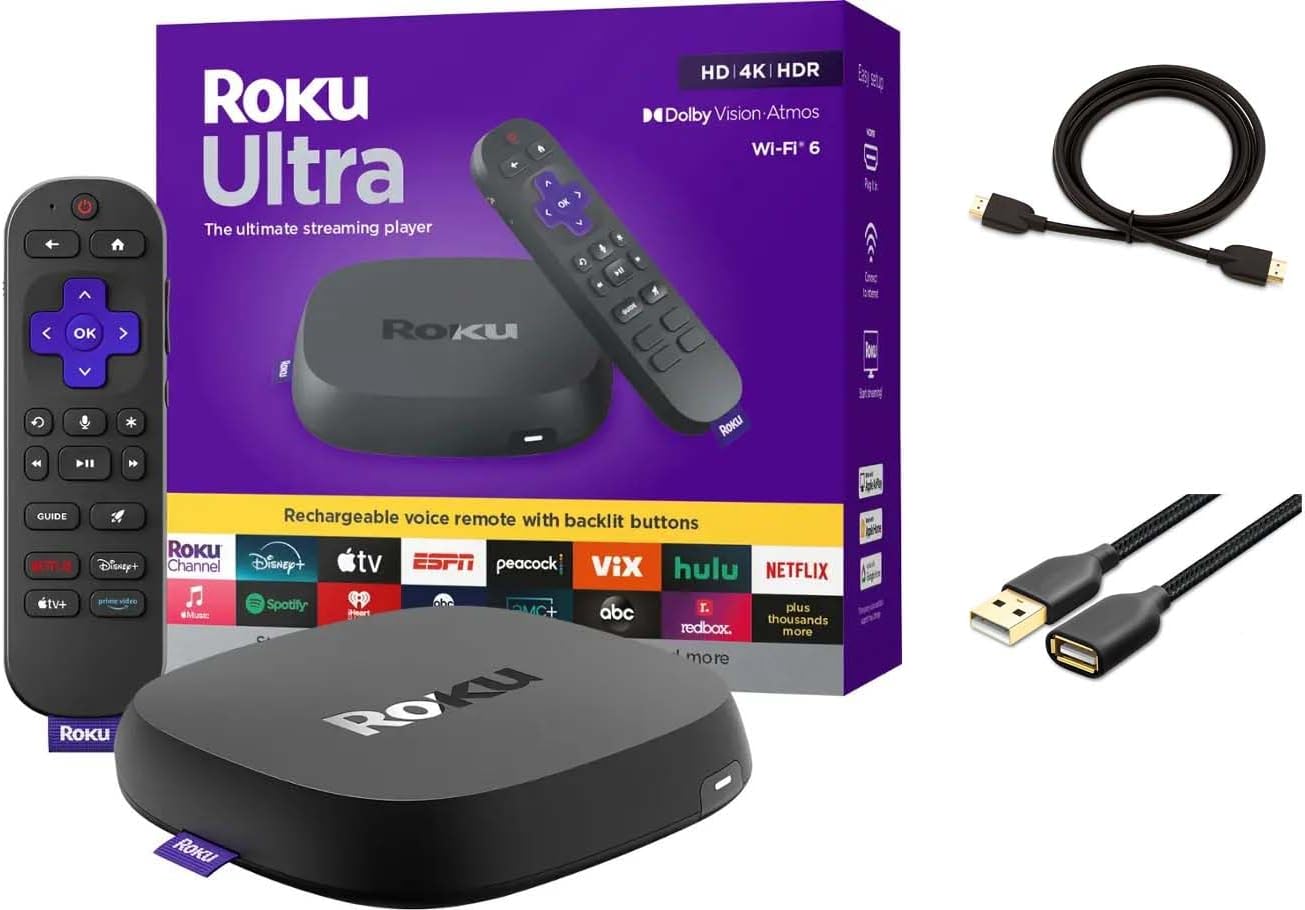
| Included Cables & Media | Premium High Speed HDMI Cable, Power Adaptor, USB-C Cable |
| Product Dimensions & Weight | 5″L x 4.9″W x 1″H; 0.2 kg (Black) |
| Smart Platform Compatibility | Apple HomeKit, Amazon Alexa, Google Assistant |
Roku Ultra Pros and Cons
What we like
- 30 percent faster navigation and app launching
- Comprehensive Dolby Vision and Dolby Atmos support
- Rechargeable remote with motion-activated backlit buttons
- Audible lost remote finder and hands-free voice
- Upgraded Wi-Fi 6 for stable 4K streaming
- Includes Premium High Speed HDMI cable
What we’d change
- Tabletop console requires dedicated shelf space
- Listing does not specify internal storage capacity
Best Use Cases
- Busy family living rooms where lost remote controls and sticky fingers demand hands-free voice retrieval and voice commands.
- Main home entertainment setups paired with 4K HDR displays and Dolby Atmos soundbars requiring top-tier visual formats.
- Household environments with multiple connected devices that benefit from the stability and reduced congestion of Wi-Fi 6.
- Late-night television viewers wanting private listening through direct Bluetooth headphone pairing without waking others.
Before You Buy
Before bringing the Roku Ultra into your home, consider the physical arrangement of your entertainment center. Unlike compact streaming sticks that plug directly into the back of a television and hide completely out of view, the Roku Ultra is a standalone set-top console measuring 5 inches by 4.9 inches by 1 inch. It requires a dedicated spot on an entertainment console, shelf, or media cabinet within reach of an open power outlet and an HDMI port. Roku helpfully bundles a Premium High Speed HDMI cable and a dedicated power adaptor in the box, ensuring you have the required cables to complete the physical hookup on day one.
While the hardware is fully capable of running on older wireless routers, achieving the full throughput benefits of the device requires a Wi-Fi 6 compatible home network. In terms of external specifications, the listing does not specify internal storage gigabytes or an optical audio port, meaning that sound setups must pass audio via HDMI or rely on wireless Bluetooth transmission. Those comparing hardware across different tiers might also look into our coverage of the Roku – Ultra configurations or inspect our review of the Roku Ultra LT to determine which exact tier matches their living space needs.
How It Compares With Similar Picks
| Product | Best For | Key Difference |
|---|---|---|
| Roku Ultra | High-demand family rooms needing maximum speed and remote finding | Dedicated console with Wi-Fi 6, 30% faster UI, and rechargeable backlit remote |
| Amazon Fire TV Stick 4K | Compact behind-the-TV setups centered on Alexa-driven interactions | Stick form-factor utilizing Alexa+ voice search and alternative smart interface |
| RokuHDR10+ | Dedicated home setups wanting premium HDR without changing platforms | Alternate Roku Ultra configuration with core HDR10+ and Dolby Vision support |
When deciding between these options, choose the Amazon Fire TV Stick 4K if your television is wall-mounted with zero shelf space below it and your household relies heavily on Amazon Alexa smart home routines. However, if you prefer a clean, neutral interface that treats all streaming platforms equally, the Roku Ultra remains the superior choice for family members of varying technical skill levels. Its standalone design, superior remote amenities, and physical lost remote finder deliver an unmatched level of household convenience that sticks simply cannot match.

Bottom Line
The Roku Ultra proves that standalone streaming hubs still have a vital place in the modern smart home. By providing ample processing power that prevents menu lag, incorporating forward-looking Wi-Fi 6 networking, and packing full support for Dolby Vision and Dolby Atmos, it ensures your primary display performs at its absolute best. It avoids the overheating and slowdowns that often plague smaller plug-in devices over years of continuous household use.
Beyond its internal specifications, the practical quality-of-life additions like the rechargeable Voice Remote Pro, backlit keys, and audible lost remote finder eliminate the most common day-to-day headaches of family TV viewing. For households seeking a dependable, long-term media player that combines ease of use with flagship performance, the Roku Ultra is an outstanding choice that will serve your living room reliably for years to come.
FAQ
Is Roku Ultra worth it for family living rooms?
Yes, the Roku Ultra is especially well-suited for family environments due to its quick interface, simple navigation grid, and family-friendly conveniences. The inclusion of a lost remote finder, rechargeable battery, and hands-free voice navigation helps minimize common household tech conflicts while providing smooth access to all major streaming platforms.
How does the lost remote finder work on the Roku Ultra?
The lost remote finder can be activated in two ways. You can press the physical finder button located on the side of the Roku Ultra console, or you can use hands-free voice controls by speaking “Hey Roku, find my remote” into the room. The remote control will then emit a clear, audible beeping sound to guide you to its location under cushions or furniture.
Does the Roku Ultra support Dolby Atmos and Dolby Vision?
Yes, the Roku Ultra includes native support for both Dolby Vision dynamic HDR and Dolby Atmos immersive audio. When connected to compatible 4K HDR televisions and compatible soundbars or AV receivers, it automatically outputs optimized picture contrast and multi-dimensional spatial sound.
What are the benefits of Roku Ultra Wi-Fi 6 connectivity?
Wi-Fi 6 (AX, MIMO) provides faster data transfer rates, reduced wireless latency, and better network handling when multiple devices are active on the same router. For the Roku Ultra, this means smoother 4K HDR playback, virtually no buffering delays, and a much more reliable wireless signal in homes with crowded Wi-Fi networks.
How does Roku Ultra setup and ease of use compare to streaming sticks?
Setting up the Roku Ultra is remarkably straightforward because Roku provides both the power adaptor and a Premium High Speed HDMI cable in the box. You simply plug the cable from the console into your television, connect the power, and follow the on-screen prompts. Its tabletop footprint allows better heat dissipation than miniature sticks, ensuring consistent performance over extended streaming sessions.