What we looked at
-
 Highest rated
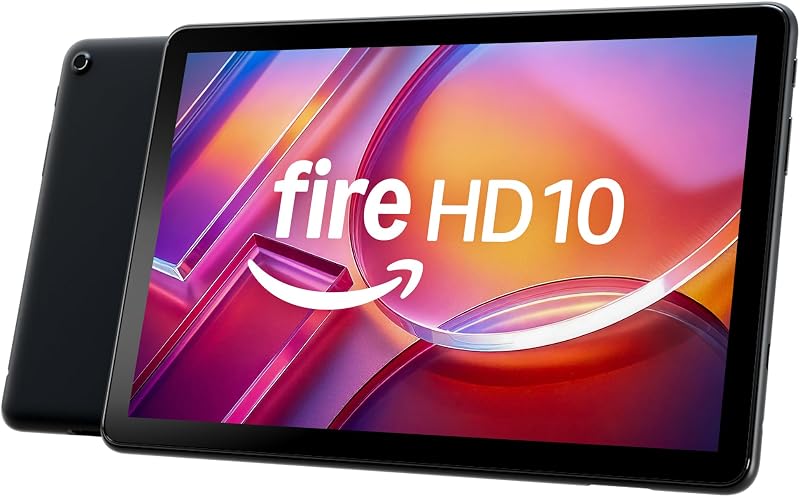
Amazon Fire HD 10 tablet, built for relaxation, 10.1" vibrant Full…
9.0/10
See price
Highest rated
Amazon Fire HD 10 tablet, built for relaxation, 10.1" vibrant Full…
9.0/10
See price
-
 RT9 Rugged Tablet 11000mAh Battery 10.1”FHD Display Android Tablet
8.2/10
See price
RT9 Rugged Tablet 11000mAh Battery 10.1”FHD Display Android Tablet
8.2/10
See price
-
 Lowest price
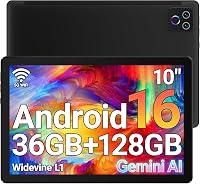
URAO Tablet,10.1" Android 16 Tablet Octa-core 36GB+128GB Dual Camera
9.0/10
See price
Lowest price
URAO Tablet,10.1" Android 16 Tablet Octa-core 36GB+128GB Dual Camera
9.0/10
See price
-
 Reviewed here
Apple iPad Air (5th Generation): with M1 chip, 10.9-inch Liquid Retina…
9.6/10
See price
Reviewed here
Apple iPad Air (5th Generation): with M1 chip, 10.9-inch Liquid Retina…
9.6/10
See price
As Amazon Associates, we earn from qualifying purchases. This means we may receive a small commission at no extra cost to you if you click through and make a purchase.
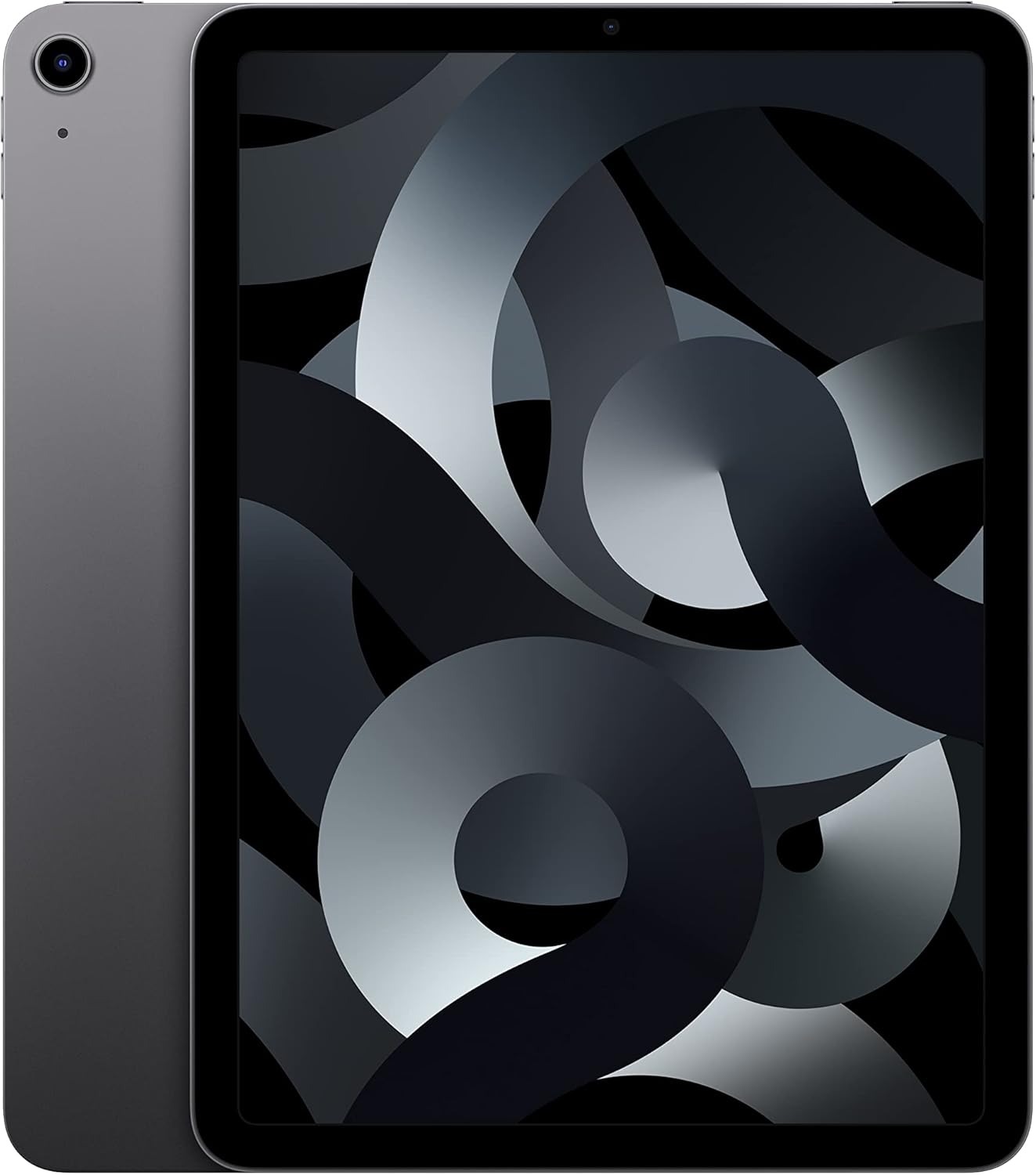
Finding a single computing device that seamlessly satisfies every member of the household is rarely straightforward. Parents frequently juggle demanding work assignments, photo organizing, and financial spreadsheets, while children require responsive software for school projects, video streaming, and immersive gaming. Budget hardware often stutters under heavy multitasking, whereas base-model storage tiers inevitably run out of space as multiple users download apps, offline movies, and school files. The Apple iPad Air M1 directly addresses these friction points by combining desktop-grade hardware performance with a generous storage capacity designed to handle shared household demands without slowing down.
After evaluating its specifications and hardware architecture, our verdict is that the 256GB edition of this fifth-generation tablet hits the absolute sweet spot for families seeking durability, performance headroom, and long-term utility. Rather than forcing trade-offs between speed and capacity, it offers an exceptionally smooth iPadOS experience that will comfortably remain relevant for years of everyday family life.


Quick Verdict

For parents wondering whether the device justifies its spot on the family counter, the answer is a resounding yes. When deciding if the investment makes sense over entry-level tablets, the long-term computing power of desktop-class silicon combined with ample local storage guarantees that it will not feel obsolete after a few software updates.
- Powered by the high-performance Apple M1 chip featuring an 8-core CPU, 8-core GPU, and next-generation Neural Engine.
- Expansive 256GB storage capacity prevents frequent storage-cleaning headaches in multi-user homes.
- Crisp 10.9-inch Liquid Retina display featuring True Tone, ultralow reflectivity, and P3 wide color coverage.
- 12MP Ultra Wide front camera equipped with intelligent Center Stage auto-framing for natural video calls.
Apple iPad Air M1 Features Explained
Desktop-Class M1 Processing Power
The centerpiece of this tablet is the Apple M1 processor, a 64-bit desktop-class architecture sporting an 8-core CPU and an 8-core GPU alongside a next-generation Neural Engine. In practical family terms, this silicon delivers processing capabilities originally engineered for desktop and laptop computers. Whether your kids are loading graphics-intensive games, streaming high-definition media, or working on multimedia presentations, the hardware executes tasks without lag or thermal throttling.
This immense processing headroom is also fundamental to the overall ipad air m1 longevity in a family setting. While budget tablets typically begin to show operational stuttering after a year or two of system updates, the M1 processor easily accommodates modern iPadOS multitasking features like running multiple apps simultaneously, editing high-resolution video clips, and switching back and forth between complex user accounts and educational platforms.
Vibrant 10.9-Inch Liquid Retina Display
Visual presentation is managed by the ipad air m1 liquid retina display, which measures 10.9 inches diagonally with a maximum resolution of 2360 x 1640 pixels. This screen incorporates advanced display technologies, including True Tone, P3 wide color accuracy, and an ultralow reflectivity coating. These visual characteristics ensure that digital textbooks, streaming videos, and family photo albums look sharp, bright, and color-accurate across varied ambient lighting environments.
The anti-reflective treatment and True Tone dynamic white-balance adjustment make a noticeable difference during extended reading or study sessions. When children use the tablet near sunlit windows or under harsh indoor lighting, the display automatically adapts its color temperature to minimize eye fatigue, providing a comfortable visual canvas for homework assignments or evening entertainment.
Generous 256GB Storage Allocation
Storage management is frequently the biggest point of failure in shared family tablets. The apple ipad air m1 storage configuration evaluated here offers a full 256GB of local capacity, eliminating the painful compromises associated with entry-level 64GB alternatives. When a tablet serves multiple household members, storage space disappears rapidly under the weight of offline movie downloads for road trips, hefty creative apps, local video captures, and school assignments.
Opting for the ipad air 5th gen 256gb edition ensures that family members do not have to constantly delete older photos, offload games, or manage cache files just to install the latest operating system update. It provides genuine digital breathing room, allowing the tablet to function as a dependable media archive and creative work hub for years without continuous cloud dependency.
Center Stage Video Calling and Advanced Cameras
Communication is central to household connectivity, and the front-facing camera system on this device is specifically engineered for collaborative interaction. It features a 12MP Ultra Wide front camera that supports Center Stage technology. During video calls with distant relatives, teachers, or colleagues, Center Stage uses machine learning to automatically pan and zoom, keeping participants smoothly framed even if young kids fidget or walk around the room.
On the rear, the tablet features a 12MP Wide camera with Smart HDR 3 and True Tone flash, capable of shooting sharp stills as well as 4K video recording at 24, 25, 30, or 60 frames per second. This makes scanning documents for school, recording home science experiments, or capturing high-detail family moments fast and effortless directly from the tablet interface.
Touch ID Integration and Modern Connectivity
Security and ease of access are balanced through the Touch ID sensor seamlessly embedded into the top power button. This fingerprint authentication allows adults and children to quickly unlock the tablet, sign in to educational or banking apps, and authorize purchases securely using Apple Pay without needing to remember long, complex passwords.
Connectivity is anchored by high-speed Wi-Fi 6, which delivers reliable file uploads, snappy web browsing, and buffer-free streaming across congested home networks. Additionally, the standard USB-C port offers universal hardware connectivity, allowing families to easily plug in external hard drives, camera memory cards, USB audio interfaces, or external displays without proprietary adapters.
Specs
The following table outlines the complete technical hardware profile and ipad air m1 256gb specs based directly on manufacturer specifications:
| Attribute | Detail |
|---|---|
| Processor | Apple M1 chip (8-core CPU, 8-core GPU, Next-generation Neural Engine) |
| Storage Capacity | 256 GB |
| Display Size | 10.9 inches |
| Display Type | Liquid Retina display with True Tone, P3 wide color, ultralow reflectivity |
| Screen Resolution | 2360 x 1640 pixels |
| Rear Camera | 12MP Wide camera, Smart HDR 3, 4K video at 24/25/30/60 fps |
| Front Camera | 12MP Ultra Wide with Center Stage and Smart HDR 3 |
| Battery Life | Up to 10 hours web surfing on Wi-Fi or video playback |
| Wireless Connectivity | Wi-Fi 6 |
| Dimensions and Weight | 9.74 x 7.02 x 0.24 inches; 1.02 pounds |
| Port and Security | USB-C connector; Touch ID integrated into top button |
Apple iPad Air M1 Pros and Cons
What we like
- Desktop-class Apple M1 8-core processor
- Roomy 256GB storage prevents frequent deletions
- Vibrant 10.9-inch Liquid Retina True Tone display
- 12MP front camera with Center Stage framing
- Fast Wi-Fi 6 and universal USB-C connectivity
What we’d change
- Pencil and keyboard sold separately
- No built-in cellular data hardware
- No bundled protective rugged case
Check Apple iPad Air M1 on Amazon
Best Use Cases
- Shared living room media hub where parents stream high-definition movies and kids download multi-gigabyte educational games without running out of local capacity.
- Dedicated workstation for middle and high school students who need to research online, write reports in Keynote or Pages, and join remote classroom video calls.
- Mobile creative canvas for sketching, photo editing, and digital art using precision tools like Scribble in iPadOS.
- Portable entertainment companion for long family road trips and flights where all-day battery endurance and massive offline video storage are essential.
Before You Buy
Before purchasing the tablet for household use, it is critical to understand accessory compatibility and what is included in the package. The retail listing provides the iPad Air tablet, its internal lithium-ion battery, and a USB-C charging setup. However, premium creative accessories like the Apple Pencil (2nd generation) and the Magic Keyboard with built-in trackpad are sold separately. Families seeking to turn this slate into a full laptop replacement will need to factor in compatible typing covers or styluses. Readers curious about newer generation form factors and keyboard ergonomics can explore our review of the ipad air m4 11 inch for comparison.
It is also worth noting storage configurations and connectivity options. While the listing notes both 64GB and 256GB capacities, the 64GB model fills up remarkably quickly when multiple user apps and offline media files are installed. The Wi-Fi model reviewed here does not feature built-in cellular data hardware, meaning mobile internet outside the home relies on Wi-Fi networks or mobile phone hotspots. The listing does not specify bundled rugged protective cases, so investing in a durable third-party case is strongly advised when handing this slim, 1.02-pound aluminum tablet to younger children.
How It Compares With Similar Picks
| Product | Best For | Key Difference |
|---|---|---|
| Apple iPad Air M1 | Demanding multi-user households needing performance and longevity | Desktop-class M1 chip, 10.9-inch Liquid Retina display, 256GB storage tier, iPadOS ecosystem |
| Amazon Fire HD 10 tablet | Casual budget media consumption and reading | Amazon Fire OS platform, 10.1-inch Full HD screen, octa-core chip with 4 GB RAM and 32 GB storage |
| 24GB RAM 256GB ROM | Outdoor rough handling and waterproof utility | Android OS, RT9 rugged drop-proof build, 11000mAh battery, 93dB loud speaker, glove-friendly operation |
| 1280×800 IPS HD Touchscreen 6000mAh | Entry-level media viewing with expandable storage | Android 16 platform, URAO tablet build, 1280×800 IPS display, 6000mAh battery with 1TB expansion support |
Choosing an alternative makes sense if your family priorities diverge from desktop-grade computing power. For shoppers strictly looking for a low-cost media viewer for bedtime reading or simple video playback, the Amazon Fire HD 10 tablet offers a dedicated entertainment environment without the financial commitment of high-end hardware. Similarly, households that spend significant time outdoors or require heavy-duty impact protection straight out of the box will appreciate the drop-proof, waterproof RT9 Android tablet with its massive battery. However, for households seeking maximum app capability, long-term operating system updates, and serious productivity, the M1 Air remains in a different league. If you are debating between screen sizes for productivity, you can also read our detailed analysis of the ipad air m4 13 inch as well as the larger standard ipad 13 inch models.
Bottom Line
When assessing whether the tablet delivers true long-term value, the Apple iPad Air M1 with 256GB storage proves to be one of the most balanced pieces of technology a household can invest in. By providing the unmatched speed of the desktop-grade M1 processor, an eye-friendly 10.9-inch Liquid Retina display, and enough local storage capacity to hold apps, photos, and media for several users, it eliminates the performance compromises that plague cheaper slates.
While accessories like protective cases, keyboards, and styluses represent separate purchases, the core hardware provides an exceptional foundation for productivity, learning, and entertainment. For families wanting a versatile, durable tablet that handles today’s tasks effortlessly and will continue performing reliably for years to come, this 256GB model is easily worth the investment.
FAQ
Is the iPad Air M1 worth it for a busy family?
Yes. When asking is ipad air m1 worth it for household use, the combination of the powerful M1 chip and 256GB capacity provides performance headroom that cheaper tablets cannot match. It smoothly handles everything from intensive 3D gaming and video editing to homework apps and streaming, ensuring the device remains fast and useful across several years of ownership.
How long does the iPad Air M1 battery life last during everyday tasks?
According to the official manufacturer specifications, the ipad air m1 battery life delivers up to 10 hours of continuous web surfing on Wi-Fi or video playback. In normal everyday family usage with intermittent screen time, reading, and app usage, this translates to all-day battery endurance before needing to reconnect to the USB-C charger.
Why is the 256GB storage tier better for families than the 64GB model?
A base 64GB storage capacity fills up extremely fast once you install large modern games, offline streaming playlists, and multiple educational apps. The 256GB tier provides four times the local space, allowing multiple household members to store their personal media, assignments, and offline movies without triggering constant out-of-storage warnings.
Can the tablet handle schoolwork and remote learning for kids?
The ipad air m1 for kids and school is an exceptional combination. Its 12MP Ultra Wide front camera features Center Stage to keep students neatly framed during video classes, while iPadOS supports productivity tools like Keynote, Pages, and Safari side-by-side. Additionally, compatibility with the Apple Pencil allows students to handwrite notes and complete digital worksheets effortlessly.
Does the package come with an Apple Pencil or keyboard?
No. The listing specifies that accessories such as the Apple Pencil (2nd generation) and the Magic Keyboard are sold separately. The retail box includes the iPad Air tablet, the built-in lithium-ion battery, and a standard USB-C charging cable and power adapter.