
What we looked at
-
 Reviewed here
Logitech G305 Lightspeed Wireless Gaming Mouse, Hero Sensor, 12,000 DPI, Lightweight,…
4.5
See price
Reviewed here
Logitech G305 Lightspeed Wireless Gaming Mouse, Hero Sensor, 12,000 DPI, Lightweight,…
4.5
See price
-
 Highest rated
Logitech M185 Compact Ambidextrous 2.4 GHz Wireless Mouse - Swift Grey
4.4
See price
Highest rated
Logitech M185 Compact Ambidextrous 2.4 GHz Wireless Mouse - Swift Grey
4.4
See price
-
 ELECOM BITRA Wireless Trackball Mouse, Bluetooth and USB 2.4GHz Switch, Silent…
4.1
See price
ELECOM BITRA Wireless Trackball Mouse, Bluetooth and USB 2.4GHz Switch, Silent…
4.1
See price
-
 Logitech M240 Compact Silent Bluetooth Wireless Mouse - Graphite
4.4
See price
Logitech M240 Compact Silent Bluetooth Wireless Mouse - Graphite
4.4
See price
As Amazon Associates, we earn from qualifying purchases. This means we may receive a small commission at no extra cost to you if you click through and make a purchase.
Finding a reliable computer mouse that easily navigates the varied demands of a busy household can be a persistent challenge. Shared family computers routinely serve as the hub for a broad spectrum of digital tasks, from early-morning remote office work and high school spreadsheet projects to competitive evening gaming sessions. Standard productivity mice often falter when asked to deliver precision tracking or low-latency input for modern titles, leaving casual and dedicated gamers frustrated by sluggish cursor travel and wireless lag. Conversely, high-end tournament gear frequently features delicate lightweight shells, fragile internal lithium pouches, and complicated charging cables that struggle to withstand the rough daily handling of children and multiple users. The Logitech G305 aims directly at this intersection, providing an accessible, high-performance peripheral that bridges the gap between everyday desktop practicality and competitive gaming responsiveness.
In this g305 wireless mouse review, an analysis of the official hardware specifications shows that this pointer prioritizes sustained durability, immediate wireless stability, and streamlined maintenance. By pairing a high-efficiency optical tracking sensor with a standard single AA battery power system, the device eliminates common desktop frustrations like unexpected battery depletion, tangled cords, and worn-out internal cells. For households seeking a low-maintenance pointer that transitions effortlessly from school research to fast-paced multiplayer gaming, the mouse presents a well-rounded balance of endurance, responsiveness, and rugged construction.


Quick Verdict

The Logitech G305 delivers competitive wireless tracking and exceptional battery endurance, offering families and gamers an unfussy, durable peripheral that operates seamlessly across productivity and high-speed play.
- Equipped with an energy-efficient HERO optical sensor delivering precise tracking up to 12,000 DPI and 400 IPS accuracy.
- Powered by a single AA battery that provides up to 250 hours of continuous gameplay, supported by an integrated low-battery indicator light.
- Features ultra-low-latency Lightspeed wireless connectivity with a 1 ms report rate across an operating range of up to 100 meters.
- Constructed from durable plastic with an ambidextrous shape, internal USB nano receiver storage, and six programmable buttons backed by on-board memory.
Logitech G305 Features Explained
HERO Optical Sensor and Precision Tracking
At the center of the mouse is the proprietary HERO optical sensor, a next-generation movement detection engine engineered specifically to maximize energy efficiency while delivering competition-grade accuracy. Traditional optical sensors often consume substantial power to maintain high sensitivity levels, rapidly draining battery reserves during extended gaming sessions. The logitech g305 lightspeed sensor circumvents this issue by delivering up to ten times the power efficiency of previous generations, while maintaining precise tracking across a broad sensitivity spectrum reaching up to 12,000 DPI. With a tracking speed rated at 400 inches per second (IPS), the sensor translates fast sweeping hand gestures and minute pixel-level corrections onto the screen without smoothing, filtering, or artificial acceleration.
For family environments where users frequently switch between detail-oriented productivity tasks and twitch-reflex video games, this level of sensor precision provides noticeable everyday utility. A parent managing complex financial sheets or editing high-resolution photos benefits from smooth, predictable cursor travel that lands accurately on small icons and cells. Later in the evening, a student playing an action-heavy title can rely on the same sensor to register high-speed flicks across the mouse pad without losing tracking consistency. The optical detection system operates reliably across standard cloth gaming pads and plain desktop surfaces, giving household members dependable cursor fidelity regardless of their computing tasks.
Lightspeed Wireless Technology and Low Latency
Wireless peripherals in shared family spaces frequently suffer from signal dropouts, input stutter, and interference caused by nearby smartphones, tablets, and Wi-Fi routers. The mouse overcomes these common transmission vulnerabilities through proprietary Lightspeed wireless connectivity, which utilizes an optimized 2.4 GHz protocol to deliver a tournament-level 1 ms report rate. This means the pointer communicates its positional coordinates and button inputs back to the computer one thousand times every second, matching the instantaneous latency performance of traditional wired gaming equipment. Users experience immediate, fluid pointer travel on screen, completely eliminating the sluggish, disconnected feeling typical of standard office mice.
The mouse package includes a compact Lightspeed USB nano receiver along with a dedicated receiver extender cable. This extender cable allows users to position the nano receiver closer to their mouse pad if the main computer tower is placed beneath a thick wooden desk or enclosed within an entertainment center cabinet. Furthermore, the listing specifies an operating range of up to 100.0 meters, ensuring that the wireless signal remains rock-solid across living rooms or spacious home offices. Whether navigating everyday web browsers or coordinating fast-paced multiplayer team battles, the robust transmission protocol maintains a lag-free connection that keeps users fully immersed in their tasks.
Ultra-Long Battery Life and Power Management
One of the most persistent frustrations with modern wireless mice is the constant need to plug in charging cables, dock the device on fragile cradle stations, or pause activities when an internal lithium battery unexpectedly dies. The logitech g305 battery life addresses this problem with an ultra-efficient architecture that yields up to 250 hours of continuous gameplay on a single standard AA battery. For a family utilizing the mouse for mixed daily computing and evening gaming, this extensive endurance translates into months of hassle-free operation before a replacement cell is needed. Instead of managing expensive charging accessories like the razer mouse dock pro, users simply insert a standard replacement cell and return immediately to their computer work.
To prevent sudden power outages during critical tasks or intense gaming matches, the mouse features an integrated low-battery indicator light that illuminates before the single AA cell reaches complete depletion. This early visual warning provides ample time to retrieve a replacement battery without causing unexpected desktop downtime. The mouse ships with one AA battery included in the packaging, allowing households to begin using the peripheral right out of the box. By relying on a universally available battery format rather than an enclosed lithium pouch that permanently degrades over several years, the G305 provides sustainable longevity that outlasts many sealed electronic alternatives.
Lightweight Build and Everyday Ergonomics
Weighing in at 99 grams, the Logitech G305 strikes an effective balance between agile manoeuvrability and substantial structural stability. While dedicated tournament players searching for extreme featherlight options might explore specialized esports gear like the g pro superlight 2, ultra-thin shells often feel too fragile for everyday household environments. The official logitech g305 weight of 99 grams gives it enough mass to feel grounded during precise office work while remaining nimble enough for rapid gaming sweeps. Its compact mechanical design avoids unnecessary internal bulk, yielding a durable exterior that resists the drops, knocks, and heavy-handed clicking typical of shared family computer stations.
The outer enclosure is constructed from rigid plastic with an ambidextrous physical shape that fits comfortably in a wide variety of hand sizes, from younger children completing school assignments to adults working remotely. For logitech g305 everyday use, the curved contours provide relaxed palm and claw grip support during extended computing sessions. Beneath the removable top battery cover, Logitech integrated a dedicated storage slot for the USB nano receiver. This portable convenience makes the pointer an outstanding travel companion for laptops and MacBooks, as the receiver can be safely stowed inside the mouse body during transit to school, work, or family vacations.
Programmable Controls and On-Board Memory
Customization is a cornerstone of the G305 experience, supported by six independent physical controls that can be tailored to match specific productivity or gaming workflows. The layout features primary left and right click buttons, a clickable scroll wheel, a top-mounted DPI adjustment toggle, and two ergonomic thumb buttons positioned on the left side of the chassis. Through desktop software configuration, these logitech g305 programmable buttons can be bound to essential gaming commands, complex macro sequences, or routine office shortcuts like back and forward browser navigation, copy-paste routines, or media playback controls.
Because the device is equipped with integrated on-board memory, customized button assignments, sensitivity thresholds, and performance profiles are stored directly within the physical hardware itself. This internal storage capability is especially valuable for households sharing a single workstation or for users who carry the mouse between different computers. Once a student configures their preferred sensitivity steps and button bindings, those exact settings persist when the mouse is connected to a school laptop, a family desktop, or a compatible video game console, without requiring background software to be reinstalled on every guest machine.
Specs
Reviewing the official g305 wireless mouse specs highlights the core technical capabilities and hardware standards built into this wireless peripheral.
| Specification | Detail |
|---|---|
| Product Model | Logitech G305 Lightspeed Wireless Gaming Mouse |
| Sensor Type | HERO Optical Movement Detection |
| Sensitivity Range | Up to 12,000 DPI |
| Tracking Speed | 400 IPS Precision |
| Wireless Technology | LIGHTSPEED Wireless (1 ms report rate) |
| Wireless Range | Up to 100.0 meters |
| Total Buttons | 6 Programmable Buttons |
| Power Source | 1 AA Battery (included) |
| Battery Runtime | Up to 250 hours of continuous gameplay |
| Weight | 99 grams |
| Enclosure Material | Plastic (Ambidextrous Orientation) |
| Supported Platforms | PC, Mac, Nintendo Switch, PlayStation, PS2, PS4, Xbox, Xbox One |
Logitech G305 Pros and Cons
What we like
- Up to 250 hours of battery life on one AA
- High-efficiency HERO optical sensor with 12,000 DPI
- Low-latency 1ms Lightspeed wireless report rate
- Internal storage slot for USB nano receiver
- Six programmable buttons with on-board profile memory
What we’d change
- Requires AA battery replacements instead of USB charging
- Lacks built-in Bluetooth wireless functionality
- Fixed 99-gram weight with no internal adjustment
Best Use Cases
- Equipping shared family desktop workstations that require a single rugged mouse for daytime remote work, homework assignments, and evening gaming sessions.
- Providing PC and console gamers with a responsive, lag-free wireless pointer featuring a 1 ms report rate and precision tracking up to 12,000 DPI.
- Serving as a portable laptop travel companion thanks to the integrated internal storage slot that secures the USB nano receiver inside the body.
- Supplying computer setups in multi-room spaces or living room entertainment centers where the 100-meter operating range prevents connection dropouts.
- Accommodating users who dislike tethered charging cables and prefer the quick, zero-downtime maintenance of a standard replaceable AA battery.
Before You Buy
Before purchasing the Logitech G305, buyers should review the specific physical setup and platform requirements of their household. The mouse communicates exclusively through its dedicated 2.4 GHz USB-A Lightspeed nano receiver, meaning your computer or gaming console must feature an available full-sized USB Type-A port. If you plan to use this mouse with modern laptops, MacBooks, or tablets that feature only USB Type-C connections, you will need to supply an appropriate USB-A to USB-C adapter, as the product listing does not include one in the package. Additionally, the G305 does not feature native Bluetooth connectivity, so it cannot be paired directly to Bluetooth-only mobile devices without its dedicated USB dongle.

Shoppers should also pay attention to regional packaging designations and retail inclusions noted on the listing. The product title indicates German Packaging and specifies an East European Version style name, though the underlying hardware operates universally across supported operating systems including Windows, macOS, and compatible gaming consoles like PlayStation, Xbox, and Nintendo Switch. The box contents include the wireless mouse, a Lightspeed USB nano receiver, a receiver extender cable, and a single AA battery. The listing does not specify software download discs, carrying pouches, or alternative side grips, so users should anticipate downloading any peripheral configuration software directly from the manufacturer if button customization is desired.
How It Compares With Similar Picks
| Product | Best For | Key Difference |
|---|---|---|
| Logitech G305 | Mixed family use, everyday gaming, and low-maintenance workstations | 12,000 DPI HERO sensor, 1 ms Lightspeed wireless, 6 programmable buttons, 250-hour AA runtime |
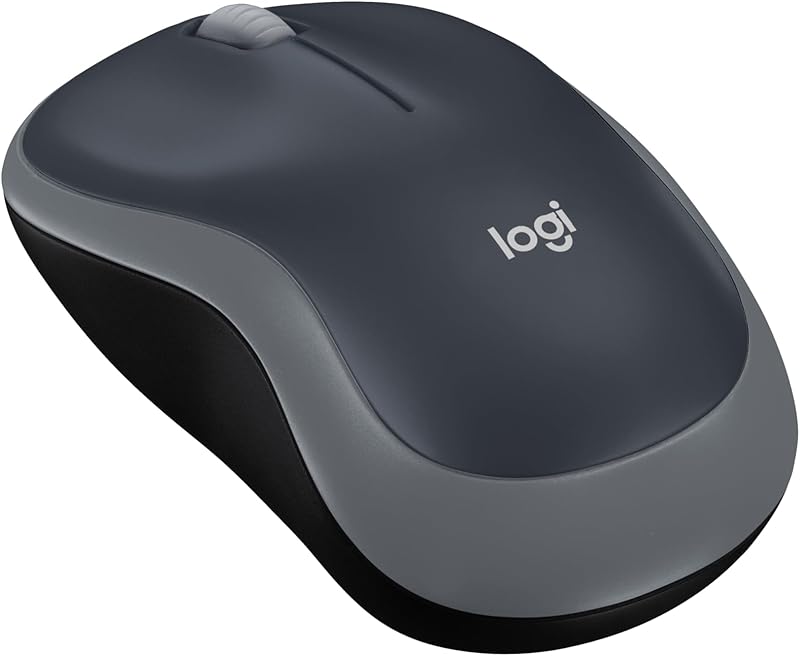
| Ambidextrous mouse with 2.4 GHz | Basic office productivity and entry-level laptop computing | Compact optical tracking, 12-month battery life, standard office click latency without gaming-grade HERO sensor |
| ELECOM BITRA Wireless Trackball Mouse | Stationary computing and ergonomic index-finger control in tight desk spaces | 34mm wide-range index trackball, Bluetooth and 2.4GHz dual connectivity, silent click switches |
| Bluetooth connectivity | Quiet public environments and port-free ultra-thin laptop setups | Direct Bluetooth pairing with no USB receiver, quiet clicks, 3 non-customizable buttons, 18-month battery life |
Choosing between these alternatives depends primarily on whether your workstation prioritizes multi-purpose responsiveness, ergonomic immobility, or quiet productivity. If your household only requires a basic, low-profile pointer for web navigation and simple office documents, the Ambidextrous mouse with 2.4 GHz provides an uncomplicated 12-month battery lifespan without gaming features. For users with limited desk surface area or wrist mobility concerns, the ELECOM BITRA Wireless Trackball Mouse introduces an index-finger trackball mechanism and dual wireless modes. Meanwhile, if you work in quiet study libraries and lack spare USB ports, the Bluetooth connectivity mouse offers silent clicks and dongle-free operation. However, neither alternative matches the 1 ms report rate, 12,000 DPI sensor, and programmable customization that the G305 brings to active gaming and multimedia desktops.
Bottom Line
The Logitech G305 stands out as a remarkably versatile peripheral that bridges the gap between competitive gaming responsiveness and dependable everyday family computing. By combining a precision 12,000 DPI HERO optical sensor with rock-solid 1 ms Lightspeed wireless technology, it provides the swift tracking and lag-free input necessary for modern gaming without introducing the fragility often associated with high-end esports gear like the premium logitech g pro series. Its 99-gram ambidextrous plastic body is sturdy enough to withstand the daily wear and tear of a shared household, while the integrated nano receiver storage ensures easy portability between home desktops and school laptops.
Prospective buyers wondering is logitech g305 worth it will find that its reliability and low maintenance justify the investment. Using the logitech g305 for gaming and productivity delivers responsive tracking without the hassle of internal battery degradation or tangled cables. The reliance on a single replaceable AA battery delivering 250 hours of continuous gameplay eliminates charging downtime entirely. The proven logitech g305 durability makes it an exceptionally practical, long-lasting pointer that handles morning spreadsheets and evening multiplayer matches with equal poise.
FAQ
Is the Logitech G305 good for competitive gaming?
Yes, the mouse is well-equipped for competitive gaming thanks to its proprietary HERO optical sensor and Lightspeed wireless protocol. It features a fast 1 ms report rate that matches the low latency of wired gaming peripherals, along with a tracking ceiling of 12,000 DPI and 400 IPS speed to capture quick hand reflexes with pinpoint accuracy.
How long does the Logitech G305 battery last during daily use?
The mouse delivers up to 250 hours of continuous active gameplay from a single standard AA battery. Under typical household conditions with mixed daily computing, homework, and moderate gaming, this power efficiency allows the single battery to last for several months before needing a replacement. An integrated indicator light warns you before the battery runs out completely.
Can the Logitech G305 connect to computers via Bluetooth?
No, the Logitech G305 does not include built-in Bluetooth hardware. It connects exclusively through its included 2.4 GHz Lightspeed USB nano receiver, which plugs into a standard USB Type-A port on your computer, laptop, or supported gaming console.
Can you store the USB receiver inside the mouse when traveling?
Yes, the mouse features an internal storage compartment located beneath the removable top battery cover. This allows you to safely tuck the USB nano receiver inside the mouse chassis during transit, preventing accidental loss when taking the device to work, school, or on trips.
What platforms and operating systems work with the Logitech G305?
The product data lists compatibility with Windows and macOS operating systems, as well as gaming hardware platforms including Mac, PC, Nintendo Switch, PlayStation, PlayStation 2, PlayStation 4, Xbox, and Xbox One, provided an appropriate USB connection is available.
How many programmable buttons does the mouse have?
The Logitech G305 features six programmable buttons, including the primary left and right clicks, the scroll wheel click, a top DPI cycle button, and two side thumb buttons. All button configurations can be stored in the device’s on-board memory for seamless use across different computers.


