What we looked at
-
 Highest rated
KAMRUI Pinova P2 Mini PC, AMD Ryzen 7330U(4 Cores, 8 Threads,…
4.4
See price
Highest rated
KAMRUI Pinova P2 Mini PC, AMD Ryzen 7330U(4 Cores, 8 Threads,…
4.4
See price
-
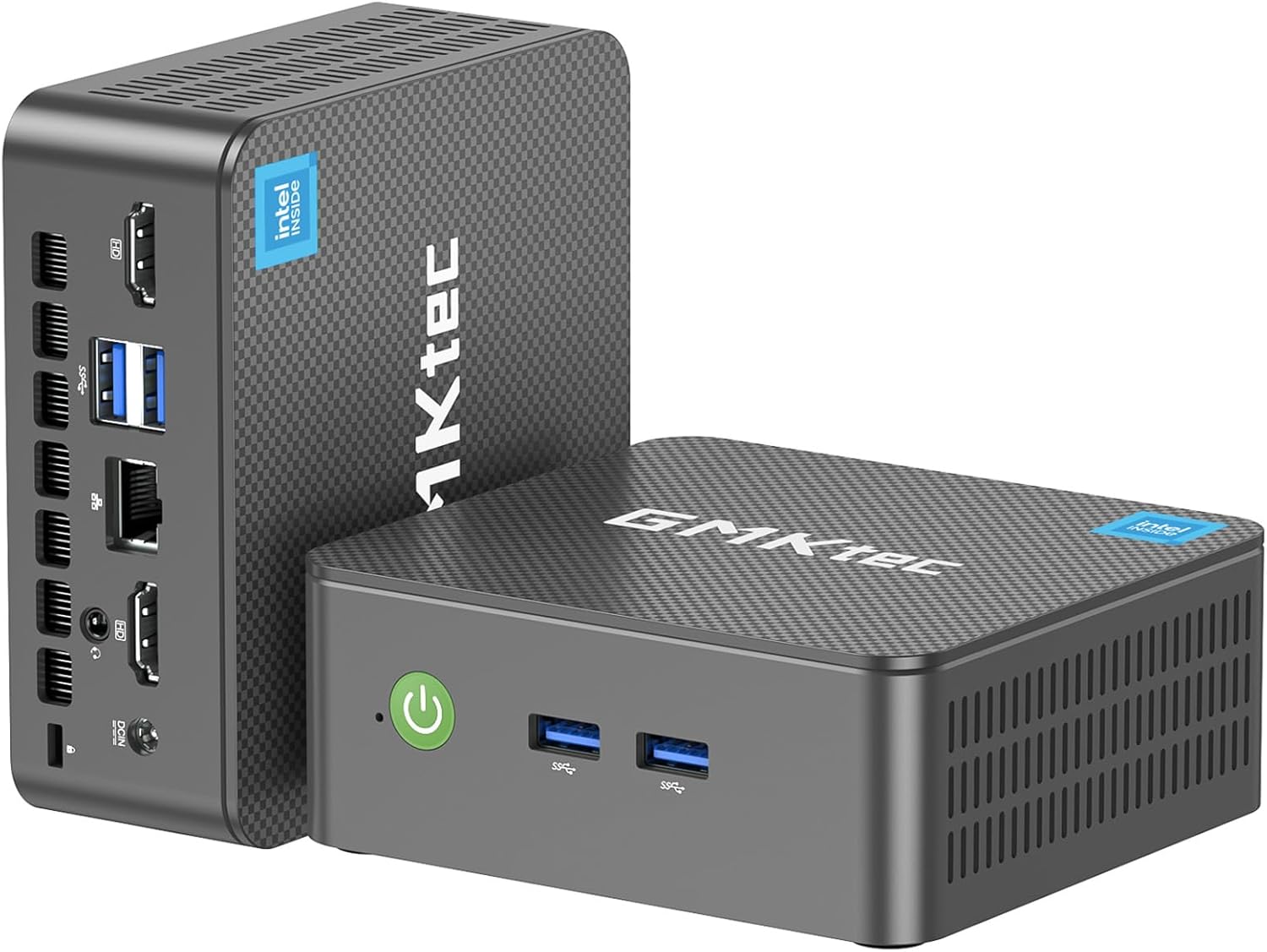
 GMKtec Mini PC, G3 PRO Intel Core i3-10110U (Beats 4300U/N150), 16GB…
4.4
See price
GMKtec Mini PC, G3 PRO Intel Core i3-10110U (Beats 4300U/N150), 16GB…
4.4
See price
-
 Lowest price
BOSGAME E5 Mini PC with Ryzen 5300U Computer
4.3
See price
Lowest price
BOSGAME E5 Mini PC with Ryzen 5300U Computer
4.3
See price
-
 Reviewed here
Beelink Mini S12 Mini PC,12 Generation Intel N95 (Up to 3.4GHz)…
4.9
See price
Reviewed here
Beelink Mini S12 Mini PC,12 Generation Intel N95 (Up to 3.4GHz)…
4.9
See price
As Amazon Associates, we earn from qualifying purchases. This means we may receive a small commission at no extra cost to you if you click through and make a purchase.
Traditional desktop towers consume significant desk space and electricity, creating unnecessary clutter in busy household workstations and homework corners. Finding an energy-efficient, compact desktop that handles homework, web browsing, streaming media, and productivity tools without bogging down the family desk is a persistent challenge. The Beelink Mini S12 offers a focused solution, packing entry-level desktop hardware into a chassis barely larger than a stack of coasters, tailored specifically for shared family environments.
After evaluating the specifications and hardware configuration, our verdict is clear: this micro PC delivers steady performance for core household activities while maintaining a remarkably low energy draw. Families seeking a straightforward, space-saving work hub will find that it handles administrative chores, remote learning, and video playback with ease, though heavy creative workflows or modern 3D gaming fall well beyond its design intentions.



Quick Verdict
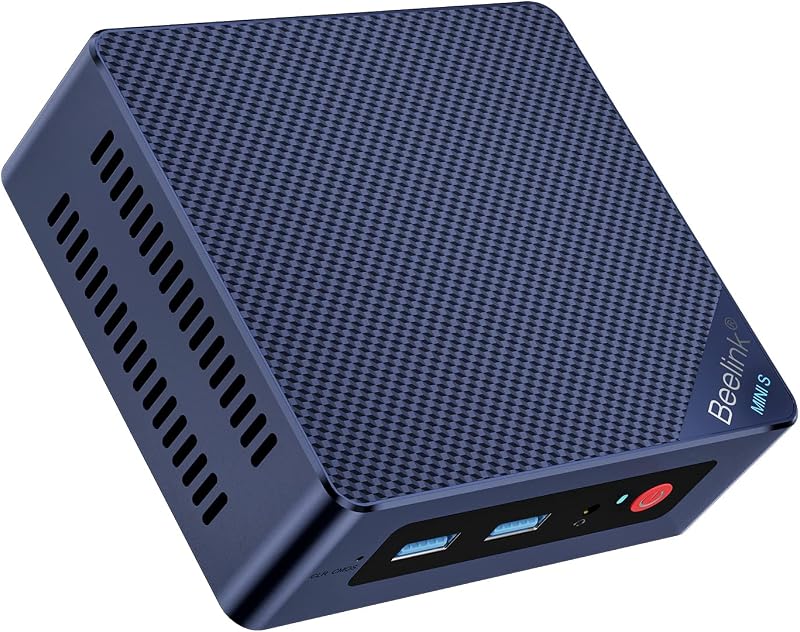
The Beelink Mini S12 is an effective, space-conscious desktop tailored for shared households and budget-minded home offices. Powered by an Intel Alder Lake-N95 quad-core chip and a quiet active cooling layout, it comfortably supports daily routines ranging from school projects to high-definition video playback across two displays.
- Compact 4.52 by 4.04-inch footprint frees up valuable workspace in tight home offices or study areas.
- Intel Alder Lake-N95 processor provides reliable throughput for schooling, streaming, and everyday office work.
- Dual HDMI outputs support two independent 4K displays to boost everyday family productivity.
- Low 10-watt power consumption profile minimizes continuous energy draw during extended household use.
Beelink Mini S12 Features Explained
Efficient Intel 12th Gen N95 Processing
At the core of this micro computer is the Intel Alder Lake-N95 chip, a 4-core, 4-thread processor capable of boosting up to 3.4GHz. Intel built the Alder Lake-N architecture specifically for energy-conscious, entry-level computing, giving household members responsive performance during web research, document editing, and video conferencing. With an integrated Intel UHD Graphics module running at 1.20GHz with 16 execution units, the beelink mini s12 n95 configuration handles lightweight visual demands without hesitation.
For households managing simultaneous tasks—such as keeping multiple browser tabs open while streaming music or editing spreadsheets—the four physical cores provide sufficient bandwidth for beelink mini s12 everyday computing. While larger desktop towers draw substantially higher wattage, this compact chip emphasizes power restraint while keeping daily family tasks running smoothly without system stutter.
Memory and Storage Flexibility
The system arrives equipped with 8GB of DDR4 system memory and a 480GB SATA3 solid-state drive, establishing a quick baseline for application loading and operating system responsiveness. The internal memory design allows single-channel expansion up to 16GB, which gives users an approachable path when software demands increase over time. For storage, the system supports expansion up to 4TB with dual-channel support, while the listing details note a PCIE x 4 interface for high-speed hardware accommodation.
Taking advantage of the beelink mini s12 upgrade ram ssd potential allows the machine to grow alongside your household’s digital file needs. Whether you are archiving family photos, storing homework portfolios, or organizing years of personal tax documents, the internal drive can be supplemented so you avoid relying entirely on external portable drives or subscription-based cloud storage services.
Dual HDMI 4K Display Output
Productivity often depends on having sufficient screen real estate, and the beelink mini s12 dual display capability delivers this by offering two standard HDMI ports. The integrated Intel UHD graphics engine supports 4K resolution output, allowing the micro desktop to drive two monitors simultaneously for an expanded workspace or connect seamlessly to a living room television or multimedia projector.
In a shared home setting, driving dual displays enables a student to reference research materials on one monitor while typing an essay on the second. When the workday ends, connecting the system to a projector creates a responsive entertainment terminal capable of smooth 4K media playback without requiring a bulky dedicated media server.
Thermal Management and Low Power Draw
Compact computers often struggle with heat dissipation, but the Beelink Mini S12 incorporates an active cooling configuration featuring a high-efficiency fan, large air ducts, and a specialized quiet control chip. According to the listing specifications, this thermal architecture achieves a 40% improvement in heat dissipation performance, which prevents thermal throttling during sustained workloads while maintaining low noise levels.
Operating with an average power consumption rating of just 10 watts, the beelink mini s12 power consumption profile is exceptionally low compared to standard full-sized desktop towers. This efficient power profile makes the mini PC an outstanding choice for continuous background duties, such as running home automation dashboards or lightweight family network file sharing, without raising utility bills.
Connectivity and Peripheral Support
Reliable peripheral integration is crucial for any home workstation, and this unit includes USB 3.0 ports, dual HDMI jacks, and a 2.5G Ethernet LAN port for ultra-stable wired networking. Wireless connections are handled via WiFi 5 and Bluetooth 4.2, enabling the easy pairing of wireless keyboards, mice, printers, and external speakers without cluttering the desk with cables.
The device also features automated power-on capabilities, which can be configured by contacting Beelink support with the barcode on the bottom of the chassis. Certified by FCC, CE, and RoHS standards, the machine is built to fulfill baseline household electronics safety criteria, supported by Beelink with 24/7 technical assistance.
Specs
| Attribute | Detail |
|---|---|
| Processor | Intel 12th Gen Alder Lake-N95 (4 Cores, 4 Threads, Up to 3.4GHz) |
| Graphics | Integrated Intel UHD Graphics (1.20GHz, 16EU) |
| System Memory | 8GB DDR4 RAM (Expandable to 16GB, Single-Channel) |
| Internal Storage | 480GB SATA3 SSD (Expandable to 4TB, PCIE x 4 Interface) |
| Video Output | Dual HDMI (Supports 4K Playback) |
| Network Connectivity | 2.5G Ethernet LAN, WiFi 5, Bluetooth 4.2 |
| Hardware Interfaces | USB 3.0, Dual HDMI, Ethernet |
| Cooling System | Air Cooling with Fan and Quiet Control Chip |
| Power Consumption | 10 Watts |
| Dimensions | 4.52 x 4.04 x 1.54 inches |
Beelink Mini S12 Pros and Cons
What we like
- Intel Alder Lake-N95 quad-core processor
- Extremely low 10-watt power consumption
- Dual HDMI 4K video outputs
- Upgradable RAM and storage capacity
- Quiet cooling with 40% thermal improvement
What we’d change
- Single-channel RAM limited to 16GB
- Unspecified operating system edition
- Lacks dedicated discrete graphics power
Check Beelink Mini S12 on Amazon
Best Use Cases
- A dedicated homework and remote learning station for children researching assignments and attending virtual classes.
- A centralized beelink mini s12 home office setup for parents handling spreadsheets, remote desktop sessions, and web meetings.
- A low-profile living room media center connected to a television or projector for streaming 4K video content.
- A compact administrative terminal for household budgeting, bill payment, and digital record keeping.
- A lightweight, always-on household utility PC handling local network tasks with minimal power consumption.
Before You Buy
Before setting up the machine, consider peripheral requirements and expansion ceilings. The unit arrives in a minimalist black enclosure measuring 4.52 by 4.04 by 1.54 inches, but the listing specifies only the mini computer itself, meaning you must provide your own monitor, keyboard, mouse, and HDMI cables. If you are comparing ultra-compact form factors, you might also read our intel computer stick overview to see how pocket-sized solutions compare against dedicated mini desktop boxes. Additionally, while the RAM is upgradeable to 16GB, it operates on a single-channel configuration, meaning you will replace the existing module rather than adding a second stick alongside it.
Software and operating system specifications require careful verification before purchase. The listing provides the generic label “OS” for the operating system, without naming a specific pre-installed distribution, so buyers should be prepared to verify activation or configure their operating system of choice during initial setup. Furthermore, the listing does not specify whether a VESA mounting bracket or external power supply brick is bundled in the packaging, so plan your desk arrangement accordingly. For users looking for updated silicon variants, reviewing our beelink s12 pro analysis provides additional perspective on processor differences within the same chassis family.
How It Compares With Similar Picks
| Product | Best For | Key Difference |
|---|---|---|
| Beelink Mini S12 | Energy-efficient daily family productivity | Intel Alder Lake-N95 chip with 8GB RAM, 480GB SATA3 SSD, and 10W power draw |
| KAMRUI Pinova P2 Mini PC | Multi-tasking home offices | AMD Ryzen 7330U processor with 16GB RAM, 256GB SSD, and triple 4K display capability |
| GMKtec Mini PC | Heavier business and office multitasking | Intel Core i3-10110U, dual-channel 16GB RAM, 512GB storage, WiFi 6, and BT 5.2 |
| 16GB RAM 512GB SSD | Multi-monitor workflows and network routing | AMD Ryzen 5300U processor, 16GB RAM, 512GB SSD, triple display, and dual LAN ports |
When deciding between these options, consider your household workload intensity and multitasking requirements. The KAMRUI Pinova P2 Mini PC offers a notable upgrade in CPU thread count and system memory with its 8-thread AMD processor and 16GB of RAM, making it better suited for users running simultaneous demanding productivity programs. The GMKtec Mini PC provides upgraded wireless standard WiFi 6, Bluetooth 5.2, and dual-channel 16GB RAM for those seeking a more traditional Intel Core i3 business foundation. Meanwhile, the 16GB RAM 512GB SSD model introduces dual Ethernet ports and triple display outputs, which is ideal if your household requires dual network routing or three independent monitor feeds. However, for baseline household tasks where 10W power efficiency and space savings remain top priorities, the Beelink Mini S12 maintains a balanced footprint.

Bottom Line
Determining whether the beelink mini s12 is worth it comes down to matching your household computing expectations with its hardware strengths. If you need an unobtrusive computer for web browsing, streaming, educational web portals, and office administration, this mini PC offers dependable capability wrapped inside a tiny form factor. Its quiet cooling, 10-watt power draw, and dual HDMI ports make it exceptionally practical for shared desks.
While it is not designed to replace high-powered workstations or support demanding 3D gaming, the beelink mini s12 for family use represents a sensible balance of efficiency and everyday functionality. By providing accessible RAM and SSD upgrade options, Beelink ensures that this compact box can adapt to your household’s changing file storage and memory needs for years of dependable service.
FAQ
Can the Beelink Mini S12 run dual 4K monitors simultaneously?
Yes, the system includes dual HDMI outputs powered by integrated Intel UHD Graphics running at 1.20GHz. This hardware configuration is capable of driving two independent 4K displays at the same time, making it convenient for split-screen research, multitasking between documents, or powering a presentation display.
How much can I upgrade the memory and storage on this mini PC?
The Beelink Mini S12 comes with 8GB of DDR4 RAM and a 480GB SATA3 SSD. According to the manufacturer listing, the system memory can be expanded up to 16GB via its single-channel slot, and storage capacity can be expanded up to 4TB with dual-channel support, utilizing its internal PCIE x 4 interface.
How much electricity does the Beelink Mini S12 consume during normal operation?
The listing specifies an operational power consumption rating of 10 watts. This exceptionally low energy profile makes the mini PC vastly more energy-efficient than traditional desktop towers, allowing families to keep it powered on for long periods without causing a noticeable increase in electric bills.
Does the Beelink Mini S12 come with an operating system pre-installed?
The manufacturer listing simply states “OS” under the operating system field without specifying a specific edition or build. While many mini PCs arrive with pre-configured software, buyers should check the packaging on arrival or be prepared to install and configure their preferred operating system during initial setup.
How do I enable the auto power on feature on this desktop?
The auto power on capability is supported, but activating it requires a specific configuration guide from the manufacturer. Beelink notes that users should locate the barcode on the bottom plate of the machine and contact their 24/7 technical support team, who will supply the exact step-by-step tutorial file for that hardware batch.