
What we looked at
-
 Lowest price
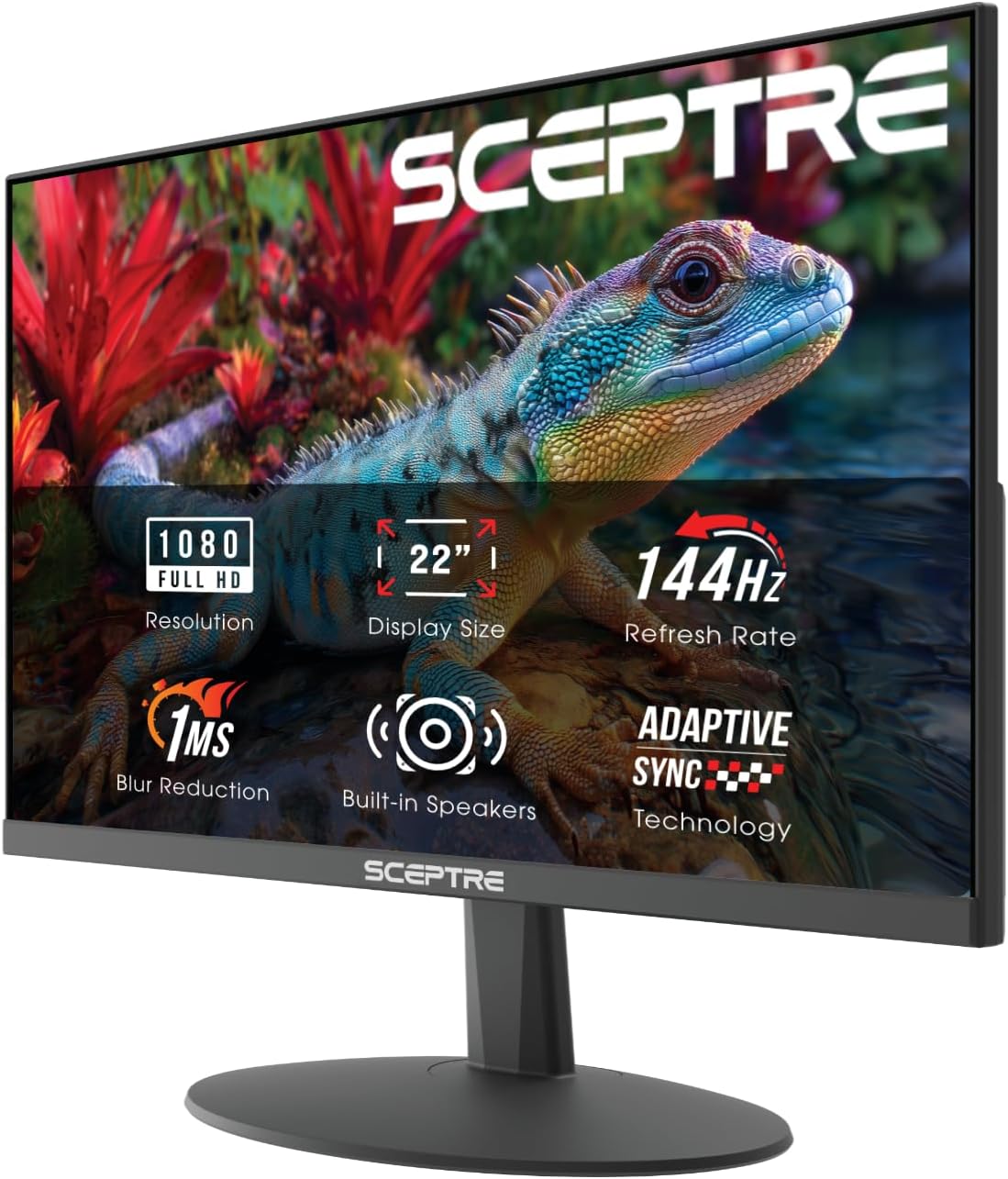
Sceptre New 22-Inch Gaming Monitor, FHD 1080p, Up to 144Hz, HDMI,…
8.8/10
See price
-
 Acer 27in FHD 1920x1080 IPS 120Hz Gaming Monitor | Office KB272…
9.2/10
See price
-
 Highest rated
Dell 24 Monitor - SE2426H - 23.8-inch FHD (1920x1080) 144Hz 1ms…
9.4/10
See price
-
 Reviewed here
ASUS ROG PG27UCDM 27 Inch 4K 240Hz OLED Gaming Monitor QD-OLED
8.8/10
See price
As Amazon Associates, we earn from qualifying purchases. This means we may receive a small commission at no extra cost to you if you click through and make a purchase.
Finding a computer monitor that effortlessly transitions between family productivity, graphic design, and competitive gaming is challenging. Many households find themselves juggling muddy desktop text on standard high-refresh screens or worrying about panel degradation when children leave desktop windows open for hours. The ASUS ROG PG27UCDM aims directly at this dilemma, introducing fourth-generation QD-OLED display engineering designed to solve common OLED longevity concerns while delivering ultra-crisp desktop resolution.
Our comprehensive evaluation reveals that this display sets an exceptional standard for shared workspaces and gaming setups alike. With an intelligent Neo Proximity Sensor, dedicated anti-flicker technology, and uncompressed 4K bandwidth, it proves that cutting-edge visual speed does not require sacrificing everyday usability or long-term build durability.



Quick Verdict

The ASUS ROG PG27UCDM stands out as one of the most complete multi-purpose displays currently available, pairing high-end 240Hz responsiveness with reassuring burn-in protection and sharp text reproduction.
- Fourth-generation 4K QD-OLED panel eliminates previous color fringing and improves durability
- Hardware-based Neo Proximity Sensor switches to a black screen automatically when you step away
- OLED Anti-Flicker 2.0 with luminance compensation reduces eye fatigue during long work sessions
- Robust three-year warranty includes comprehensive panel burn-in and Advanced Replacement coverage
ASUS ROG PG27UCDM Features Explained
Fourth-Generation QD-OLED Display Architecture
Early iterations of organic light-emitting diode displays faced scrutiny for visual softness and visible color fringing around fine black text, making them less than ideal for general office productivity or homework sessions. This monitor integrates the latest fourth-generation QD-OLED technology, which features a tighter 0.16mm pixel pitch across its 26.5-inch viewing surface. By cramming 3840 x 2160 native resolution into a compact format, the screen produces dense, razor-sharp rendering for typography, documents, and intricate graphics. Everyday reading is clean and crisp, ensuring that family members do not suffer from blurred edges during research or document editing.
Beyond structural typography improvements, the panel leverages quantum dot illumination to achieve a staggering 1,500,000:1 contrast ratio and peak brightness of 1541.7 lumens. Blacks are absolute because each individual organic sub-pixel can turn completely off, avoiding the gray haze common to standard backlit liquid crystal displays. Gamers benefit from a near-instantaneous 0.03-millisecond response time and a blisteringly fast 240Hz refresh rate. Whether rendering high-paced simulation titles or editing high-framerate family video footage, motion remains pristine without trailing or ghosting artifacts. For users considering ultrawide alternatives with curved panels, examining the rog swift oled pg34wcdn can provide perspective on how aspect ratios shape productivity.
Intelligent Burn-In Protection With Neo Proximity Sensor
Durability remains a paramount concern for anyone investing in premium display equipment, especially in busy households where screens are often left unattended. The ASUS OLED Care Pro suite introduces a dedicated Neo Proximity Sensor placed directly on the chassis. This optical sensor continuously tracks user presence at the desk. When a family member steps away to answer a phone call or grab a snack, the display detects their absence and automatically shifts the entire panel to a restful black screen. This eliminates static desktop retention without requiring users to remember complex power-saving shortcuts.
Coupled with thermal management algorithms, this fourth-generation QD-OLED substrate is engineered for a markedly longer operational lifespan than prior display designs. The manufacturer reinforces this longevity commitment by pairing the hardware with an extensive three-year warranty package that explicitly covers panel burn-in alongside ASUS Rapid Replacement service. Knowing that accidental desktop exposure will not ruin the screen provides substantial peace of mind for parents and multi-user environments.
OLED Anti-Flicker 2.0 and Eye Comfort
Variable refresh rate gaming monitors often struggle with subtle luminance shifts, frequently manifesting as rapid flicker in darker scenes when frame rates fluctuate. To maintain visual comfort throughout demanding creative tasks or extended study sessions, this monitor incorporates OLED Anti-Flicker 2.0 technology. This hardware-driven system features an advanced luminance compensation algorithm that dampens brightness variations across fluctuating refresh boundaries, successfully reducing perceptible panel flicker by 20% compared to previous generations.
The screen also features an anti-reflective matte coating that scatters ambient light from office lamps and natural window reflections without dulling colors. Combined with wide 178-degree horizontal and vertical viewing angles, multiple family members can gather around the display to watch streaming videos or review school assignments without suffering from off-axis color degradation or blinding glares. If your desk accommodates a larger footprint, checking out our review of the asus rog pg32ucdm reveals how similar comfort features scale to a 32-inch form factor.
DisplayPort 2.1a UHBR20 and Universal Connectivity
Connectivity is another pillar of this monitor’s future-proof design. It features the latest DisplayPort 2.1a interface configured for UHBR20, unlocking a massive 80Gbps transmission bandwidth. This allows modern graphics architectures to output uncompressed 4K visuals at the full 240Hz refresh rate without relying on visual loss compression algorithms. The back I/O panel also includes HDMI 2.1 ports for seamless connectivity to modern home game consoles and external media devices, giving families maximum cross-device flexibility.
For modern workspace decluttering, the integrated USB-C port provides data transfer and supports up to 90 watts of Power Delivery. Family members can connect a compatible laptop via a single cable to output high-resolution video while simultaneously fast-charging the computer battery. Additionally, a built-in tripod socket located on the upper assembly provides a secure mounting point for webcams or dedicated broadcast lighting, simplifying remote work and family video calls.
Professional Color Precision and Creative Cloud Access
While engineered to dominate fast-paced competitive gaming, this display offers true reference-grade color reproduction out of the box. Factory calibration guarantees a Delta E color accuracy value below 2, accompanied by 99% coverage of the digital cinema DCI-P3 color space. Supporting true 10-bit color depth, it renders smooth gradients without the visible banding often found in conventional family monitors.
Highlighting its dual focus on content creation and visual fidelity, every unit includes a complimentary three-month subscription to Adobe Creative Cloud, redeemable through August 31, 2028. This bundled suite allows students and creative hobbyists to dive straight into video editing, graphic design, and digital photography without purchasing separate software subscriptions on day one.
Specs
| Attribute | Detail |
|---|---|
| Screen Size | 26.5 inches |
| Native Resolution | 4K UHD (3840 x 2160 pixels) |
| Display Technology | 4th-Gen QD-OLED |
| Refresh Rate | 240Hz |
| Response Time | 0.03ms |
| Contrast Ratio | 1500000:1 |
| Peak Brightness | 1541.7 lm |
| Color Accuracy & Coverage | 99% DCI-P3, Delta E < 2, True 10-bit |
| Connectivity | DisplayPort 2.1a UHBR20 (80Gbps), HDMI 2.1, USB-C (90W PD) |
| Eye Comfort & Anti-Burn | OLED Anti-Flicker 2.0, Neo Proximity Sensor, Matte Finish |
| Item Dimensions & Weight | 8.6″D x 24″W x 21.6″H; 16.8 lbs |
| Power Consumption | 80 watts |
ASUS ROG PG27UCDM Pros and Cons
What we like
- Sharp 4K fourth-generation QD-OLED text clarity
- Automated Neo Proximity Sensor burn-in defense
- Full 80Gbps DisplayPort 2.1a UHBR20 connectivity
- Versatile 90W USB-C power delivery charging
- Three-year warranty includes burn-in coverage
What we’d change
- High 80-watt operational power consumption
- Requires high-end GPU for full bandwidth
- Listing does not specify stand adjustability
Check ASUS ROG PG27UCDM on Amazon
Best Use Cases
- Busy shared family computer desks that need automated shut-off to prevent screen burn-in when people walk away.
- Home offices demanding ultra-sharp 4K text density for spreadsheets, code development, and long reading sessions.
- High-end PC gaming setups requiring uncompressed 4K 240Hz motion fluidity without input lag or motion blur.
- Digital photography and video production environments that require true 10-bit color depth and precise DCI-P3 coverage.
- Modern laptop workstations utilizing a single USB-C cable for high-speed charging, display routing, and peripheral access.
Before You Buy
Before purchasing this advanced display, consider your household computing hardware. Running games or heavy graphical applications at native 4K resolution at 240Hz requires substantial GPU performance, and utilizing uncompressed bandwidth requires a modern graphics card equipped with DisplayPort 2.1a UHBR20 support. The monitor draws up to 80 watts during operation, representing a higher power profile than budget office monitors due to its high-output QD-OLED illumination and integrated 90W USB-C delivery circuitry.
It is also worth noting what the listing does not specify. The product page does not detail the exact ergonomic range of the stand, such as swivel angles or height adjustment travel, nor does it specify the full list of included video cables in the box. Families looking to compare different panel form factors within the same ecosystem might also explore the asus rog strix oled xg27aqdmes for another perspective on gaming performance.
How It Compares With Similar Picks
| Product | Best For | Key Difference |
|---|---|---|
| ASUS ROG PG27UCDM | Premium multi-use households, enthusiasts, and creatives | 4K 240Hz QD-OLED, DP 2.1a UHBR20, Neo Proximity Sensor, 90W USB-C |
| Sceptre New 22-Inch Gaming Monitor | Compact desks and entry-level computing | 22-inch 1080p FHD panel, up to 144Hz, built-in speakers, machine black build |
| 1ms Acer 27in FHD Gaming Monitor | General office setups and casual gameplay | 27-inch 1080p IPS screen, 120Hz refresh, 99% sRGB, VGA and HDMI inputs |
| Dell 24 Monitor | Everyday study spaces and secondary monitors | Not listed |
While the ASUS flagship delivers bleeding-edge visual fidelity and deep burn-in prevention, alternative models suit practical, budget-conscious household roles. If your goal is simply outfitting a child’s bedroom for homework or retro console play, the Sceptre New 22-Inch Gaming Monitor offers an accessible 1080p footprint with integrated speakers. Similarly, the 1ms Acer 27in FHD Gaming Monitor provides dependable 1080p desktop area with 99% sRGB color and legacy VGA connectivity for older family computers. For general study workstations that prioritize straightforward ergonomics and basic eye comfort certification without demanding high computing horsepower, the Dell 24 Monitor remains a reliable pick.

Bottom Line
The ASUS ROG PG27UCDM redefines what users should expect from a high-end desktop display. By combining the natural contrast advantages of organic light-emitting diodes with a tightly grouped 4K pixel pitch, it effectively resolves historical complaints regarding blurred text and image retention. The inclusion of the Neo Proximity Sensor and OLED Anti-Flicker 2.0 directly addresses daily comfort and durability, making the unit as reliable for spreadsheets and document editing as it is for gaming.
Backed by a robust three-year burn-in warranty, future-ready DisplayPort 2.1a bandwidth, and versatile 90W USB-C laptop charging, this monitor represents an exceptional investment for households seeking a display that excels across every discipline. If your setup demands top-tier performance, visual safety, and long-term durability, it stands out as an easy recommendation.
FAQ
Is asus rog oled pg27ucdm burn-in protection reliable for daily use?
Yes. The ASUS OLED Care Pro suite uses a dedicated hardware Neo Proximity Sensor that detects when you leave the desk, switching the monitor to a black screen automatically. In addition, the monitor is covered by a comprehensive 3-year warranty that explicitly includes panel burn-in and rapid replacement service.
Does the asus rog pg27ucdm text clarity handle office work well?
Yes. By utilizing fourth-generation QD-OLED technology combined with a dense 4K resolution (3840 x 2160) across a 26.5-inch panel, the pixel pitch is reduced to 0.16mm. This high density eliminates the visible text fringing present on earlier lower-resolution OLED monitors, producing crisp fonts for documents and coding.
How does the asus rog pg27ucdm eye comfort feature reduce strain?
The display incorporates OLED Anti-Flicker 2.0 with a specialized luminance compensation algorithm. This hardware feature reduces refresh-rate-related flickering by 20% compared to previous generations, while the matte anti-glare screen finish dampens harsh reflections from ambient office and room lighting.
What graphics capabilities are required to use asus rog pg27ucdm 4k 240hz?
To enjoy uncompressed 4K visuals at 240Hz, your computer system needs a graphics card that supports DisplayPort 2.1a UHBR20 with 80Gbps bandwidth. You can also run the monitor via HDMI 2.1 or USB-C, though refresh rates and compression depend on your device’s specific output capabilities.
Is asus rog oled pg27ucdm worth it for non-gamers?
Yes, especially for creative professionals and hybrid work environments. With 99% DCI-P3 color coverage, factory Delta E < 2 color accuracy, True 10-bit depth, 90W USB-C laptop charging, and an included 3-month Adobe Creative Cloud subscription, it provides exceptional utility for digital design, photo editing, and daily multitasking.


