What we looked at
-
 Lowest price
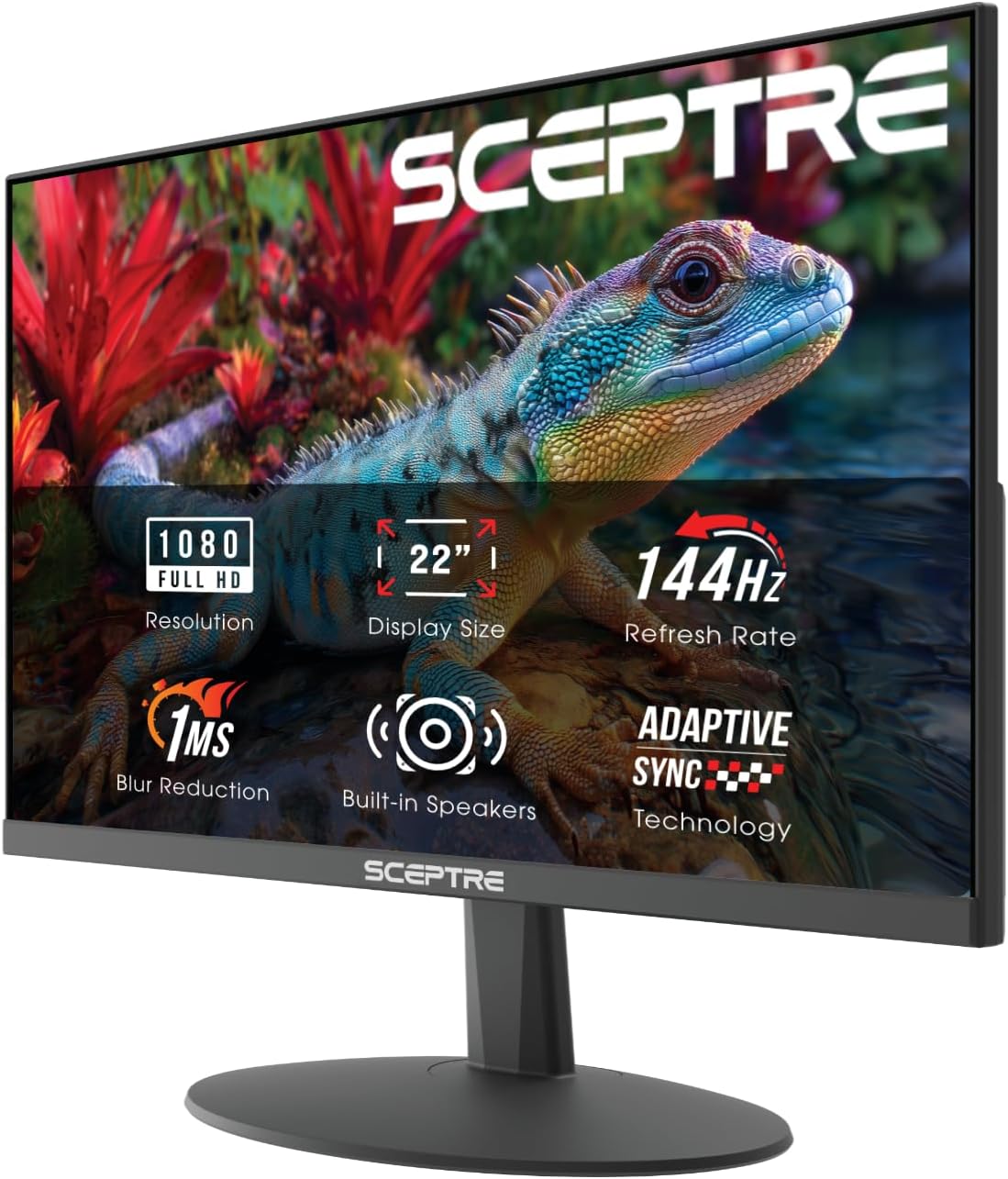
Sceptre New 22-Inch Gaming Monitor, FHD 1080p, Up to 144Hz, HDMI,…
8.8/10
See price
-
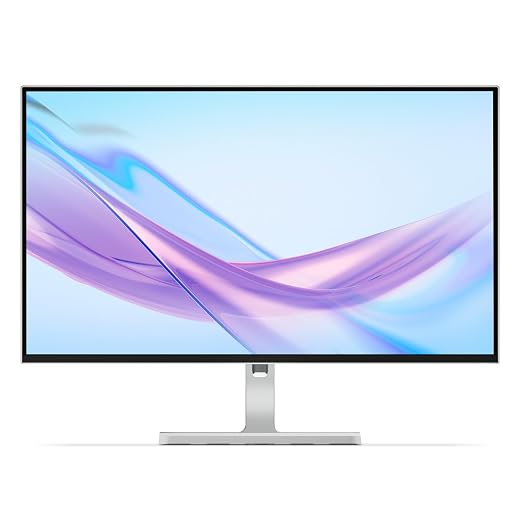
 Acer 27in FHD 1920x1080 IPS 120Hz Gaming Monitor | Office KB272…
9.2/10
See price
-
 Highest rated
Dell 24 Monitor - SE2426H - 23.8-inch FHD (1920x1080) 144Hz 1ms…
9.4/10
See price
-
 Reviewed here
ASUS ROG Swift 27”1440P OLED DSC Gaming Monitor (PG27AQDM) - QHD…
8.2/10
See price
As Amazon Associates, we earn from qualifying purchases. This means we may receive a small commission at no extra cost to you if you click through and make a purchase.
Shared household workstations and multi-user entertainment setups place unique demands on computer hardware. When family members rotate through fast-paced competitive esports, cinematic adventure games, creative school projects, and everyday web browsing, ordinary displays can leave users frustrated by sluggish pixel transitions, distracting surface glare, and washed-out contrast. The ASUS ROG Swift PG27AQDM solves this multi-role challenge by pairing an enthusiast-tier 1440p OLED panel with dedicated thermal engineering designed to protect the display during extended daily sessions. For households seeking premium responsiveness alongside hardware safeguards, this 27-inch monitor provides a balanced visual hub.
Our verdict is that the display delivers exceptional visual immersion and fluid gameplay while addressing common long-term panel concerns through active hardware safeguards. Combining a custom heatsink, intelligent voltage optimization, a blistering 240Hz refresh rate, and an ultrafast 0.03ms response time, it proves that cutting-edge visual quality can successfully co-exist with durability in active family homes.



Quick Verdict

The ASUS ROG Swift PG27AQDM stands out as a compelling 1440p gaming monitor that directly mitigates panel degradation through comprehensive thermal and electrical engineering. It offers outstanding motion clarity and color depth for gaming households willing to practice basic OLED maintenance.
- Custom heatsink design and intelligent voltage optimization manage internal heat to protect the OLED panel during prolonged family gaming marathons.
- Ultrafast 0.03ms response time and 240Hz refresh rate virtually eliminate ghosting, trailing, and visual tearing.
- Anti-glare micro-texture coating reduces room reflections while preserving deep blacks and vibrant 99% DCI-P3 color reproduction.
- Intuitive DisplayWidget Center software lets users adjust OLED care settings and display profiles directly using a mouse.
ASUS ROG Swift PG27AQDM Features Explained
Advanced Heat Management and Burn-In Protection
Thermal management is the primary foundation for maintaining panel longevity on self-emissive displays. The ASUS ROG Swift PG27AQDM tackles thermal accumulation using a custom heatsink positioned directly behind the OLED panel. Instead of relying solely on ambient passive airflow, this dedicated thermal component channels excess heat away from sensitive organic pixel layers. Operating at lower temperatures minimizes structural stress on the panel, significantly extending its operational life during lengthy multiplayer sessions or shared daily use.
Beyond passive thermal hardware, the monitor uses intelligent voltage optimization to regulate the electrical current delivered across the screen. This system dynamically governs voltage delivery to maintain uniform luminance and reduce electrical strain on individual pixels. When considering the ROG Swift PG27AQDM burn-in protection capabilities, this combination of intelligent voltage regulation and dedicated ROG Swift PG27AQDM heat management keeps panel temperatures controlled. Furthermore, an optional uniform brightness setting prevents jarring shifts in overall screen illumination, making ASUS ROG Swift 27-inch OLED durability practical for mixed desktop tasks.
Motion Clarity and Response Time
Competitive titles require immediate visual precision, and the ASUS ROG Swift PG27AQDM response time of 0.03 milliseconds represents a notable technical highlight. Traditional liquid crystal displays require physical liquid crystals to rotate to change color states, which can cause subtle smearing behind fast-moving objects. In contrast, the organic pixels on this OLED display switch states almost instantaneously, delivering razor-sharp edge definition during high-speed in-game motion.
This rapid pixel response operates alongside a 240Hz refresh rate across the native 2560 x 1440 resolution. Certified G-SYNC Compatible technology coordinates refresh cycles directly with connected graphics processors to prevent screen tearing and reduce input hesitation. The resulting visual fluidity provides a distinct advantage in racing games and fast-paced competitive titles. Those evaluating curved ultrawide alternatives can also read our rog swift oled pg34wcdn review for wider panoramic perspectives.
Anti-Glare Micro-Texture Coating and HDR Imagery
Living spaces and shared home offices rarely maintain controlled studio lighting throughout the day. To mitigate ambient reflections from household light fixtures and sunlit windows, ASUS equipped the panel with an anti-glare micro-texture coating. This matte finish diffuses incoming light rays without degrading the deep zero-black levels that define premium OLED visuals, maintaining high contrast in diverse household lighting conditions.
Color presentation is equally refined, featuring 99% DCI-P3 gamut coverage, true 10-bit color depth, and factory pre-calibration delivering a Delta E of less than 2. For high-dynamic-range entertainment, the monitor reaches up to 1000 nits peak brightness on a 3% screen window with HDR engaged. The resulting visual depth enhances cinematic story campaigns and creative school tasks alike. If your household is also researching 4K alternatives, explore our asus rog pg32ucdm analysis to compare resolution benchmarks.
DisplayWidget Center and Daily Multi-User Convenience
When multiple family members share a single workstation, ease of adjustment is critical. Exploring the ROG Swift PG27AQDM setup and features demonstrates the utility of the DisplayWidget Center utility. This software application allows users to customize OLED protection features, switch visual profiles, and modify brightness levels directly using a mouse cursor, avoiding the awkwardness of reaching around the chassis to manipulate physical menu buttons.
For ASUS PG27AQDM daily use, physical comfort and eye safety remain central priorities. The monitor incorporates TÜV Flicker-free and TÜV Low Blue Light hardware solutions to help alleviate visual fatigue during prolonged homework or evening gaming. In addition, the included stand features full tilt, swivel, pivot, and height adjustments, while the bundled VESA mount kit enables quick mounting to aftermarket monitor arms or wall brackets.
Specs
| Specification | Detail |
|---|---|
| Screen Size | 27 inches (26.5-inch viewable area) |
| Display Type | OLED |
| Native Resolution | QHD 2560 x 1440 pixels |
| Refresh Rate | 240 Hz |
| Response Time | 0.03 ms |
| Aspect Ratio | 16:9 |
| Peak Brightness | 1000 nits (3% of screen with HDR on) |
| Color Gamut | 99% DCI-P3 (135% color gamut rating) |
| Screen Coating | Matte anti-glare micro-texture coating |
| Visual Certifications | TÜV Flicker-free, TÜV Low Blue Light, G-SYNC Compatible |
ASUS ROG Swift PG27AQDM Pros and Cons
What we like
- Ultrafast 0.03 ms response time eliminates ghosting
- Fluid 240 Hz refresh rate with G-SYNC compatibility
- Custom heatsink and intelligent voltage optimization
- Anti-glare micro-texture coating reduces room glare
- Factory-calibrated Delta E under 2 with 99% DCI-P3
What we’d change
- OLED panel requires mindful habits against static burn-in
- Listing does not specify integrated audio speakers
- Deep stand footprint requires ample desk space
Check ASUS ROG Swift PG27AQDM on Amazon
Best Use Cases
- High-refresh competitive multiplayer gaming where the 0.03ms pixel response time eliminates smearing and motion artifacts.
- Shared multi-user desktop workstations that benefit from swift mouse-driven profile switching via DisplayWidget Center.
- Cinematic single-player campaigns and streaming media that leverage 1000 nits peak HDR highlights and true black contrast.
- Color-sensitive digital art and video editing projects that require factory-calibrated Delta E under 2 and wide 99% DCI-P3 coverage.
- Rooms with variable natural lighting where an anti-glare micro-texture coating diffuses annoying ambient reflections.
Before You Buy
Before bringing this monitor home, it is essential to check desk space and hardware connectivity. The monitor measures 23.82 inches deep, 10.79 inches wide, and 17.24 inches high with its stand attached, carrying an overall item weight of 15.2 pounds. The retail box includes a DisplayPort cable, an HDMI cable, a USB 3.0 upstream cable, an external power cord and adapter, a VESA mount kit, an ROG pouch, an ROG sticker, a color pre-calibration report, a quick start guide, and a warranty card. Additionally, the listing notes a 3-month Adobe Creative Cloud subscription valid until August 31, 2026. However, the listing does not specify the exact version numbers of the DisplayPort and HDMI ports, nor does it specify the presence of integrated desktop speakers.
Households planning to adopt the ROG Swift PG27AQDM for family gaming should also establish sensible operational habits with all users. While the heatsink and voltage regulation manage thermal buildup, OLED panels still benefit from basic precautions against static desktop images. Setting reasonable operating system sleep timers, utilizing the uniform brightness mode during general productivity, and running periodic maintenance cycles ensure the ROG Swift PG27AQDM long-term reliability remains intact. Buyers curious about other modern high-performance models may also want to read our asus rog swift oled pg27ucdm breakdown.
How It Compares With Similar Picks
| Product | Best For | Key Difference |
|---|---|---|
| ASUS ROG Swift PG27AQDM | High-end family gaming and HDR multimedia | 27-inch 1440p OLED, 240Hz, 0.03ms response, custom cooling heatsink |
| Sceptre New 22-Inch Gaming Monitor | Compact desks and tight budget secondary setups | 22-inch 1080p panel, up to 144Hz, machine black chassis, built-in speakers |
| 1ms | General office tasks and casual 1080p gaming | 27-inch FHD IPS panel, 120Hz, 1ms response, HDMI and VGA connectivity |
| Dell 24 Monitor | Standard dual-screen home office productivity | 23.8-inch FHD IPS panel, 144Hz, 1ms response, AMD FreeSync, dual HDMI |
Choosing among these options depends heavily on how your household balances panel performance and desktop requirements. If you need a compact screen with built-in speakers for a smaller bedroom or study nook, the Sceptre New 22-Inch Gaming Monitor provides a straightforward 1080p solution. Families seeking basic productivity displays for paperwork and web browsing might prefer the 27-inch 1ms Acer display or the Dell 24 Monitor for their standard IPS panels and dual-display practicality. However, for households that prioritize enthusiast gaming performance, genuine zero-black levels, and advanced heat mitigation, the ASUS ROG Swift PG27AQDM operates in a noticeably superior performance tier.

Bottom Line
When asking is the ROG Swift PG27AQDM worth it for a busy household, the answer depends on your performance expectations and willingness to maintain basic OLED habits. Reviewing the official ROG Swift PG27AQDM specs highlights a top-tier combination of 1440p resolution, 240Hz refresh rate, 0.03ms response time, and 99% DCI-P3 color fidelity. Combined with custom heatsink cooling and intelligent voltage management, this monitor bridges the gap between delicate enthusiast display tech and dependable everyday family usability.
While multi-user homes must remain mindful of static desktop elements, the inclusion of convenient mouse-controlled software settings and robust hardware protections makes ownership straightforward. If your household wants class-leading pixel responsiveness and captivating visual contrast for gaming and creative tasks, the ASUS ROG Swift PG27AQDM represents a well-engineered display investment.
FAQ
How does the custom heatsink protect the panel from burn-in?
The custom heatsink pulls thermal energy away from the sensitive organic layers of the OLED panel during operation. By maintaining lower overall internal operating temperatures, the heatsink reduces thermal stress on individual pixels, helping prevent image retention over prolonged gaming marathons.
Can I adjust the monitor settings without using physical buttons?
Yes, the monitor supports ASUS DisplayWidget Center software. This application lets users customize visual modes, tweak brightness settings, and control OLED care functions directly on the desktop using a standard computer mouse.
Is the screen finish glossy or matte?
The ASUS ROG Swift PG27AQDM features a matte screen finish treated with an anti-glare micro-texture coating. This surface treatment disperses reflections from room lamps and sunlight while preserving deep black levels and color accuracy.
What display cables come included in the box?
The retail package comes supplied with both an HDMI cable and a DisplayPort cable, along with a USB 3.0 upstream cable and a power cord with its matching adapter.
Does the monitor feature integrated audio speakers?
The listing does not specify whether the monitor includes integrated speakers, so households should plan on utilizing external desktop speakers or gaming headsets for audio playback.