
What we looked at
-
 Highest rated
KAMRUI Pinova P2 Mini PC, AMD Ryzen 7330U(4 Cores, 8 Threads,…
8.8/10
See price
Highest rated
KAMRUI Pinova P2 Mini PC, AMD Ryzen 7330U(4 Cores, 8 Threads,…
8.8/10
See price
-
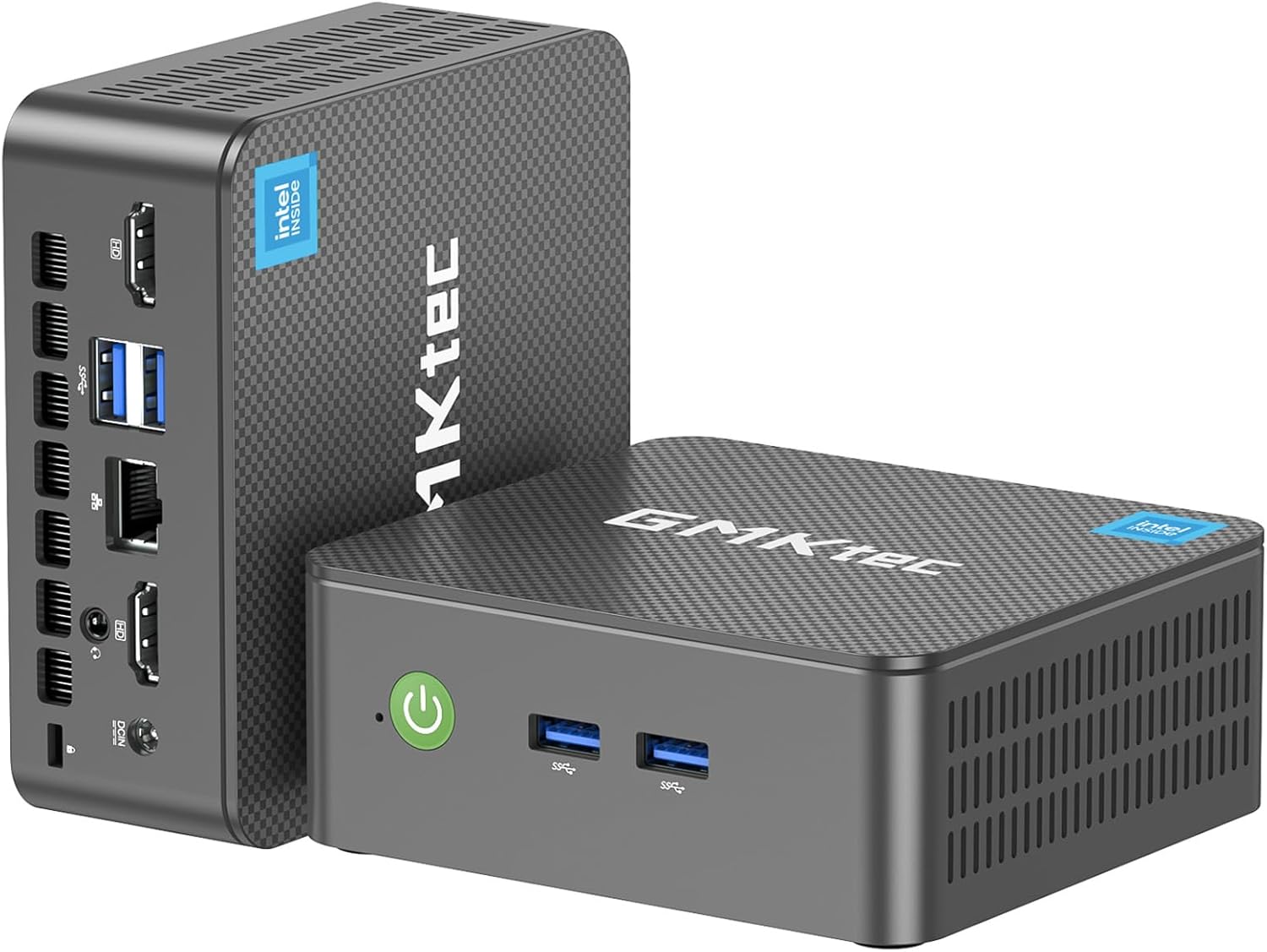
 GMKtec Mini PC, G3 PRO Intel Core i3-10110U (Beats 4300U/N150), 16GB…
8.8/10
See price
GMKtec Mini PC, G3 PRO Intel Core i3-10110U (Beats 4300U/N150), 16GB…
8.8/10
See price
-
 Lowest price
BOSGAME E5 Mini PC with Ryzen 5300U Computer
8.6/10
See price
Lowest price
BOSGAME E5 Mini PC with Ryzen 5300U Computer
8.6/10
See price
-
 Reviewed here
ASUS ExpertCenter PN54 Copilot+ Mini PC for Business Ryzen AI 7…
6.4/10
See price
Reviewed here
ASUS ExpertCenter PN54 Copilot+ Mini PC for Business Ryzen AI 7…
6.4/10
See price
As Amazon Associates, we earn from qualifying purchases. This means we may receive a small commission at no extra cost to you if you click through and make a purchase.
Finding a home workstation that satisfies every family member without cluttering shared spaces is an ongoing challenge. Bulky tower desktops take up valuable floor space, gather dust, and demand constant maintenance, while budget miniature computers often compromise on processing capability and long-term durability. The ASUS ExpertCenter PN54 tackles this dilemma directly by packing enterprise-grade architecture into a palm-sized 0.6-liter chassis designed to endure continuous, day-in and day-out family usage.
Equipped with a next-generation AMD processor and an integrated neural processing unit, this ultra-small computer delivers responsive multitasking for homework, administrative tasks, and digital media production. For families seeking a reliable, low-profile machine that easily adapts to shifting daily needs, this desktop provides a streamlined balance of enduring build quality and modern operational speed.



Quick Verdict

Our thorough ASUS ExpertCenter PN54 review reveals an exceptionally engineered desktop tailored for busy households and home workspaces that demand longevity and clutter-free organization. Its toolless chassis makes servicing refreshingly painless, while its forward-looking network and display standards ensure it stays capable for years to come.
- Powered by AMD Ryzen AI 300 series silicon with 6 high-speed cores for seamless application switching
- Dedicated XDNA 2 NPU delivering up to 50 TOPS of local artificial intelligence acceleration
- Cutting-edge Wi-Fi 7 and dual 2.5G Ethernet connections for rock-solid family network speeds
- Ultra-compact 0.6-liter footprint with included VESA bracket for tidy monitor-back mounting
ASUS ExpertCenter PN54 Features Explained
AMD Ryzen AI Processing and System Speed
At the center of the system sits an AMD processor engineered around modern multi-threaded architecture. With 6 processing cores ready to manage dense application loads, everyday tasks like sorting through sprawling photo libraries, editing high-resolution school presentations, and running complex office spreadsheets happen without hesitation. The hardware maintains reliable snappiness even when multiple family members keep separate browser profiles and background software open simultaneously.
What elevates the ASUS ExpertCenter PN54 performance is the inclusion of the XDNA 2 neural processing unit. Capable of executing up to 50 TOPS, this dedicated AI engine manages background blur, real-time noise cancellation, and local image indexing natively. Instead of relying entirely on cloud processing or monopolizing CPU threads, the ASUS ExpertCenter PN54 Ryzen AI architecture handles modern digital assistance smoothly, keeping your daily workflow snappy and private.
Expansive 4K Multi-Monitor Connectivity
Visual output is driven by integrated AMD Radeon 800M graphics, which deliver crisp, tear-free video across multiple high-resolution screens. The chassis supports driving up to four 4K monitors simultaneously via its rear DisplayPort and HDMI connections. This multi-screen flexibility transforms a crowded desk into an expansive productivity command center, allowing parents to monitor financial documents while kids handle research projects side by side.
The integrated graphics system pairs seamlessly with modern professional workspaces, providing accurate color rendering and sharp text clarity when hooked up to dedicated productivity monitors such as the asus proart pa278cv. Whether your family streams educational videos, edits family vacation photography, or manages intricate data layouts, the Radeon GPU ensures smooth playback without stutter or visual distortion.
Toolless 0.6L Chassis and Everyday Durability
Durability is an essential factor for household electronics, and this chassis is engineered specifically for reliable 24/7 operation. Constructed from eco-conscious materials, the mini PC measures just 1.34 by 5.12 by 5.12 inches and weighs a modest 1.2 pounds. Despite this featherweight build, internal components are safeguarded against continuous thermal stress through a built-in cooling fan designed to maintain steady airflow through the compact enclosure.
Routine maintenance and internal accessibility are often difficult on small computers, but the straightforward toolless design turns a potential chore into a quick process. Rather than hunting for specialized screwdrivers to access the interior, the chassis opens effortlessly. This streamlined entry ensures that clearing out seasonal household dust or conducting a future ASUS ExpertCenter PN54 upgrade requires minimal mechanical effort.
Modern Wi-Fi 7 and Dual 2.5G Networking
Stable connectivity is crucial when several household members stream video lessons, participate in remote work conferences, and back up shared files at the same time. The desktop integrates the latest Wi-Fi 7 standard alongside Bluetooth 5.4, allowing the unit to take full advantage of cutting-edge tri-band wireless routers. This translates into reduced signal interference, wider coverage through interior walls, and faster wireless data transfers across your local network.
For workstations situated near a router or network switch, the inclusion of dual 2.5G LAN ports provides substantial flexibility. Power users can dedicate one Ethernet port to direct high-speed internet access while assigning the second port to a local network-attached storage drive. This dual-wired configuration makes the system an exceptional anchor for automated family media archives and local system backups.
Enterprise-Grade Security and Copilot Readiness
Personal data protection is paramount on any shared home desktop. The unit features integrated hardware TPM technology, which provides cryptographic hardware security to safeguard credentials, encrypt internal storage volumes, and defend against unauthorized access. These enterprise-level protections guarantee peace of mind when managing household finances, taxes, and medical records on a shared system.
Positioned as an ASUS ExpertCenter PN54 Copilot mini PC, the device is fully aligned with modern voice command inputs and responsive productivity shortcuts. While mobile professionals often look toward portable alternatives like the asus rog zephyrus g14 32gb for portable computing, this stationary mini desktop delivers a quieter, dedicated home station that remains permanently ready for any family task.
Specs
| Feature | Specification |
|---|---|
| Processor | AMD Ryzen AI 300 Series (6 Cores) |
| Neural Processing Unit | XDNA 2 NPU (Up to 50 TOPS) |
| Graphics | AMD Radeon 800M Graphics |
| Memory | 32 GB DDR5 RAM (Dual Channel Support) |
| Storage Interface | PCIe x4 SSD (Dual Storage Architecture) |
| Networking | Wi-Fi 7, Bluetooth 5.4, Dual 2.5G LAN |
| Display Outputs | DisplayPort and HDMI (Up to Quad 4K Support) |
| USB Ports | 6 USB Ports including USB 3.2 Gen 2 and USB-C |
| Chassis Volume & Weight | 0.6 Liters, 1.2 Pounds |
| Power Consumption | 120 Watts |
ASUS ExpertCenter PN54 Pros and Cons
What we like
- 50 TOPS XDNA 2 NPU acceleration
- Ultrafast Wi-Fi 7 and dual 2.5G LAN
- Toolless 0.6L chassis for easy access
- Supports up to four 4K displays
- Included VESA mount bracket
What we’d change
- Conflicting listing details regarding barebones configuration
- Active cooling fan under 120-watt power loads
- Requires user-supplied peripherals and display cables
Check ASUS ExpertCenter PN54 on Amazon
Best Use Cases
- Managing busy family schedules, digital learning assignments, and high-volume school research across multi-window setups.
- Serving as a space-saving central workstation for an ASUS ExpertCenter PN54 for home office productivity environment.
- Operating as a compact 24/7 media hub or network file server utilizing the dual 2.5G Ethernet connections.
- Driving up to four independent 4K displays for real-time market tracking, data analysis, or graphic design.
- Powering local AI productivity applications and real-time smart conference audio enhancements without cloud lag.
Before You Buy
Before finalizing your setup, pay careful attention to the specific hardware configuration listed on your order. While this model features 32 GB of high-speed DDR5 memory and solid-state storage within the detailed specifications, the listing also references a barebones chassis configuration under the model designation PN54-BB5000ETL-A. If you receive a barebones unit, you will need to supply and install your own DDR5 memory modules and PCIe solid-state drive before operating the machine.
Additionally, review your display cabling and workspace layout prior to arrival. The package includes a handy VESA mounting bracket to conceal the machine behind a compatible screen, but the listing does not specify whether DisplayPort or HDMI cables are bundled in the box. Plan on supplying your own display cords, mouse, and keyboard, and ensure you have clear desk ventilation around the unit so the 120-watt internal cooling fan can maintain unobstructed airflow.
How It Compares With Similar Picks
| Product | Best For | Key Difference |
|---|---|---|
| ASUS ExpertCenter PN54 | Future-ready family workstations needing AI power and Wi-Fi 7 | AMD Ryzen AI processor with 50 TOPS NPU, Wi-Fi 7, and dual 2.5G LAN |
| KAMRUI Pinova P2 Mini PC | Basic home office setups on older wireless standards | AMD Ryzen 7330U 4-core processor, 16GB RAM, and 256GB SSD storage |
| GMKtec Mini PC | Light everyday administrative and browsing duties | Intel Core i3-10110U processor with DDR4 memory and dual HDMI outputs |
| 16GB RAM 512GB SSD | Standard dual-network general productivity tasks | Older AMD Ryzen 5300U processor paired with legacy Wi-Fi 5 connectivity |
Evaluating these options shows that selecting an alternative depends strictly on your performance expectations. If your household only requires basic web navigation and simple word processing, older architectures like the GMKtec or KAMRUI models handle straightforward tasks adequately. However, builders who appreciate premium component quality—similar to what enthusiasts look for in full-sized hardware like the asus prime x870-p—will find that the PN54 provides far superior processing longevity, next-generation wireless connectivity, and modern AI acceleration.
Bottom Line
Shared family computers often suffer from premature obsolescence, slowing down after a couple of years of heavy software updates and changing workloads. The ASUS pn54 mini pc circumvents this pitfall by pairing a modern 6-core AMD processor with an industry-leading 50 TOPS neural processing unit, modern Wi-Fi 7 connectivity, and an easily accessible 0.6-liter chassis. Its compact form factor keeps desk surfaces tidy while delivering enterprise-grade hardware reliability.
If you are wondering is asus expertcenter pn54 worth it for your household, the answer comes down to whether you prioritize long-term durability over disposable budget hardware. While the initial investment requires verifying your storage and memory configuration, the system delivers remarkable multitasking speed, robust physical security, and exceptional display versatility that will serve a modern home workstation for years to come.
FAQ
Does the ASUS ExpertCenter PN54 support multiple monitors?
Yes, the mini PC supports output to up to four 4K displays simultaneously using its integrated AMD Radeon 800M graphics, DisplayPort, and HDMI interfaces.
Can you upgrade the memory and storage on the ASUS ExpertCenter PN54?
Yes, the chassis features a toolless opening design that allows you to easily access the internal dual-channel DDR5 memory slots and dual-storage PCIe solid-state drive bays for maintenance and component upgrades.
What is the advantage of the 50 TOPS NPU in daily home use?
The integrated XDNA 2 neural processing unit handles local artificial intelligence workloads, such as live background noise reduction, automated voice processing, and image indexing, without slowing down the primary processor cores or relying on external cloud connections.
Is the ASUS ExpertCenter PN54 suitable for gaming?
While the manufacturer listing lists gaming among its general uses, the integrated AMD Radeon 800M graphics are tailored primarily for smooth 4K multimedia playback, multi-monitor productivity, and casual gaming rather than demanding high-end graphical titles.
What mounting options are included with the PN54?
The computer includes a standard VESA mount bracket, allowing you to mount the ultra-compact 1.2-pound chassis directly onto the back of a compatible monitor or under a desk surface to eliminate cable clutter.


