
What we looked at
-
 Highest rated
HP 14" HD Chromebook Laptop for Students, Intel Quad-Core N4120(> N4020),…
8.8/10
See price
Highest rated
HP 14" HD Chromebook Laptop for Students, Intel Quad-Core N4120(> N4020),…
8.8/10
See price
-
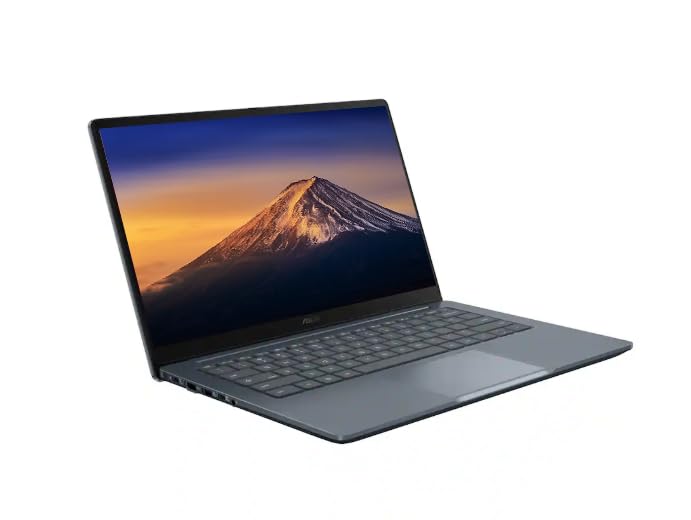 ASUS CX14 Chromebook Laptop for Business & Student, Intel Celeron N50…
8.6/10
See price
ASUS CX14 Chromebook Laptop for Business & Student, Intel Celeron N50…
8.6/10
See price
-
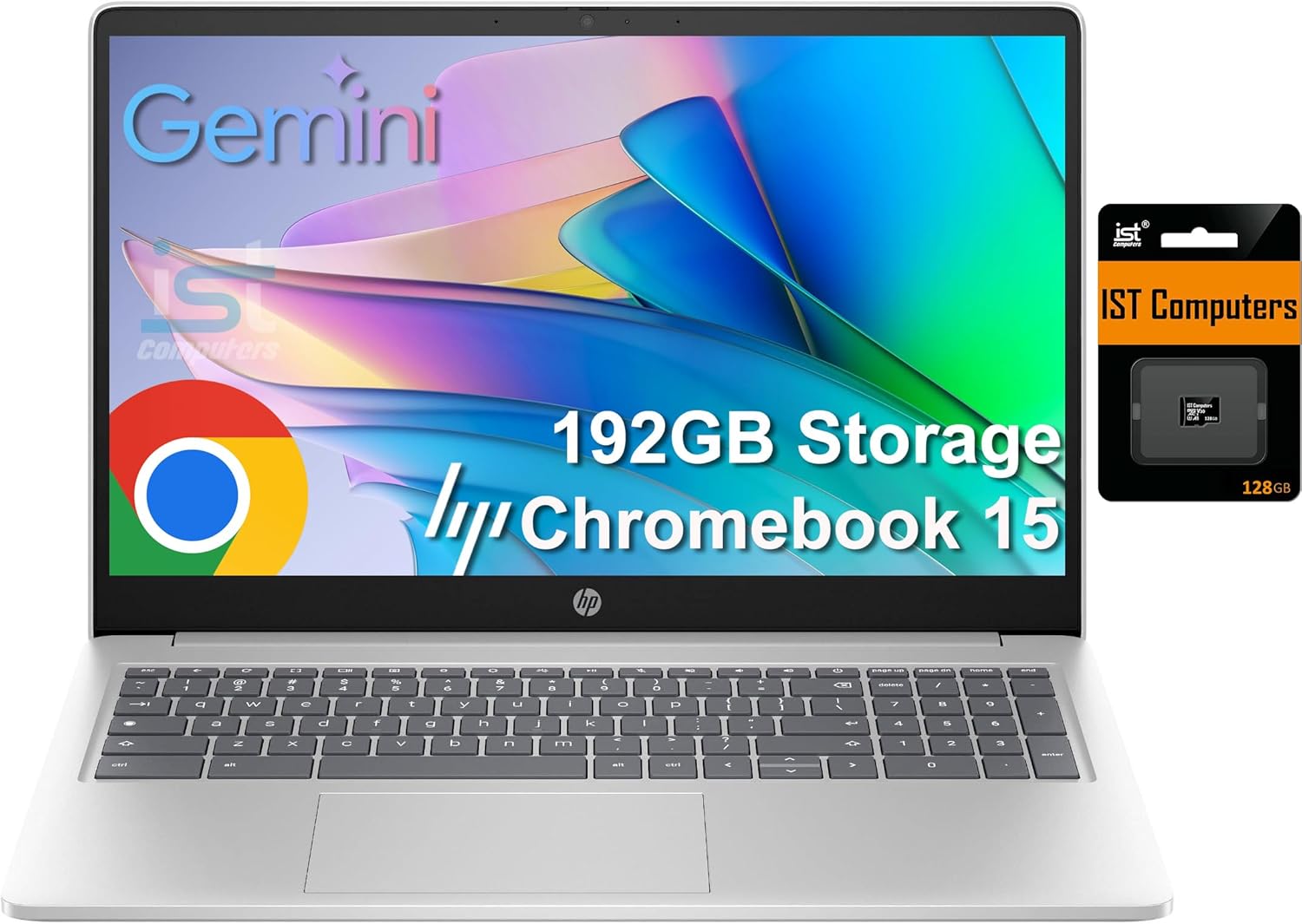
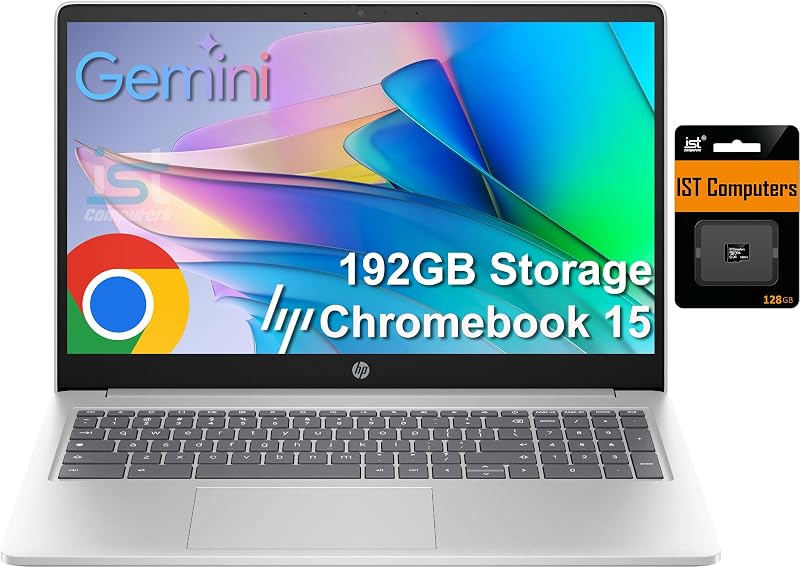
 HP Chromebook 15 15.6" Laptop, Intel N200, 8GB DDR5 RAM, 192GB…
8.8/10
See price
HP Chromebook 15 15.6" Laptop, Intel N200, 8GB DDR5 RAM, 192GB…
8.8/10
See price
-
 Reviewed here
acer Chromebook Spin 513 Convertible Laptop | Qualcomm Snapdragon 7c |…
7.8/10
See price
Reviewed here
acer Chromebook Spin 513 Convertible Laptop | Qualcomm Snapdragon 7c |…
7.8/10
See price
As Amazon Associates, we earn from qualifying purchases. This means we may receive a small commission at no extra cost to you if you click through and make a purchase.
Families looking for a reliable household computer frequently face a difficult balancing act between physical durability, portable design, and responsive day-to-day performance. Shared laptops in busy family spaces must endure constant handling by children and parents while remaining simple enough for anyone to use immediately. The Acer Chromebook Spin 513 enters this space as a versatile 2-in-1 convertible engineered to streamline homework assignments, document editing, and multimedia playback without adding unnecessary bulk. Running on Google Chrome OS and powered by an energy-conscious mobile architecture, this machine targets households that prioritize grab-and-go convenience and low-maintenance computing over complex desktop setups.
Our editorial assessment reveals that this convertible laptop hits the sweet spot for everyday domestic routines, classroom research, and evening entertainment. Its tough Corning Gorilla Glass construction, responsive touch input, completely silent fanless chassis, and stamina-oriented battery make it exceptionally well-suited for family duty, provided your daily tasks stay within the cloud-centric Google ecosystem.


Quick Verdict

The Acer Chromebook Spin 513 delivers dependable performance for shared family computing, pairing a resilient 360-degree convertible design with remarkable power efficiency that easily lasts through a full school day and evening study sessions.
- Qualcomm Snapdragon 7c compute platform provides smooth, silent multitasking with 8GB LPDDR4X memory.
- Durable 13.3-inch Full HD IPS multi-touch display and clickable touchpad both reinforced with scratch-resistant Corning Gorilla Glass.
- Generous battery endurance rated for up to 13.5 hours of untethered operation across classroom, kitchen, and living room settings.
- Flexible 2-in-1 convertible hinge smoothly transitions between traditional laptop, tent, display, and tablet orientations.
Acer Chromebook Spin 513 Features Explained
Qualcomm Snapdragon 7c Compute Platform and Performance
At the heart of the system sits the Qualcomm Snapdragon 7c compute platform, featuring an octa-core Qualcomm Kryo 468 processor operating at speeds up to 2.4 GHz alongside an integrated Qualcomm Adreno 618 graphics processor. Built specifically for lightweight laptops, this mobile architecture is engineered to execute web tasks and everyday productivity with minimal power draw and virtually zero heat buildup. Because the system generates very little heat under standard conditions, the laptop operates completely silently without noisy cooling fans, making it an unobtrusive companion at the kitchen table, in quiet study corners, or during late-night reading sessions. For parents seeking a device that handles multi-tab research, family spreadsheets, and Google Classroom without stutter, the combination of an eight-core CPU and the optimized Chrome OS operating system provides a snappy, distraction-free environment.
Memory plays an essential role in keeping shared household hardware running smoothly, and having an Acer Chromebook Spin 513 8GB RAM configuration gives this model a distinct advantage over baseline 4GB alternatives. The generous 8GB LPDDR4X on-board memory allows family members to keep dozens of browser tabs open, stream video tutorials, and run Android applications downloaded from Google Play simultaneously without aggressive background tab reloading. The internal 64GB eMMC storage handles core local system files and offline downloads, while Google includes 100GB of Google Drive cloud storage space to back up homework files, school projects, and household documents automatically. If you have previously evaluated compact educational devices like the acer chromebook spin 312, this 13.3-inch model provides noticeably more workspace and multitasking headroom for growing learners.
Corning Gorilla Glass Display and 360-Degree Convertible Hinge
Durability is a top priority for any device destined for a busy family living room, and the Acer Spin 513 Gorilla Glass display delivers impressive structural protection against daily wear. The 13.3-inch Full HD LED-backlit TFT LCD screen features a sharp 1920 by 1080 resolution with vibrant IPS technology, offering wide viewing angles that allow multiple siblings or parents to view educational videos and presentations together without washed-out colors. Acer has layered tough Corning Gorilla Glass over both the multi-touch panel and the clickable touchpad, significantly improving scratch resistance, smudge management, and surface toughness against accidental drops, finger prods, or backpack jostling. Having glass surfaces across both the primary screen and the touchpad creates a smooth, responsive touch interface whether children are navigating educational math apps or parents are scrolling through online recipes.
The 360-degree dual-torque hinge transforms the Acer Chromebook Spin 513 convertible laptop into an adaptable tool across multiple household environments. Users can quickly flip the screen into traditional laptop mode for typing essays, prop it up in tent mode on cramped kitchen counters while following cooking guides, switch to display mode for hands-free video calls, or fold it completely flat into a 13.3-inch tablet for comfortable couch reading. Weighing only 2.7 pounds (with a system unit weight of 2.65 pounds, or 1.2 kg) and measuring just 0.61 inches thick, the chassis remains light enough for middle schoolers to slip into a backpack and carry across campus all day without fatigue. While premium power users might also investigate high-end productivity convertibles like the acer chromebook plus spin 714, this Snapdragon model offers practical convertible utility tailored to standard family needs.
All-Day Battery Life for Busy Households
Reliable power management is where the energy-efficient mobile architecture truly demonstrates its practical value. The Acer Chromebook Spin 513 battery life is rated for up to 13.5 hours on a single charge of its internal lithium-ion battery, easily covering an entire eight-hour school day followed by evening homework and streaming sessions without hunting for an electrical outlet. The octa-core Kryo processor sips minimal power during routine tasks like reading digital textbooks, writing essays in Google Docs, and checking emails, allowing parents and students to leave bulky charging adapters at home when heading out for the day.
When power replenishment is eventually required, the machine utilizes modern USB Type-C charging that complies with universal USB Power Delivery standards. Having two dedicated USB Type-C ports capable of DC-in power charging means family members can connect the charger to whichever side of the desk is most accessible. This flexible charging setup reduces cable clutter and simplifies living room charging stations where multiple mobile devices share compatible USB-C cords.
Everyday Usability, Backlit Keyboard, and Connectivity
Acer thoughtfully equips this Chromebook with functional daily hardware that enhances comfort during long typing sessions and remote learning classes. The built-in keyboard features integrated backlighting, a feature frequently omitted on basic family laptops, allowing students to finish late-night homework or parents to manage household budgets in dimly lit rooms without eye strain. Directly above the display, an integrated HD webcam (1280 by 720 resolution) features Super High Dynamic Range (SHDR) technology, balancing harsh backlighting from bedroom windows so students appear clear during virtual classroom meetings and family video calls. Audio is captured by two built-in microphones with Google Assistant Lab certification and output through two built-in stereo speakers, creating an effective communication station for school group projects and remote tutoring.
Connectivity is well-rounded for a slim 0.61-inch convertible chassis. Physical expansion includes two USB Type-C ports supporting USB 3.2 Gen 1 with data transfer speeds up to 5 Gbps, DisplayPort video output over USB-C, and power delivery, accompanied by one traditional USB 3.2 Gen 1 Type-A port to connect existing thumb drives, wired mice, or school printing accessories without needing dongles. Wireless communication is handled by dual-band 802.11ac WiFi 5 operating across 2.4 GHz and 5 GHz bands, alongside Bluetooth 5.0 for pairing wireless headphones and external mice. Acer also includes a protective sleeve in the box, providing an extra layer of defense against accidental scratches when children pack the computer into school bags. Those exploring larger stationary screen sizes for desk-bound household work might also look into clamshell models such as the acer chromebook 315, though the Spin 513 remains much more portable.
Specs
| Attribute | Detail |
|---|---|
| Processor | Qualcomm Snapdragon 7c Compute Platform (Qualcomm Kryo 468 Octa-Core CPU up to 2.4 GHz) |
| Graphics Coprocessor | Qualcomm Adreno 618 GPU (Integrated / Shared) |
| Memory | 8GB LPDDR4X On-Board RAM |
| Internal Storage | 64GB eMMC (with 100GB Google Drive cloud space included) |
| Display | 13.3-inch Full HD (1920 x 1080) LED-backlit TFT LCD IPS Multi-Touch with Corning Gorilla Glass |
| Touchpad | Corning Gorilla Glass Clickable Touchpad |
| Operating System | Chrome OS |
| Battery Life | Up to 13.5 hours (Lithium-Ion Battery) |
| Wireless Connectivity | 802.11ac WiFi 5 (Dual-Band 2.4 GHz and 5 GHz) and Bluetooth 5.0 |
| Ports and Expansion | 2 x USB Type-C (USB 3.2 Gen 1, DisplayPort over USB-C, DC-in, Charging), 1 x USB 3.2 Gen 1 Type-A |
| Dimensions and Weight | 12.2″ L x 8.24″ W x 0.61″ Th; 2.7 lbs (2.65 lbs / 1.2 kg system unit) |
Acer Chromebook Spin 513 Pros and Cons
What we like
- Scratch-resistant Gorilla Glass touchscreen and touchpad
- Up to 13.5 hours of battery life
- Octa-core Snapdragon 7c with 8GB RAM
- Completely silent fanless convertible design
- Protective sleeve and backlit keyboard included
What we’d change
- Limited 64GB onboard eMMC storage
- WiFi 5 rather than newer wireless standards
- No built-in optical drive
Check Acer Chromebook Spin 513 on Amazon
Best Use Cases
- Middle school and high school homework where students need a lightweight, long-lasting laptop for Google Classroom, Docs, and web research.
- Kitchen cooking and recipe guidance using the 360-degree convertible hinge in space-saving tent mode on crowded countertops.
- Shared living room browsing, media streaming, and video calling with siblings and grandparents thanks to the wide IPS viewing angles and SHDR webcam.
- Mobile writing, reading, and digital note-taking on family road trips or study sessions using the silent, fanless chassis and tablet fold.
Before You Buy
Before selecting this convertible for your household, reviewing the Acer Chromebook Spin 513 specs shows that software compatibility depends strictly on Google Chrome OS. The machine runs web applications, browser-based productivity tools, and over 2 million Android applications available through the Google Play store, making it capable of editing and converting Microsoft Office documents through Google Docs, Sheets, and Slides or using cloud-based Microsoft 365. However, because this convertible operates on Chrome OS paired with an ARM-based Qualcomm processor, it cannot run legacy desktop Windows or macOS executable programs. Families should confirm that all required school portals, educational software, and personal productivity tools operate inside a modern web browser or through supported Android apps.
You should also evaluate local storage capacity and hardware bundle specifications outlined in the product listing. With 64GB of onboard eMMC storage, this laptop relies heavily on cloud synchronization, and while Google includes 100GB of Google Drive space, users with massive offline video libraries or heavy file archives will need to manage storage prudently. In terms of package contents, the listing explicitly includes a protective sleeve and notes a backlit keyboard, but it does not specify an included active stylus pen despite the multi-touch display. Furthermore, the listing confirms there is no optical drive, and the technical specification table lists an obvious voltage typo of 513 volts, which buyers should ignore as a listing entry error for standard household charging adapters.
How It Compares With Similar Picks
| Product | Best For | Key Difference |
|---|---|---|
| Acer Chromebook Spin 513 | Families wanting a durable 2-in-1 touchscreen convertible with long battery life | Qualcomm Snapdragon 7c octa-core processor, 13.3-inch FHD Gorilla Glass multi-touch screen, 8GB RAM, and fanless convertible chassis |
| HP 14″ HD Chromebook Laptop | Students needing a basic, traditional clamshell laptop with a dedicated HDMI port | Clamshell design with 14-inch HD display, Intel Quad-Core N4120 processor, 4GB RAM, 64GB eMMC, and HDMI video output |
| 14″ FHD IPS 300 nits | Users prioritizing bundled external storage accessories and newer Wi-Fi 6 connectivity | ASUS CX14 Chromebook with Intel Celeron N50 CPU, 4GB LPDDR5 RAM, Wi-Fi 6, 300-nit FHD screen, and 576GB total storage bundle (64GB SSD plus 512GB PLUSERA Docking Set) |
| 64GB eMMC | Home users and students who prefer a larger screen and a dedicated numeric keypad | HP Chromebook 15 with 15.6-inch anti-glare display, Intel N200 processor, 8GB DDR5 RAM, numeric keyboard, and 192GB storage bundle (64GB eMMC plus 128GB SD Card) |
Choosing between these options comes down to whether your household values the versatile 2-in-1 touch form factor or needs specific desktop conveniences. If you need a larger display for spreadsheet calculations or family finance, the HP Chromebook 15 provides a roomy 15.6-inch screen with a physical numeric keypad and bundled SD card storage. If you require standard HDMI output for school monitors on an entry-level clamshell, the HP 14-inch Chromebook serves as a straightforward option. Meanwhile, shoppers who want the latest Wi-Fi 6 protocol and extensive bundled expansion docks might consider the ASUS CX14 option. However, for households that prioritize convertible tablet versatility, Gorilla Glass screen durability, and silent all-day battery life, the Acer Chromebook Spin 513 remains the most flexible choice.
Bottom Line
When considering whether the Acer Chromebook Spin 513 is worth it for a busy household, the answer depends entirely on your daily computing priorities. For families that rely on Google Workspace, web-based classroom portals, video calls, and casual streaming, this convertible delivers tremendous practical utility. The combination of an energy-efficient octa-core Qualcomm processor, 8GB of responsive memory, and a silent fanless frame ensures quiet, smooth operation across study sessions and kitchen meal prep alike.
While the 64GB eMMC storage means heavy downloaders must rely on cloud storage or external drives, the durable Corning Gorilla Glass touchscreen, backlit keyboard, protective sleeve, and stamina-oriented 13.5-hour battery create an exceptionally well-rounded package. For students, parents, and casual home users seeking a lightweight 2-in-1 that resists everyday bumps while providing effortless versatility, this Chromebook stands out as a dependable family asset.
FAQ
Is the Acer Chromebook Spin 513 for students a good choice?
Yes, the Acer Chromebook Spin 513 for students is well-suited for academic work because it boots up in seconds, features built-in virus protection through Chrome OS, and handles Google Docs, Sheets, Slides, and Google Classroom effortlessly. Its lightweight 2.7-pound convertible frame, backlit keyboard, and included protective sleeve make it easy to carry between classes, while the long battery life lasts through an entire school day without needing a charger.
How long does the battery last on the Acer Chromebook Spin 513?
The manufacturer specifications state that the Acer Chromebook Spin 513 battery life provides up to 13.5 hours of operation on a single charge of its lithium-ion battery. This extended endurance is made possible by the power-efficient Qualcomm Snapdragon 7c mobile platform, which consumes far less energy during everyday reading, web browsing, and document editing than traditional high-wattage desktop processors.
Does the Acer Chromebook Spin 513 have a touch screen and 360-degree hinge?
Yes, this model features a 13.3-inch Full HD IPS multi-touch screen with a 360-degree convertible hinge that allows it to function as a conventional laptop, a tabletop display, a kitchen tent, or a handheld tablet. Both the touchscreen surface and the clickable touchpad are reinforced with Corning Gorilla Glass for enhanced scratch resistance and durability during everyday family touch interactions.
Can the Acer Chromebook Spin 513 run Windows software?
No, the Acer Chromebook Spin 513 runs Google Chrome OS rather than Microsoft Windows, meaning it cannot natively install standard Windows executable (.exe) programs. However, it natively runs web applications and offers access to over 2 million Android applications via the Google Play store, allowing users to edit and convert Microsoft Office files via Google Docs or work online with Microsoft 365.
What ports and connections does the Acer Chromebook Spin 513 include?
The device includes two USB Type-C ports supporting USB 3.2 Gen 1 (up to 5 Gbps), DisplayPort over USB-C, USB charging, and DC-in power, along with one traditional USB 3.2 Gen 1 Type-A port for connecting standard flash drives or peripherals. For wireless connectivity, it features dual-band 802.11ac WiFi 5 (2.4 GHz and 5 GHz) and Bluetooth 5.0, though the listing does not specify an integrated optical drive or memory card reader.


