
What we looked at
-
 Reviewed here
Synology DiskStation DS923+ NAS Server with Ryzen 2.6GHz CPU, 32GB Memory,…
8.0/10
See price
Reviewed here
Synology DiskStation DS923+ NAS Server with Ryzen 2.6GHz CPU, 32GB Memory,…
8.0/10
See price
-
 Highest rated
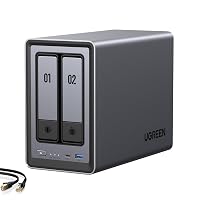
UGREEN NAS DXP2800 2-Bay for Advanced Home Users, Remote Workers &…
9.0/10
See price
Highest rated
UGREEN NAS DXP2800 2-Bay for Advanced Home Users, Remote Workers &…
9.0/10
See price
-
 Lowest price
Yxk Zero1 2-Bay Desktop NAS for Home & Personal Storage(Diskless)
8.8/10
See price
Lowest price
Yxk Zero1 2-Bay Desktop NAS for Home & Personal Storage(Diskless)
8.8/10
See price
-
 UGREEN NAS DXP6800 Ultra 6-Bay for Teams, Small Businesses File Server
9.0/10
See price
UGREEN NAS DXP6800 Ultra 6-Bay for Teams, Small Businesses File Server
9.0/10
See price
As Amazon Associates, we earn from qualifying purchases. This means we may receive a small commission at no extra cost to you if you click through and make a purchase.
Modern households generate an immense volume of irreplaceable digital memories, school portfolios, personal tax documents, and system backups distributed haphazardly across smartphones, laptops, and temporary portable drives. When family members depend entirely on recurring subscription cloud services, storage fees compound indefinitely while data remains locked inside proprietary ecosystems beyond personal oversight. Centralizing household files onto a resilient private server eliminates these monthly recurring hurdles, establishing a private digital repository where parents and tech-minded homeowners retain absolute control over critical files. The Synology DS923+ emerges as an enterprise-grade desktop server engineered to resolve these storage vulnerabilities, combining four high-capacity drive bays, solid-state caching capabilities, and comprehensive data integrity defenses into a unified chassis.
Our verdict on this platform is decidedly favorable for families and home office administrators who prioritize multi-year hardware durability, silent background error correction, and hands-off file syncing over entry-level streaming novelties. Powered by an energy-efficient AMD processor, substantial error-checking system memory, and a rock-solid operating environment, the system delivers an ultra-stable foundation that seamlessly accommodates expanding household storage demands for the foreseeable future.


Quick Verdict

In this synology diskstation ds923+ review, the four-bay platform establishes itself as an outstanding long-term storage investment for households that want unified, automated data preservation without ongoing cloud subscriptions. It pairs professional error-correcting memory with accessible management software, making reliable multi-user backups straightforward for busy families.
- Enterprise-tier data protection driven by DDR4 ECC memory and Btrfs snapshot technology to prevent silent bit corruption.
- Consistent multi-device throughput powered by an AMD Ryzen dual-core processor and dual M.2 NVMe caching slots.
- Flexible long-term scalability supporting four high-capacity SATA drives and external expansion through a dedicated eSATA port.
- Redundant dual Gigabit Ethernet connectivity supporting both link aggregation and network failover modes.
Synology DS923+ Features Explained
AMD Ryzen Processing Power and ECC Memory Architecture
At the center of the Synology DS923+ is an AMD Ryzen R1600 dual-core processor operating at a baseline clock rate of 2.6GHz, with burst performance reaching up to 3.1GHz turbo speeds. This processing architecture easily handles simultaneous multi-client connections, automated background photo indexing, and concurrent system backups without slowing down routine file transfers. The processor is accompanied by an expansive 32GB of DDR4 ECC memory, representing an exceptional hardware tier compared to standard consumer storage enclosures.
The presence of Error-Correcting Code (ECC) memory is an invaluable safeguard for long-term family archiving. ECC RAM actively detects and rectifies single-bit memory corruptions in real time before compromised data packets are committed to physical disk sectors, effectively stopping silent file degradation. Whether your household runs virtual machines, local container applications, or automated night-time drive cloning from several home computers, this computing core maintains responsive, error-free system operation.
Btrfs File System and Family Data Protection
Long-term file safety requires a resilient file system, and utilizing the synology ds923+ btrfs file system format provides multi-layered defenses against mechanical and logical storage errors. Unlike legacy file systems, Btrfs incorporates integrated metadata mirroring, automated self-healing algorithms, and advanced point-in-time snapshot engines. When bad disk blocks or subtle magnetic variations develop on storage drives over years of operation, Btrfs uses parity records and checksum verifications to reconstruct and repair compromised files automatically behind the scenes.
For family members collaborating on shared home projects or editing personal creative media viewed on high-end displays like the samsung odyssey g9 oled, Btrfs also provides seamless version control. Accidental folder deletions, bad file edits, and unexpected ransomware incidents can be reverted instantly using low-overhead storage snapshots, ensuring family photo collections and work files remain shielded from human error.
Dual NVMe Caching and High-Throughput Performance
To keep multi-user network responsiveness swift, deploying a synology ds923+ nvme cache configuration accelerates random input-output speeds via two integrated M.2 2280 NVMe SSD slots. By caching heavily requested data, application databases, and directory trees in fast solid-state memory, the enclosure significantly lessens physical head movement on mechanical storage drives. The mechanical platters remain dedicated to sustained sequential reads and writes while the solid-state cache absorbs random read-write spikes generated by mobile device uploads and routine background tasks.
In packaged bundles containing two 500GB NVMe drives along with four 4TB mechanical SATA hard disks, the server provides immediate responsiveness even when multiple family members stream media or back up workstations concurrently. Because these NVMe modules mount into dedicated underside slots, they do not occupy any of the primary drive bays, preserving all four 3.5-inch trays strictly for bulk storage capacity.
Expandable Storage Capacity and Long-Term Scalability
A family storage hub must adapt as household data requirements expand over years of photo, video, and backup generation. Long-term scalability is central to synology ds923+ expandable storage, offering four native SATA drive bays that accept both 3.5-inch hard drives and 2.5-inch solid-state drives. Households can begin with moderate drive capacities and incrementally expand storage pools as children grow, smartphones upgrade, and high-definition video archives accumulate.
When all four primary drive bays eventually reach full capacity, an onboard eSATA port allows connection to external expansion enclosures for expanded drive volume. In addition, an integrated USB 3.2 port on the chassis allows direct attachment of external storage drives, simplifying immediate off-site cold backups or fast ingestion of external media without disturbing the internal RAID configuration.
Synology DSM Operating Environment and Private Cloud Services
Advanced hardware is only as effective as the management software driving it, and the Synology DSM software package transforms the enclosure into an intuitive private cloud platform. Operating via any web browser, the graphical interface simplifies complex server administration tasks into straightforward desktop controls. Built-in applications manage continuous phone photo uploads, cross-platform folder synchronization between Windows and Mac systems, and granular user privilege assignments across family members.
The platform extends well beyond routine file storage by functioning as an integrated surveillance video recorder and local application host. DSM includes video surveillance management software capable of supervising IP security cameras across the home perimeter, while support for virtual machines, container storage, local email servers, and domain controllers provides vast utility for tech enthusiasts running home-based operations.
Specs
| Hardware Specification | Manufacturer Details |
|---|---|
| Processor | AMD Ryzen R1600 2-Core 2.6GHz (Up to 3.1GHz Turbo) |
| System Memory | 32GB DDR4 ECC Memory |
| Storage Volume Included | 16TB (4 x 4TB SATA Hard Disk Drives) |
| Solid-State Cache Included | 1TB (2 x 500GB M.2 2280 NVMe SSDs) |
| Drive Bay Configuration | Four 3.5-inch / 2.5-inch SATA Hard Drive Bays |
| Network Connectivity | 2 x RJ-45 1GbE LAN Ports (Link Aggregation / Failover Support) |
| Expansion Ports | 1 x USB 3.2 Port, 1 x eSATA Port |
| File System Formats | Btrfs, EXT4 |
| Operating System | Synology DSM Software |
| Form Factor and Power | Black Desktop Tower Chassis, Single Power Supply |
Synology DS923+ Pros and Cons
What we like
- AMD Ryzen dual-core processor with 3.1GHz boost
- Generous 32GB DDR4 ECC memory prevents corruption
- Includes 16TB total storage plus 1TB NVMe cache
- Synology DSM software with Btrfs self-healing filesystem
- Dual 1GbE ports with link aggregation and failover
What we’d change
- Drives and memory require separate manual installation
- Base networking limited to dual 1GbE Ethernet ports
- Single power supply without hardware redundancy
Check Synology DS923+ on Amazon
Best Use Cases
- Deploying the synology ds923+ for family backup tasks that automatically secure photos, video clips, and full system images from every household computer and phone.
- Configuring a dedicated ds923+ home media server for streaming high-resolution family movies and losslessly compressed music libraries across local network smart devices.
- Archiving raw video project files captured from professional cameras like the sony fx 3 directly onto an isolated, protected local network drive array.
- Operating a private network video recorder setup using Synology surveillance software to store continuous feeds from home security cameras.
- Hosting local lightweight containerized services and private virtual machines leveraging the spacious 32GB ECC memory pool.
Before You Buy
Before proceeding with your synology ds923+ diskless setup, careful attention should be paid to the physical assembly requirements described in the product listing. The listing specifies that the Synology NAS chassis arrives in a sealed box with the four 4TB hard drives and 32GB memory upgrade included separately rather than factory installed. Users must manually install the memory modules and mount the mechanical hard drives into the trays prior to powering on the system and launching the initial network setup assistant. While the installation process requires only standard handling, buyers expecting a completely pre-assembled turn-key appliance should plan for initial component insertion.
Regarding synology ds923+ drive compatibility, the listing confirms compatibility with standard SATA hard drives and M.2 2280 NVMe solid-state modules for caching. However, the listing does not specify whether specific third-party drive models require brand-specific drive firmware or identify specific compatible expansion cabinet models for the eSATA port. Buyers should also recognize that baseline network connectivity is provided by dual 1GbE ports rather than multi-gigabit connections, meaning maximum multi-device throughput relies on activating link aggregation via a compatible home network switch.
How It Compares With Similar Picks
| Product | Best For | Key Difference |
|---|---|---|
| Synology DS923+ | Durable Family Storage and Multi-Client Backup | Four drive bays, 32GB ECC RAM, Btrfs self-healing file system, dual NVMe caching, and eSATA expansion |
| Home Media & Data Center | Compact Living Room Media Playback | Two-bay enclosure with Intel N100 CPU, 8GB DDR5 RAM, 2.5GbE LAN, and dedicated 4K HDMI video output |
| Docker Support | Entry-Level Personal Cloud Syncing | Two-bay desktop unit featuring 4GB RAM, 2.5GbE networking, mobile phone backup tools, and direct 4K HDMI |
| Intel 120U 10-Core CPU | High-Speed Studio and Team Workstations | Six-bay heavy-workload server featuring 10-core Intel CPU, dual 10GbE LAN, dual Thunderbolt 4, and 8K HDMI |
Understanding when to choose an alternative over the Synology DS923+ comes down to your networking infrastructure, media habits, and bay requirements. If your household only requires a compact two-bay desktop footprint with direct television connectivity for video playback, the Home Media & Data Center or Docker Support models provide integrated HDMI outputs and faster 2.5GbE ports, although with significantly less drive bay expansion. Users considering straightforward two-bay network enclosures can also evaluate streamlined units such as the synology diskstation ds225+. On the other end of the performance spectrum, multi-workstation production studios requiring maximum continuous transfer rates over 10GbE or Thunderbolt connections will be better served by the Intel 120U 10-Core CPU six-bay platform. For homeowners seeking the most resilient balance of data integrity, mature software, and four-bay storage flexibility, the DS923+ remains the premier option.

Bottom Line
Determining whether the synology ds923+ is worth it comes down to how much your family values data security, long-term durability, and centralized administrative independence. While the hardware requires hands-on drive installation and relies on dual 1GbE networking out of the box, its inclusion of 32GB error-correcting ECC RAM, Btrfs self-healing storage protocols, and dual M.2 NVMe solid-state caching places it well ahead of standard external hard drives.
By moving beyond recurring cloud subscription fees and fragile portable storage drives, this robust four-bay platform provides an enduring, private household server engineered to keep your family memories, personal files, and operating system backups organized and safe for many years to come.
FAQ
Can family members back up phones and computers automatically to the Synology DS923+?
Yes, the Synology DSM operating system features specialized applications that automate silent background backups for iOS, Android, macOS, and Windows devices. Family smartphones automatically upload new photos and videos upon connecting to home Wi-Fi, while desktop workstations and laptops execute incremental system snapshots without interrupting household productivity.
How difficult is the Synology DS923+ diskless setup for beginners?
The initial physical setup involves mounting the SATA drives into the modular trays and inserting the included memory modules into the chassis before attaching network cables. Following physical installation, an intuitive browser-based configuration wizard discovers the unit on your local network and walks users step-by-step through volume creation, RAID selection, and personal account setup.
Does the Synology DS923+ support NVMe caching and M.2 storage?
Yes, the chassis features two built-in M.2 2280 NVMe SSD slots located on the bottom of the enclosure that support high-speed solid-state caching. Utilizing these dedicated slots accelerates random file access and database operations without sacrificing any of the four primary 3.5-inch SATA mechanical drive trays.
Why is the Btrfs file system important for preserving family media?
The Btrfs file system continuously monitors data integrity through cryptographic checksums, automatically detecting and repairing corrupted file blocks using parity information. Combined with granular point-in-time snapshots, Btrfs protects family photo albums and essential records against silent bit decay and accidental file overwrites.
How do the network ports on the Synology DS923+ handle failover and high traffic?
The server includes two RJ-45 1GbE network ports that support link aggregation and failover configurations. When connected to a compatible router or switch, link aggregation combines network bandwidth across multiple concurrent users, while failover ensures that network access continues uninterrupted if one physical cable or switch port fails.


