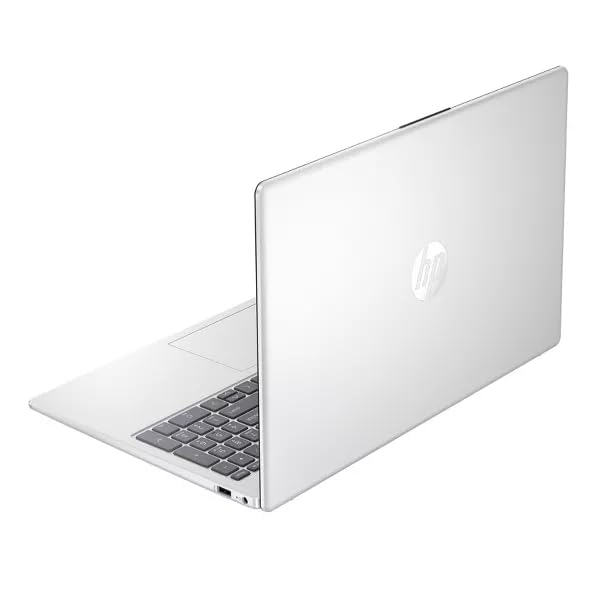
What we looked at
-
 HP 14 Laptop, 2027 Edition, 4GB RAM, 128GB SSD, Intel N150…
5.0/10
See price
HP 14 Laptop, 2027 Edition, 4GB RAM, 128GB SSD, Intel N150…
5.0/10
See price
-
 Highest rated
15.6 Inch Laptop Computer, N4020, 4GB DDR4 RAM, 128GB eMMC,with Windows…
8.6/10
See price
Highest rated
15.6 Inch Laptop Computer, N4020, 4GB DDR4 RAM, 128GB eMMC,with Windows…
8.6/10
See price
-
 HP 2026 Essential Laptop, Intel Processor, 128GB Storage, Windows 11
8.6/10
See price
HP 2026 Essential Laptop, Intel Processor, 128GB Storage, Windows 11
8.6/10
See price
-
 Reviewed here
SAMSUNG 16” Galaxy Book3 Pro Laptop PC Computer, 13th Gen Intel…
8.4/10
See price
Reviewed here
SAMSUNG 16” Galaxy Book3 Pro Laptop PC Computer, 13th Gen Intel…
8.4/10
See price
As Amazon Associates, we earn from qualifying purchases. This means we may receive a small commission at no extra cost to you if you click through and make a purchase.
Finding a single computer that can withstand the demands of a busy household often feels like a series of compromises. Shared family laptops are frequently shuffled between kitchen tables, home offices, and living room couches, handling everything from high-volume homework assignments and remote work projects to high-definition video streaming. When a machine is underpowered or built with cheap plastics, it slows down quickly, develops chassis creaks, and creates daily friction for everyone in the home. The Samsung Galaxy Book3 Pro aims to address this challenge directly by combining high-tier computing components with an exceptionally slim, rigid chassis, offering families a dependable central workstation designed to stay fast and responsive across multiple years of intensive daily use.
Our verdict is that this machine delivers exceptional value for households seeking a balance between daily computing agility and visual fidelity. Equipped with a high-grade display, expansive physical connectivity, and a multi-threaded processing architecture, it easily coordinates heavy multitasking sessions without bogging down. While the absence of a discrete graphics card means it is not intended for high-end modern 3D gaming, its structural build, biometric protection, and crisp audio-visual hardware make it an outstanding long-term investment for productivity, schoolwork, and shared domestic management.


Quick Verdict

The Samsung Galaxy Book3 Pro stands out as an elite shared workstation that pairs desktop-class productivity with a travel-friendly form factor. It provides the visual clarity, typing comfort, and port flexibility necessary for both demanding professional tasks and household entertainment, provided your family does not require a dedicated gaming GPU.
- Stunning 16-inch 3K AMOLED display with a productivity-friendly 16:10 aspect ratio and fluid 120Hz refresh rate.
- Responsive performance driven by the 13th Gen Intel Core i7-1360P processor and 16GB of system memory.
- Ultra-slim 0.49-inch profile weighing just 3.4 pounds for effortless room-to-room portability.
- Seamless storage upgrades with 1TB of built-in solid-state storage and microSD expansion support up to 2TB.
Samsung Galaxy Book3 Pro Features Explained
13th Gen Intel Processing Architecture
At the center of the hardware array is the 13th Gen Intel Core i7-1360P processor, a multi-core platform configured to handle modern concurrent workloads with minimal system lag. In a shared home environment, computers rarely run only one program at a time. A parent might be finalizing spreadsheets or attending a virtual business call while background cloud backups run and multiple browser tabs remain open. The samsung book3 pro intel i7 chip utilizes Intel’s performance hybrid architecture, directing intensive tasks to dedicated performance cores while background services stay managed by efficiency cores, preventing the stuttering commonly experienced on budget family notebooks.
Coupled with 16GB of system memory, this processing foundation gives the device long-term computing headroom. While households that tackle heavy 3D rendering or intensive workstation engineering might evaluate heavy-duty rigs like the galaxy book4 ultra, this configuration easily masters intensive everyday multitasking, home office spreadsheets, photo organization, and school research without running out of operating memory.
Dynamic 3K AMOLED Visual Experience
Visual comfort is paramount when multiple family members stare at a screen for hours on end, and the galaxy book3 pro 3k amoled screen provides remarkable clarity. Operating at a crisp 3K resolution with an expansive 16:10 aspect ratio, the display reveals more vertical lines of text, reducing scrolling fatigue when reviewing school essays, reading digital textbooks, or editing large financial documents. The integrated 120Hz refresh rate ensures that every system animation, mouse movement, and page scroll feels immediate and fluid.
Beyond productivity, the AMOLED panel technology offers deep blacks and vibrant contrast for evening media streaming. Because individual pixels illuminate independently, family movie nights and educational documentaries display rich colors without the washed-out backlight bleed typical of standard entry-level LCD screens. The wide viewing angles also make it easy for siblings or coworkers to gather around the display and collaborate on projects simultaneously.
Refined Thin-and-Light Chassis
Despite offering a spacious 16-inch screen diagonal, the samsung book3 pro 16 inch chassis maintains a remarkably thin profile of just 0.49 inches and a manageable weight of 3.4 pounds. This slender profile allows household members to pick up the machine with one hand and transport it between bedrooms, the dining table, or into a backpack for study sessions at the local library. The sleek graphite finish provides a modern, professional appearance that fits equally well in an executive boardroom or on a kitchen island.
Physical construction is a key factor when considering overall galaxy book3 pro durability. A laptop shared among adults, teenagers, and younger children must endure repeated lid adjustments, desk shifts, and backpack travel without developing loose hinges or flex across the keyboard deck. Samsung engineered this model with tight tolerances and rigid exterior surfacing, ensuring the physical frame holds up to regular family handling far better than flimsy plastic alternatives. Those wanting a 2-in-1 convertible hinge instead of a traditional clamshell might compare it against the samsung book3 360, but this standard form factor maximizes chassis rigidity.
Comprehensive Port Selection
Many modern ultra-thin laptops omit physical ports in favor of a minimalist aesthetic, forcing users to buy cumbersome adapters and dongles. The Samsung Galaxy Book3 Pro reverses this trend by including a practical array of connection options directly on the body. It features high-speed Thunderbolt 4 connectivity, standard USB-C ports, and an integrated microSD card reader right out of the box. This makes connecting an external monitor for dual-screen productivity or attaching external backup storage straightforward for anyone in the house.
This port versatility simplifies household device management. Parents can quickly hook the laptop up to a secondary office display or television, while students can plug in camera accessories, external flash drives, or wired peripherals without hunting through drawers for missing conversion hubs. It offers an adaptable hardware hub ready for any home setup.
Advanced Security and Communication Tools
Shared family devices require dependable privacy boundaries, and this laptop incorporates biometric security via an integrated fingerprint reader. Built right into the power button, this scanner allows authorized users to log in securely with a single touch, preventing unauthorized access and keeping private financial files or work materials protected from curious children. Windows 11 Home pairs with this hardware to deliver modern operating system security protocols out of the box.
Remote communication is equally refined thanks to the built-in full HD front-facing webcam. Coupled with a studio-quality microphone setup and quad AKG stereo speakers, the laptop delivers clear vocal reproduction and sharp video during parent-teacher conferences, team meetings, or family catch-ups across the globe. The speakers produce well-rounded sound that avoids the tinny distortion common on thinner notebooks.
Specs
| Attribute | Detail |
|---|---|
| Processor | 13th Gen Intel Core i7-1360P |
| Memory | 16GB System RAM |
| Internal Storage | 1TB Solid State Drive (SSD) |
| Display Type | 3K AMOLED Screen, 120Hz Refresh Rate |
| Screen Aspect Ratio | 16:10 |
| Graphics Hardware | Intel Integrated Graphics (Shared Memory) |
| Operating System | Windows 11 Home |
| Biometric Security | Integrated Fingerprint Reader |
| Webcam and Audio | Full HD Camera, Quad AKG Speakers |
| Physical Dimensions | 0.49″ L x 9.86″ W x 13.99″ Th; 3.4 lbs |
Samsung Galaxy Book3 Pro Pros and Cons
What we like
- Vibrant 16-inch 3K AMOLED 120Hz screen
- Fast 13th Gen Intel Core i7 processor
- Ultra-thin 0.49-inch lightweight aluminum frame
- Generous 1TB SSD plus 2TB microSD support
- Built-in Thunderbolt 4 and full-size ports
What we’d change
- Integrated graphics unsuitable for heavy 3D gaming
- Touchscreen functionality not supported on this model
- MicroSD expansion card sold separately
Check Samsung Galaxy Book3 Pro on Amazon
Best Use Cases
- Managing multi-tab work-from-home spreadsheets, digital documents, and virtual corporate meetings without system slow-downs.
- Serving as a durable high-resolution study portal for middle school, high school, or college students researching and writing papers.
- Editing high-resolution family photos and streaming 4K video content on a color-accurate AMOLED panel.
- Functioning as an organized central digital hub for family scheduling, household budgeting, and secure cloud backups.
- Providing on-the-go professionals a lightweight 3.4-pound productivity machine for commuting between home and remote offices.
Before You Buy
Before purchasing this laptop for your household, it is essential to consider graphical requirements and ecosystem compatibility. The Samsung Galaxy Book3 Pro relies on integrated Intel graphics rather than a dedicated discrete graphics processing unit. While integrated graphics easily handle streaming, video playback, web browsing, and photo editing, this laptop is not built for demanding modern 3D video games or heavy workstation animation pipelines. Furthermore, while the device integrates seamlessly with Galaxy smartphones and tablets for quick file transfers and screen sharing, non-Samsung mobile devices will not have native access to those proprietary software tools.
Regarding storage, the laptop comes standard with a generous 1TB internal solid-state drive, but expanding internal capacity requires using external ports or the integrated microSD slot. Users seeking samsung book3 pro storage expansion can easily slide a high-speed card, such as a samsung pro plus card, into the side slot to add up to 2TB of removable media storage. Note that the listing specifies that additional microSD storage cards are sold separately, and specific battery longevity numbers in hours are not detailed in the manufacturer listing specifications, as runtimes fluctuate based on screen brightness and active applications.
How It Compares With Similar Picks
| Product | Best For | Key Difference |
|---|---|---|
| Samsung Galaxy Book3 Pro | Demanding family workflows and premium display quality | 13th Gen Intel Core i7, 3K AMOLED 120Hz display, 1TB SSD |
| 2026-2027 edition | Strictly basic cloud tasks and lightweight secondary browsing | Intel N150 processor, 4GB DDR5 RAM, 128GB SSD, 14-inch form factor |
| Supports 1TB TF Card Expansion | Entry-level student typing and straightforward document viewing | Intel N4020 processor, 4GB DDR4 RAM, 128GB eMMC, FHD LCD screen |
| Copilot AI | Budget-conscious basic productivity and AI office assistance | Standard Intel processor, 128GB storage, 1TB cloud storage focus |
Choosing an alternative makes sense primarily if your household only requires a basic secondary terminal for simple typing or straightforward web searches. Lower-tier options like the 2026-2027 edition or entry-level 15.6-inch notebooks provide adequate utility for minimal document editing with their 4GB RAM configurations, but they lack the processing power, multi-tasking headroom, and display resolution found on the Samsung Galaxy Book3 Pro. For families who plan on keeping a laptop for years of daily multi-user duty, stepping up to the Galaxy Book3 Pro prevents the rapid obsolescence and sluggish performance typical of entry-level hardware.

Bottom Line
The Samsung Galaxy Book3 Pro represents a premium computing investment tailored for households that refuse to battle sluggish software, dull screens, and fragile plastic construction. By integrating a 13th Gen Intel Core i7 processor, 16GB of system memory, and a jaw-dropping 3K AMOLED screen into a 3.4-pound chassis, Samsung has crafted a machine that effortlessly shifts from an executive home office tool to an engaging entertainment screen for the entire family.
While power users requiring dedicated graphics cards for 3D simulation or cutting-edge gaming will need to look elsewhere, this laptop hits the sweet spot for everyday reliability, academic rigor, and creative productivity. When evaluating the samsung book3 pro specs alongside its build quality and display excellence, it offers long-term durability and daily usability that makes it an exceptional cornerstone device for any busy home.
FAQ
Is samsung book3 pro worth it for a busy household?
Yes, the Samsung Galaxy Book3 Pro is worth the investment for households seeking a responsive, long-lasting laptop. Its combination of a 13th Gen Intel Core i7 processor, 16GB of RAM, and rigid lightweight chassis ensures it will handle shared family demands for years without the severe slowdowns common to budget laptops.
What should you know about samsung galaxy book3 pro battery life?
The manufacturer listing highlights an all-day battery built to support active work routines, though exact runtime figures depend heavily on your screen brightness settings, refresh rate, and workload intensity. High-resolution AMOLED displays draw more power when viewing bright white documents, so running the display at balanced brightness levels helps maximize operational endurance.
How does the samsung book3 pro for family use handle multiple users?
It handles shared family use exceptionally well thanks to Windows 11 profile management and the built-in biometric fingerprint reader. Different household members can maintain separate user accounts, protecting personal work files, school assignments, and browser preferences while allowing instant, secure login via touch.
Can you upgrade the storage on this laptop?
The device comes standard with a spacious 1TB solid-state drive, and users can expand their storage capacity by up to 2TB using the built-in microSD card slot. This provides an easy, tool-free method to archive large photo libraries or school video projects without opening the laptop’s chassis.
Does the laptop feature a touchscreen?
The listing specifications confirm a standard 16-inch 3K AMOLED 120Hz display with a 16:10 aspect ratio, but it does not specify touchscreen functionality. Those needing direct stylus input or tablet conversion typically consider 2-in-1 models rather than this traditional clamshell design.