What we looked at
-
 Lowest price
MNN 15.6" FHD 60Hz Portable Monitor USB-C HDMI IPS HDR Gaming…
8.6/10
See price
Lowest price
MNN 15.6" FHD 60Hz Portable Monitor USB-C HDMI IPS HDR Gaming…
8.6/10
See price
-
 InnoView Portable Monitor, 15.6 Inch FHD 1080P HDMI USB C Second…
8.6/10
See price
InnoView Portable Monitor, 15.6 Inch FHD 1080P HDMI USB C Second…
8.6/10
See price
-
 Highest rated
15.6" Laptop Screen Extender, 1080P Detachable Portable Monitor for Laptop
10.0/10
See price
Highest rated
15.6" Laptop Screen Extender, 1080P Detachable Portable Monitor for Laptop
10.0/10
See price
-
 Reviewed here
LG gram +View 16 Inch Portable WQXGA (2560 x 1600) IPS…
8.4/10
See price
Reviewed here
LG gram +View 16 Inch Portable WQXGA (2560 x 1600) IPS…
8.4/10
See price
As Amazon Associates, we earn from qualifying purchases. This means we may receive a small commission at no extra cost to you if you click through and make a purchase.
Managing digital tasks across a busy household often means dealing with cramped workspaces at dining tables, kitchen counters, and shared home desks. When multiple family members rotate between remote corporate assignments, budget spreadsheets, and school coursework, a standard laptop display quickly feels restrictive. Setting up an additional workstation display typically requires bulky power bricks and dedicated tabletop space that active homes cannot spare. The LG Gram +View 16 solves this daily squeeze by delivering an expansive secondary screen that packs flat, sets up in seconds, and runs directly off your computer without demanding an open electrical outlet.
Our verdict focuses on everyday durability and practical usability for active households: this portable display provides exceptional visual clarity, generous vertical reading space, and effortless single-cable connectivity. With its sharp 2560 x 1600 resolution and protective folding case, the display serves as an efficient multi-tasking companion for family productivity, provided your laptop features a video-capable USB-C port and you do not require high gaming refresh rates.


Quick Verdict
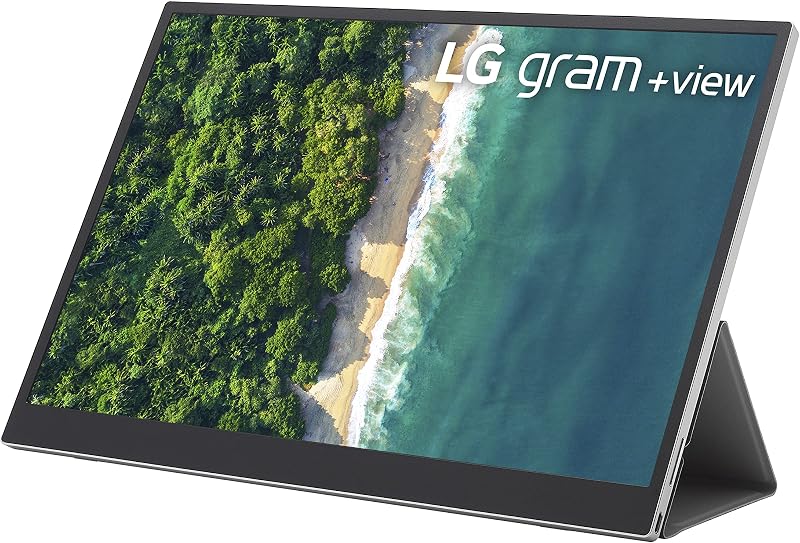
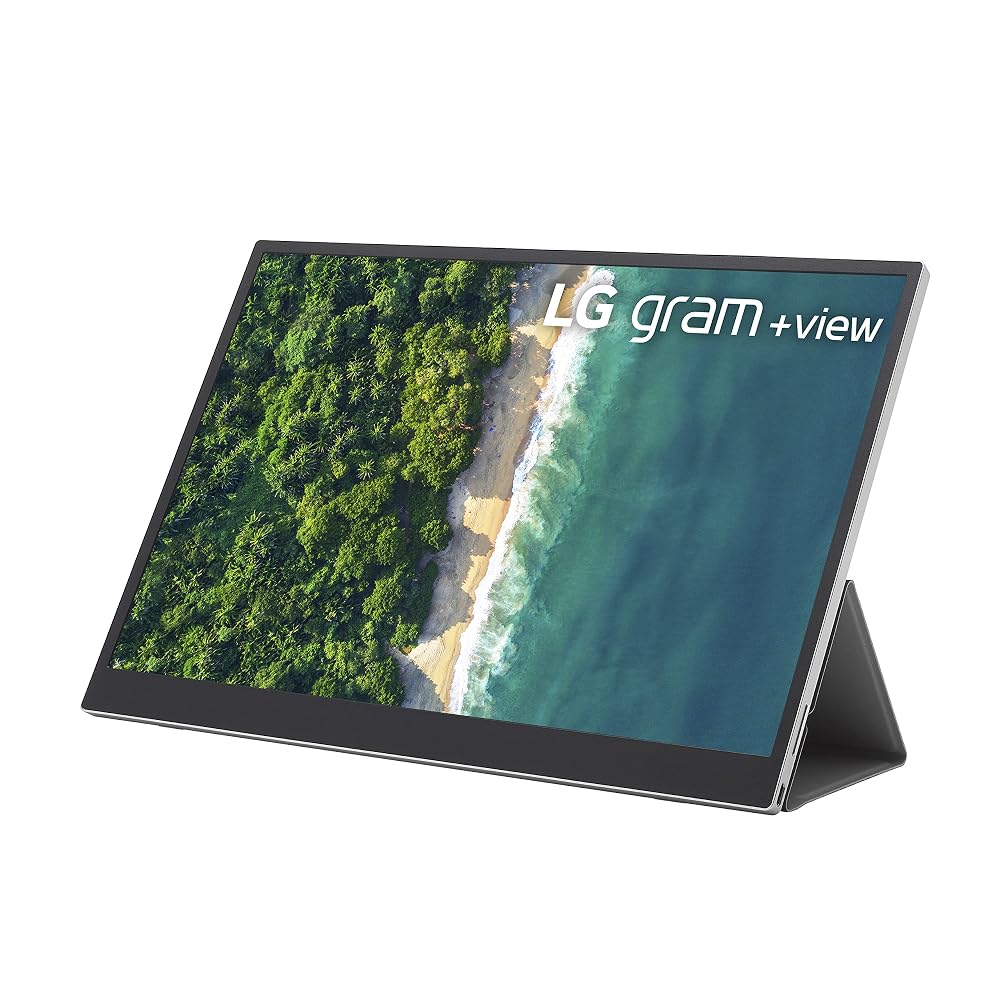
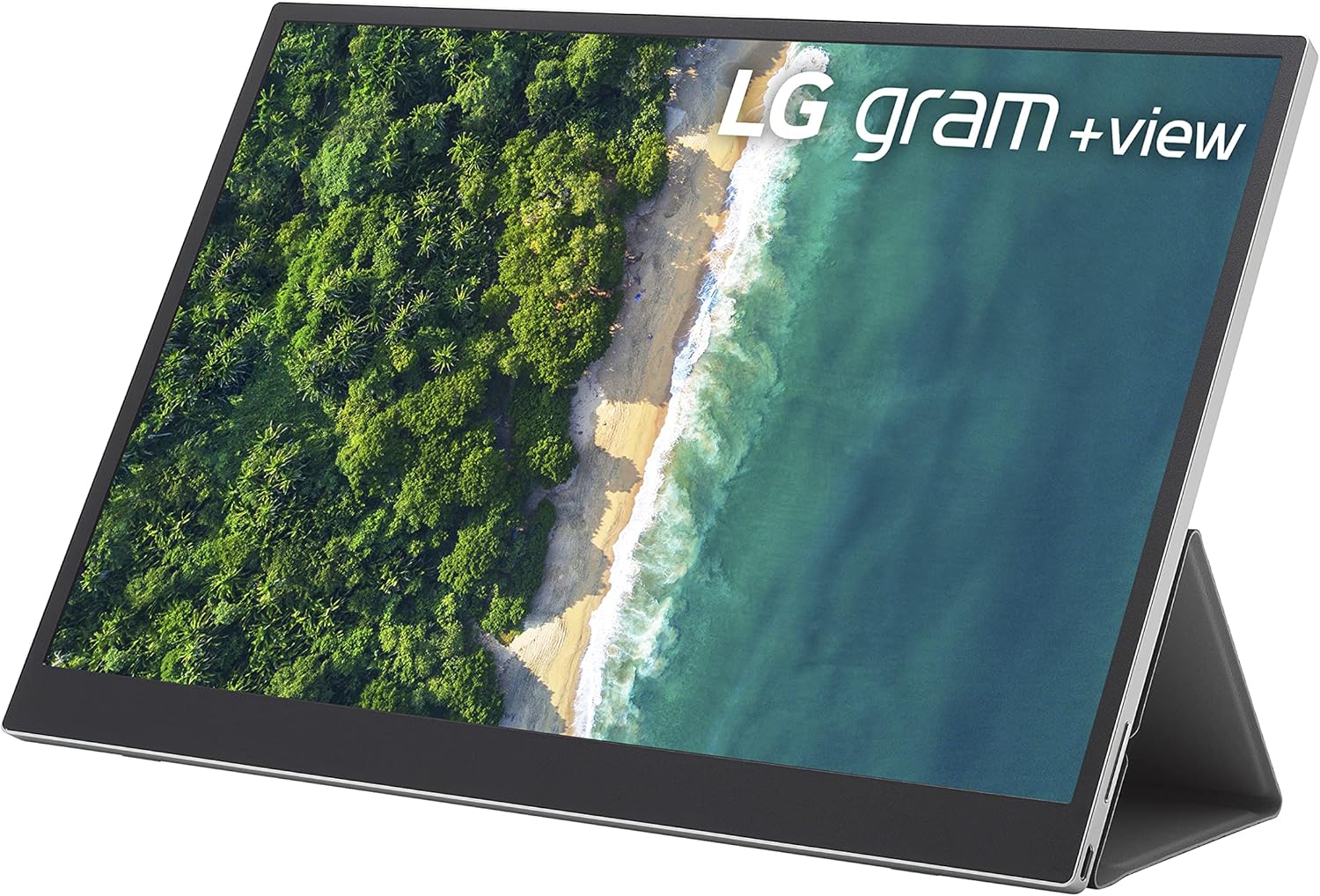
The LG Gram +View 16 is an outstanding lightweight external screen tailored for professionals, students, and family managers who need genuine screen real estate without tabletop clutter. It pairs a premium 16-inch anti-glare IPS display with a productive 16:10 aspect ratio, giving users extra vertical space for documents and spreadsheets. Drawing just 8 watts through a single connection, it delivers reliable day-to-day multitasking wherever your family works.
- Expansive 2560 x 1600 WQXGA resolution paired with 99 percent DCI-P3 color coverage for sharp document text and vivid photo viewing.
- Streamlined hybrid-signal USB Type-C connectivity that transmits power and video over a single cord with an efficient 8-watt power draw.
- Included protective folio cover that guards the matte screen during storage and folds into a multi-angle desk stand.
- Anti-glare matte finish with wide 170-degree viewing angles to minimize reflections under bright overhead living room lights.
LG Gram +View 16 Features Explained
WQXGA Resolution and Productive 16:10 Aspect Ratio
Most standard external screens utilize a 16:9 widescreen format, which often feels narrow and vertically constrained when editing documents or reading long webpages. The lg gram view 16 resolution stands out with a 2560 x 1600 WQXGA pixel count arranged in a taller 16:10 aspect ratio. This extra vertical space displays more spreadsheet rows and text lines without continuous scrolling, making dense administrative tasks and household planning substantially faster.
Visual fidelity is further elevated by an IPS panel boasting 99 percent coverage of the DCI-P3 color gamut alongside a 350 cd/m2 brightness rating. Whether you are retouching family photographs, proofing creative school presentations, or organizing media folders, colors remain accurate and true. The matte display surface effectively diffuses harsh ambient lighting, while the 170-degree viewing angle ensures that parents and children looking at the screen together see uniform colors without contrast shifting.
Single-Cable USB-C Setup and Power Efficiency
Cables running across common family areas can create clutter and safety hazards on shared dining or study tables. The lg gram view 16 usb-c setup resolves this headache by utilizing a hybrid-signal architecture that handles both video transmission and display power through one USB Type-C connection. You simply plug the monitor into your laptop, and the screen turns on instantly without hunting for an extra wall outlet or extension cord.
Energy management is a standout engineering detail, with the unit drawing only 8 watts of power during operation. This low electrical footprint preserves your host machine’s battery reserve when working away from electrical sockets on porches or couches. Users pairing this external panel with a thin laptop like the lg gram 15.6 laptop gain a dual-screen productivity environment that slips into a single sleeve without heavy accessories.
Protective Folio Cover and Integrated Stand
Hardware durability is critical in busy homes where electronics get packed into bags, shifted between rooms, and used by multiple hands. The bundled lg gram view 16 folio cover wraps securely around the chassis, providing a physical buffer that prevents the matte panel from suffering scratches or impact damage during transit. Because it fits the 16-inch frame snugly, it protects the corners without the bulk of a separate carrying case.
In addition to transit security, the cover serves as an adjustable desk stand that holds the display firmly in place. It supports both standard landscape viewing and upright orientations on dining tables, kitchen islands, or coffee tables. This dual-purpose design means you never have to carry a separate plastic bracket or metal kickstand to achieve a comfortable viewing angle.
Software-Driven Auto-Rotation and FreeSync Support
Flexibility is essential when configuring the lg gram view 16 for productivity across diverse family projects. While landscape mode is ideal for side-by-side browser research or video editing, rotating the screen into vertical portrait orientation creates an optimal canvas for reading academic articles, viewing code, or inspecting full-length digital documents without wasted horizontal space.
To enable automatic rotation between landscape and vertical orientations, LG requires installing their proprietary OnScreen software on your host computer. Once active, the system automatically detects panel orientation and reconfigures the desktop. The monitor also incorporates FreeSync technology and a 60Hz refresh rate, which prevents screen tearing and visual stutter during fast scrolling or casual media viewing.
Specs
| Attribute | Detail |
|---|---|
| Screen Size | 16 inches |
| Native Resolution | 2560 x 1600 (WQXGA) |
| Aspect Ratio | 16:10 |
| Panel Type | LED IPS |
| Screen Finish | Matte (anti-glare) |
| Brightness | 350 cd/m2 |
| Contrast Ratio | 1000:1 to 3000:1 |
| Refresh Rate | 60 Hz |
| Viewing Angle | 170 degrees |
| Power Consumption | 8 watts |
| Connectivity Hardware | USB, USB Type-C |
| Item Dimensions | 2 x 16.6 x 11.25 inches |
LG Gram +View 16 Pros and Cons
What we like
- Sharp 2560 x 1600 WQXGA resolution
- Generous 16:10 aspect ratio
- Rich 99 percent DCI-P3 color gamut
- Low 8-watt power consumption
- Protective folio cover doubles as stand
What we’d change
- Standard 60Hz refresh rate
- Requires software install for auto-rotation
- Listing does not specify exact unit weight
Check LG Gram +View 16 on Amazon
Best Use Cases
- Managing multi-column family budget spreadsheets and financial ledgers with expansive vertical visibility.
- Reviewing full-page academic research papers, PDF books, and legal documents in upright portrait mode.
- Creating a fast dual-display workstation at shared dining tables without routing power cords across walking paths.
- Hosting remote video meetings on one screen while taking typed notes or reviewing presentation decks on the other.
- Editing family digital photographs with accurate color reproduction backed by wide DCI-P3 color gamut coverage.
Before You Buy
Before bringing home the LG Gram +View 16, make sure to evaluate your computer’s connection options. The monitor relies on a hybrid-signal USB Type-C connection that requires your host laptop port to support DisplayPort Alternate Mode and supply bus power. Although the technical data lists VGA under general connectivity technology, the actual hardware connections on the unit are strictly USB and USB Type-C ports. If your existing home computer only features standard HDMI or older legacy outputs, you cannot connect this screen without purchasing a separate specialized converter, as no HDMI ports exist on the frame.
Shoppers should also consider operational requirements and what the manufacturer package excludes. The product includes the protective folio cover and stand, but the listing does not specify the exact length of the included cables or the total unit weight in pounds and ounces. Additionally, automatic screen rotation requires installing LG OnScreen software rather than functioning purely through internal hardware sensors. Unlike oversized permanent desktop screens like the samsung ark gen 2 designed for fixed gaming setups, this screen is engineered strictly for portable simplicity and lacks internal speakers or high-frequency gaming refresh rates beyond standard 60Hz.
How It Compares With Similar Picks
| Product | Best For | Key Difference |
|---|---|---|
| LG Gram +View 16 | Detailed document editing and color-critical home office work | Sharp 2560 x 1600 WQXGA resolution, 16:10 format, and DCI-P3 99% coverage |
| 15.6″ FHD IPS HDR | Everyday low blue light computing across PCs, Macs, and gaming consoles | Standard 1080p resolution with broad gaming console support and smart case |
| InnoView Portable Monitor | Family multimedia streaming and gaming setups requiring integrated audio | Built-in speakers and direct HDMI connectivity alongside 1080p resolution |
| Dual Travel Monitor Extender | Simultaneous multi-window travel workflows attached directly to laptops | Dual 1080p screens built into a bracket fitting 14-inch to 17.3-inch laptop lids |
Deciding between these displays depends on whether your priority is visual precision or multi-device versatility. If your household regularly hooks up game consoles or older streaming sticks that rely on full-sized HDMI cables and need internal sound, the InnoView Portable Monitor is better equipped for casual entertainment. If you need two attached screens that clamp directly onto a laptop chassis during frequent travel, the Dual Travel Monitor Extender provides an integrated dual-panel frame. However, for crisp document legibility, accurate digital photo colors, and a clean single-cable setup, the LG Gram +View 16 remains the premier display for focused household productivity.

Bottom Line
Choosing the lg gram view 16 portable monitor comes down to the value of visual clarity, workspace flexibility, and easy storage in a shared living space. Rather than settling for a standard 1080p panel, this screen gives you genuine high-definition sharpness and an efficient 16:10 aspect ratio that makes multi-window work comfortable. Its modest 8-watt power draw and one-cable connection keep shared tables free of wires, letting you create a calm workspace wherever family life happens.
So, is lg gram view 16 worth it for busy modern households? If you need a reliable, durable second screen that stows away easily and provides professional-grade screen quality, it is an excellent investment. When paired with effective remote tools like an insta360 luna ultra wide angle lens for family calls, this portable screen turns any laptop into a versatile, clutter-free productivity hub.
FAQ
Can the LG Gram +View 16 run purely on laptop battery power?
Yes, the display operates using a hybrid-signal USB Type-C connection that draws both display data and operational power directly from your laptop. Because the monitor uses an efficient 8 watts, it operates smoothly without an independent electrical wall adapter.
Does the monitor rotate automatically without installing software?
No, automatic orientation between horizontal landscape and vertical portrait modes requires downloading and installing LG OnScreen software. Without the software running on your computer, you can still position the panel vertically using the folio stand, but you will need to adjust screen orientation manually inside your computer’s display settings.
Does the LG Gram +View 16 have built-in audio speakers?
The listing does not specify or include built-in speakers on this monitor. Sound from movies, video calls, or music will continue to play through your computer’s internal speakers, an external Bluetooth device, or connected headphones.
What are the primary lg gram view 16 specs for daily productivity?
The screen provides a 16-inch IPS matte display, 2560 x 1600 WQXGA resolution, a 16:10 aspect ratio, 350 cd/m2 brightness, 170-degree viewing angles, 99 percent DCI-P3 color gamut, FreeSync support, a 60Hz refresh rate, and an 8-watt power consumption rating.
Can I connect this portable screen to an HDMI port?
The monitor provides hardware connectivity via USB and USB Type-C ports, and the listing does not specify a native HDMI port. Connecting this display to a computer with only HDMI outputs requires a specialized adapter capable of routing video signals over USB-C.
How does the included folio cover function as a stand?
The included folio cover features a magnetic folding structure that wraps around the screen to shield the matte panel during transit. When unfolded on a flat surface, the protective cover bends into a supportive easel that holds the screen steady in either landscape or portrait orientation.


