What we looked at
-
 Highest rated
Anker Laptop Docking Station Dual Monitor, 8-in-1 USB C Hub with…
9.2/10
See price
Highest rated
Anker Laptop Docking Station Dual Monitor, 8-in-1 USB C Hub with…
9.2/10
See price
-
 Dell Pro Laptop Docking Station WD25, USB-C, 100W, DisplayPort, HDMI
9.0/10
See price
Dell Pro Laptop Docking Station WD25, USB-C, 100W, DisplayPort, HDMI
9.0/10
See price
-
 Plugable USB 3.0 Universal Laptop Docking Station, Dual HDMI Monitor
9.0/10
See price
Plugable USB 3.0 Universal Laptop Docking Station, Dual HDMI Monitor
9.0/10
See price
-
 Reviewed here
40AY0090US Lenovo Thinkpad Docking Station Dual Monitor - Supports 4K Display,…
9.2/10
See price
Reviewed here
40AY0090US Lenovo Thinkpad Docking Station Dual Monitor - Supports 4K Display,…
9.2/10
See price
As Amazon Associates, we earn from qualifying purchases. This means we may receive a small commission at no extra cost to you if you click through and make a purchase.
Managing a shared family desk often means dealing with a tangle of cords, mismatched power bricks, and the constant frustration of plugging and unplugging accessories. When parents work from home and students rotate through the same desk space for assignments, a shared desk requires a hub that can handle multiple peripherals without requiring a tech expert to rewire the setup every evening. The Lenovo ThinkPad Dock 40AY0090US directly addresses this everyday friction by turning a single USB-C or Thunderbolt connection into an organized desktop command center. Instead of wearing down your laptop ports with daily insertion cycles, you connect all your monitors, input devices, and networking cables directly to the dock, leaving just one cord on the desktop for everyone to share.
For households seeking an orderly workspace, this dock delivers steady everyday value by combining solid power delivery, multi-screen display connectivity, and a generous assortment of USB ports. Because it comes packaged with both video cables and its own power brick, it eliminates the hidden costs and guesswork of shopping for aftermarket accessories. While you must confirm host computer port compatibility and operating system requirements before setting it up, this hub stands out as a dependable, clutter-busting addition to any busy household workstation.


Quick Verdict
The Lenovo ThinkPad Dock 40AY0090US is a practical, dependable solution for shared family workstations and dedicated home offices alike. By centralizing power, dual-monitor video, and external accessories into an 11-port layout, it makes transitioning between different family laptops swift and tidy. Anyone wondering whether this setup simplifies daily desktop management will appreciate having all essential cables bundled straight out of the box, avoiding frustrating compatibility trips to the electronics store.
- All-in-one connectivity with 11 total ports and 6 versatile USB interfaces
- Dedicated 90W power delivery keeps host laptops energized without extra chargers
- Complete out-of-the-box package includes 4K HDMI, DisplayPort, and USB-C cables
- Solid 16-ounce black desktop chassis built for everyday stability
Lenovo ThinkPad Dock 40AY0090US Features Explained
Comprehensive 11-Port Desktop Connectivity
The backbone of any functional family workstation is peripheral capacity, and this unit excels by providing 11 total ports to eliminate desktop bottlenecks. It features 6 total USB ports, incorporating both high-speed USB 3.1 Type-A and USB 3.1 Type-C interfaces alongside standard USB connections. This spread ensures you have ample room for permanent desktop fixtures like external backup drives, family printers, webcams, and wireless dongles for mice and keyboards without needing extra passive splitters.
Having dedicated ports means nobody has to unplug the desktop keyboard or printer just to plug in a school flash drive. For homes where workers use dependable business hardware like the thinkpad t14 gen 2 amd, having immediate access to legacy USB-A accessories alongside modern USB-C gadgets keeps older, perfectly functional peripherals in daily service for years to come.
Dual Display Output with 4K Support
A major draw for productivity is expanding visual workspace, and this dock operates as a capable lenovo thinkpad docking station dual monitor hub. It provides one dedicated HDMI port and one DisplayPort interface, both engineered to support crisp 4K display resolution. Whether parents need side-by-side spreadsheets or students are researching papers alongside video lectures, the expanded screen area reduces window switching and keeps tasks organized.
Because it functions as a lenovo thinkpad dual displayport hdmi dock, it gives you flexibility across different generations of computer monitors. Rather than forcing you to use dual ports of the same standard, the mix of HDMI and DisplayPort accommodates diverse home monitors without requiring passive adapters that often degrade video signals or introduce visual latency.
Dedicated 90W Power Delivery
Laptop batteries drain rapidly when driving external monitors and busy USB peripherals, which makes the lenovo thinkpad dock 90w power delivery a vital feature. The dock ships with a robust 90W AC adapter, providing steady, regulated electrical power directly through the host connection cable. This steady power stream ensures that connected laptops remain charged and ready for mobile use without demanding that you unpack your portable travel charger every time you sit at the desk.
By delivering ample wattage through the docking cable, the system reduces cable clutter down to a single tether. Family members do not have to crawl under the desk to plug in proprietary wall warts; they simply plug the dock’s USB-C lead into their machine and immediately receive charging power while their external displays and accessories spring to life.
Wired Ethernet and High-Speed Data
Wireless home networks frequently experience dead zones or bandwidth congestion, especially when multiple family members stream video, take virtual classes, and join conference calls simultaneously. This dock includes a dedicated Ethernet port, allowing you to run a hardwired network line directly to your shared desk. Plugging your laptop into the dock instantly routes your internet traffic through a reliable wired connection, preventing dropped video calls and speeding up large family file backups.
Alongside reliable networking, the onboard USB 3.1 architecture delivers high data throughput for transferring high-resolution family photo archives, video projects, and system backups to external storage drives. The rapid data transfer prevents productivity bottlenecks and keeps everyday file transfers quick and painless.
All-in-One Cable Package and Setup Simplicity
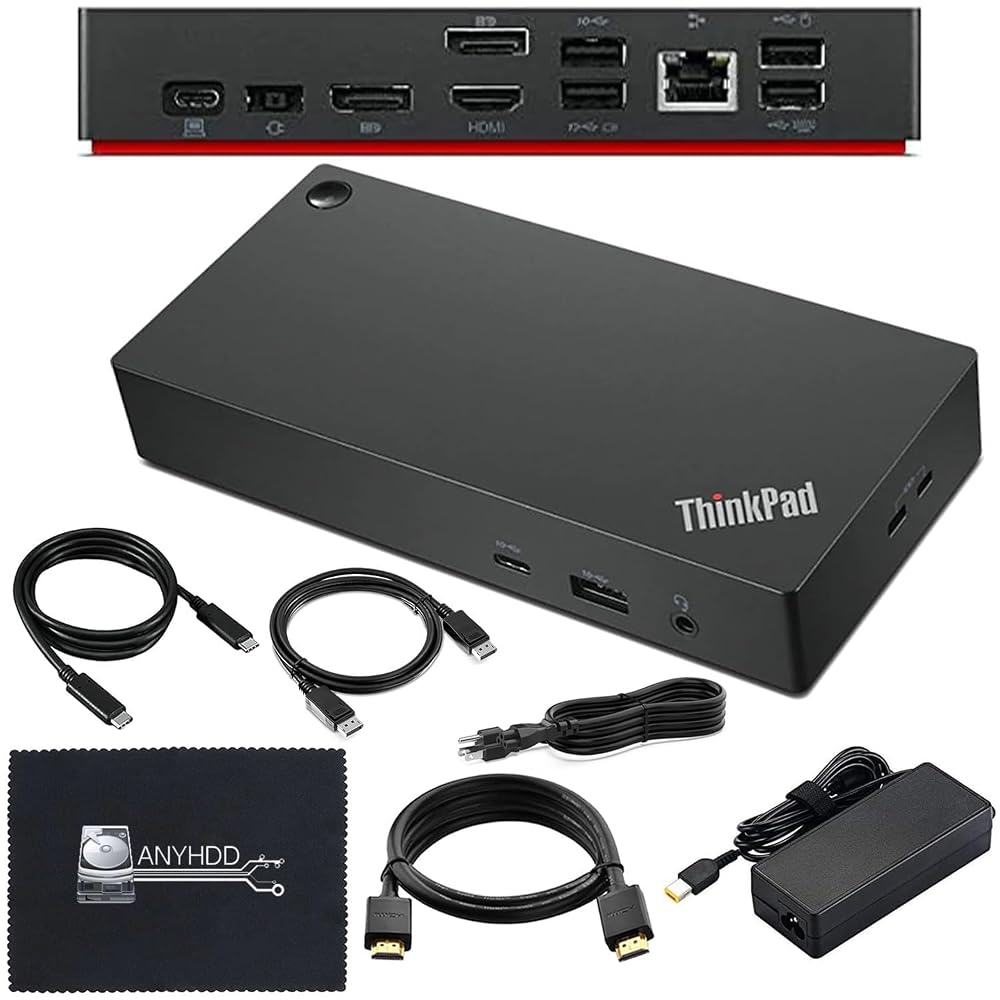
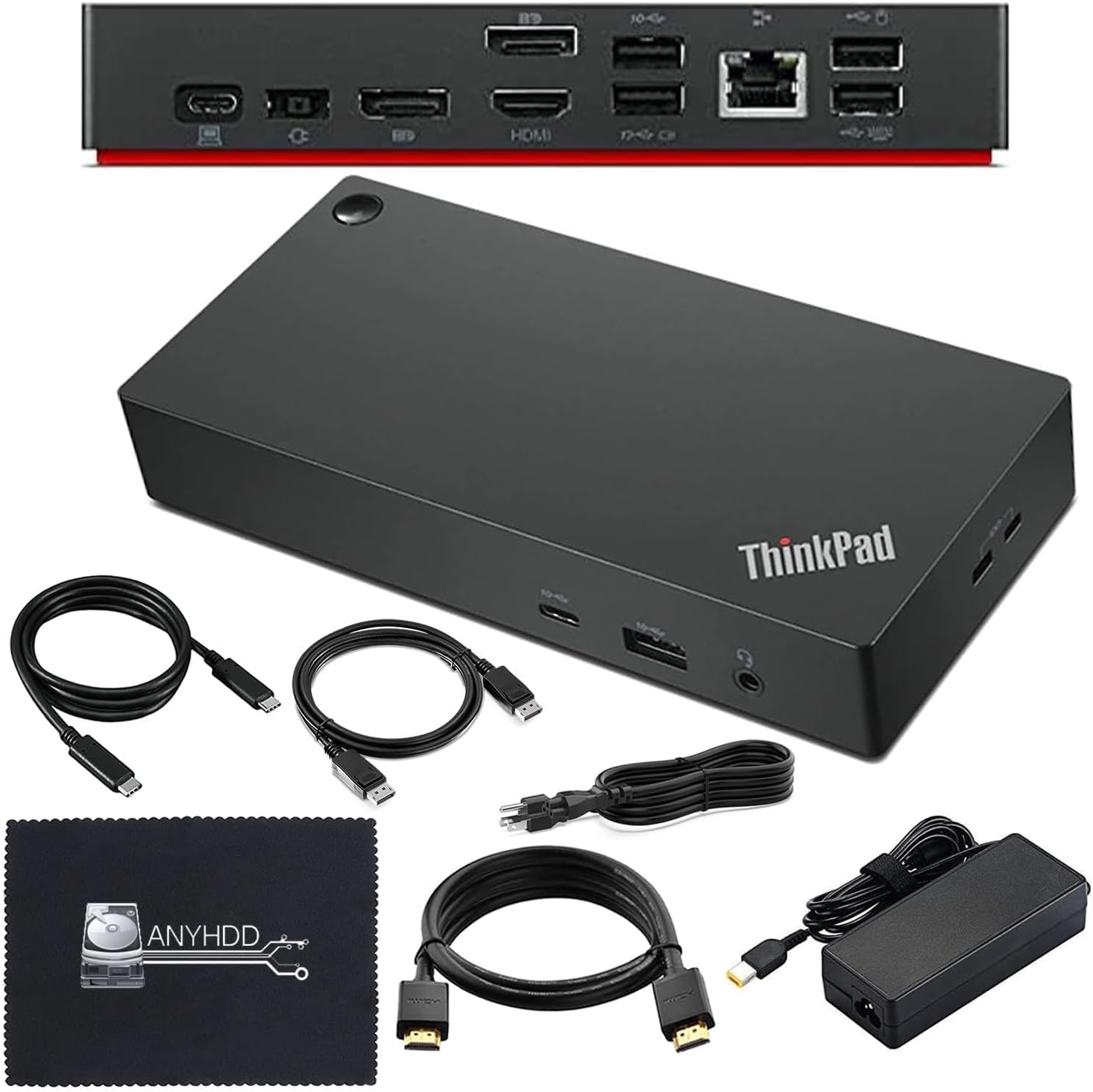
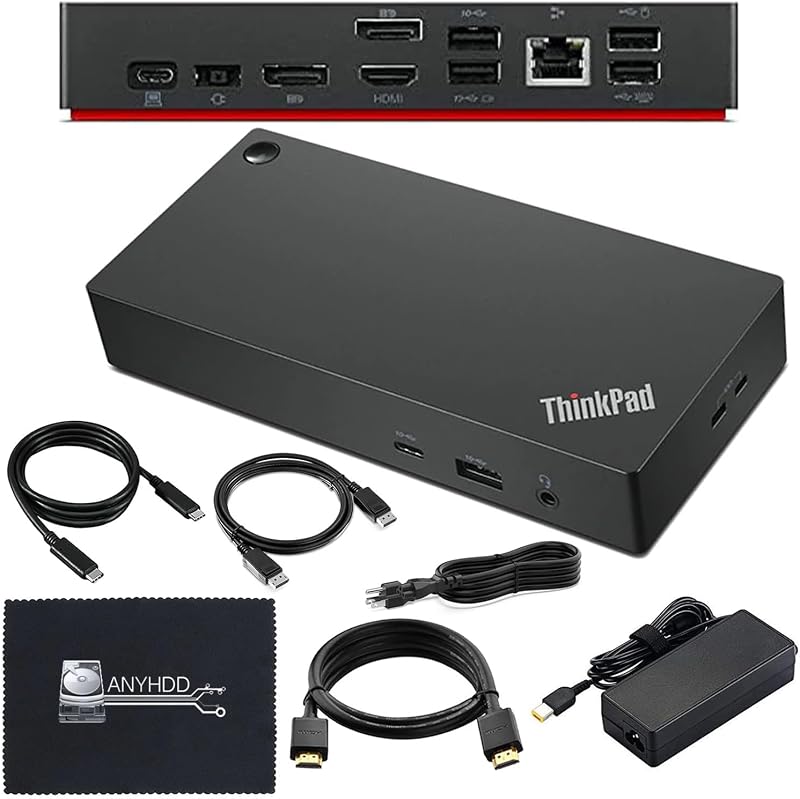
A recurring headache when buying workstation hubs is discovering that essential display cords are missing from the package. The manufacturer resolves this problem by supplying a complete cable bundle inside the box. Alongside the 40AY0090US dock and the 90W AC power adapter, you receive a USB-C connection cable, a 4K HDMI cable, a 4K DisplayPort cable, and a microfiber cleaning cloth to keep your screens and workspace pristine.
This bundled approach ensures a smooth lenovo thinkpad universal usb-c dock setup right out of the packaging. You do not need to research cable bandwidth ratings or purchase separate video cables before getting to work. If display recognition issues arise during initial installation, the listing specifically advises updating the dock firmware to ensure seamless compatibility with your computer.
Specs
| Hardware Attribute | Specification Detail |
|---|---|
| Brand | ANYHDD |
| Manufacturer | ANYHDD |
| Model Number | DOCK-40AY0090US-New |
| Total Ports | 11 |
| Total USB Ports | 6 |
| USB Interfaces | USB 3.1 Type A, USB 3.1 Type C, USB Type C, USB |
| Video Ports | 1 HDMI Port, DisplayPort (Supports 4K Display) |
| Networking | Integrated Ethernet Port |
| Wattage | 90W AC Adapter Included |
| Item Weight | 16 ounces |
| Color | Black |
| Minimum Operating System | Windows 10 |
Lenovo ThinkPad Dock 40AY0090US Pros and Cons
What we like
- Included 90W AC adapter supplies steady laptop power
- Generous 11-port layout features 6 USB interfaces
- Comes with both 4K HDMI and DisplayPort cables
- Dedicated Ethernet port provides stable wired internet
- Supports dual 4K external monitor arrangements
What we’d change
- Requires Windows 10 or newer operating system
- Provides only one HDMI port on the chassis
- May require dock firmware update for initial compatibility
Check Lenovo ThinkPad Dock 40AY0090US on Amazon
Best Use Cases
- Centralizing family workstations where different users share the same desk throughout the week.
- Creating an efficient lenovo thinkpad dock for home office layout with dual 4K monitors and wired peripherals.
- Providing stable 90W charging and Gigabit-class wired Ethernet for modern notebooks like the lenovo pro 9i without opening extra power bricks.
- Consolidating permanent accessories like external hard drives, printers, and desktop input gear into a single cord.
- Upgrading laptop workstations that require both DisplayPort and HDMI display options simultaneously.
Before You Buy
Before purchasing this hub, check your host computer’s interface specifications to ensure proper performance. The dock requires a laptop with a compatible USB-C or Thunderbolt port capable of carrying video signals (DisplayPort over USB-C) and receiving power delivery. Furthermore, the listing establishes Windows 10 as the minimum required operating system version, so older operating systems will not operate properly. If you connect your laptop and your displays do not show up immediately, the manufacturer notes that updating the dock firmware is often required to establish complete system compatibility.
It is also helpful to review what the package provides versus what is omitted. The box includes the 40AY0090US dock, a 90W AC power adapter, a USB-C host cable, a 4K HDMI cable, a 4K DisplayPort cable, and a microfiber cloth. However, the listing does not specify audio combo jack dimensions, Kensington security slot details, or native compatibility with macOS. When evaluating how this unit fits your gear compared to past workplace models like the lenovo thinkpad usb-c dock gen 2, remember that its primary design target is modern Windows machines with USB-C video support.
How It Compares With Similar Picks
| Product | Best For | Key Difference |
|---|---|---|
| Lenovo ThinkPad Dock 40AY0090US | Shared family workstations needing an all-inclusive 90W cable kit | Features 11 ports, 90W adapter, 6 USB ports, and includes both HDMI and DisplayPort cables. |
| Dual HDMI USB C Dock | Users needing built-in memory card readers for camera media | Compact 8-in-1 design with dual HDMI and SD/TF slots, but the power charger is not included. |
| Universal Dock | Power-hungry professional setups requiring multi-screen expansion | Delivers 100W USB-C power delivery and quad display support for enterprise-level demands. |
| for Windows and Mac | Mixed households with legacy USB 3.0 ports and dual HDMI setups | Requires drivers to function over standard USB 3.0 or USB-C, offering audio and dual HDMI. |
Choosing between these docking options comes down to your home’s hardware mix and accessory needs. If you frequently transfer photos from family digital cameras, the Dual HDMI USB C Dock provides integrated SD and TF card slots, though you must supply your own external power charger. For environments operating older computers without modern USB-C video pass-through, the for Windows and Mac option uses software drivers over legacy USB 3.0 to output video. Meanwhile, households with high-draw workstations might favor the Universal Dock for its 100W charging ceiling, but the Lenovo ThinkPad Dock 40AY0090US remains uniquely practical by shipping with its own 90W power brick and all necessary display cables in one box.

Bottom Line
Evaluating whether a piece of desk hardware justifies its space comes down to daily convenience, and shoppers wondering is lenovo thinkpad docking station worth it will find plenty of practical utility here. By turning an unruly web of cords into a single plug-and-play desktop anchor, the Lenovo ThinkPad Dock 40AY0090US protects laptop ports from constant wear while keeping desktop monitors, network lines, and backup drives permanently connected. The 16-ounce black chassis provides reassuring heft that prevents the dock from sliding around your desk whenever cables shift.
When paired with sleek daily drivers like the lenovo thinkpad x1 carbon gen 14 aura edition, this hub transforms a portable notebook into a full-scale desktop workstation in seconds. While you must ensure your family’s laptops run at least Windows 10 and support USB-C or Thunderbolt video connectivity, the inclusion of the 90W AC adapter, dual display leads, and 6 USB ports delivers a well-rounded, enduring home office upgrade that will serve household computing needs for years to come.
FAQ
Does the Lenovo ThinkPad Dock 40AY0090US come with a power adapter?
Yes, the dock includes a dedicated 90W AC power adapter in the package. This adapter powers the dock itself, runs connected USB accessories, and delivers charging wattage to your host laptop through the primary connection cable.
Can I run two monitors simultaneously with this dock?
Yes, this docking station supports dual-monitor setups using its integrated HDMI port and DisplayPort connection. Both video outputs support up to 4K display resolution, and the manufacturer provides both a 4K HDMI cable and a 4K DisplayPort cable in the box.
What should I do if my laptop does not detect the external screens?
First, verify that your computer’s USB-C or Thunderbolt port supports video output. According to the manufacturer’s instructions, if you encounter display or peripheral recognition issues, updating the dock firmware is the recommended troubleshooting step to ensure complete system compatibility.
Which operating systems are compatible with this docking station?
The product listing specifies Windows 10 as the minimum required operating system version. The listing does not specify native plug-and-play support for macOS or alternative platforms, so Windows 10 or later is recommended.
What accessories are included inside the box?
The retail package includes the 40AY0090US Thinkpad dock, a 90W AC power adapter, one USB-C connection cable, one 4K HDMI cable, one 4K DisplayPort cable, and a microfiber cleaning cloth.


